21 von 37V 07.17
Service Manual BXT3-13/16/19
ENGLISH
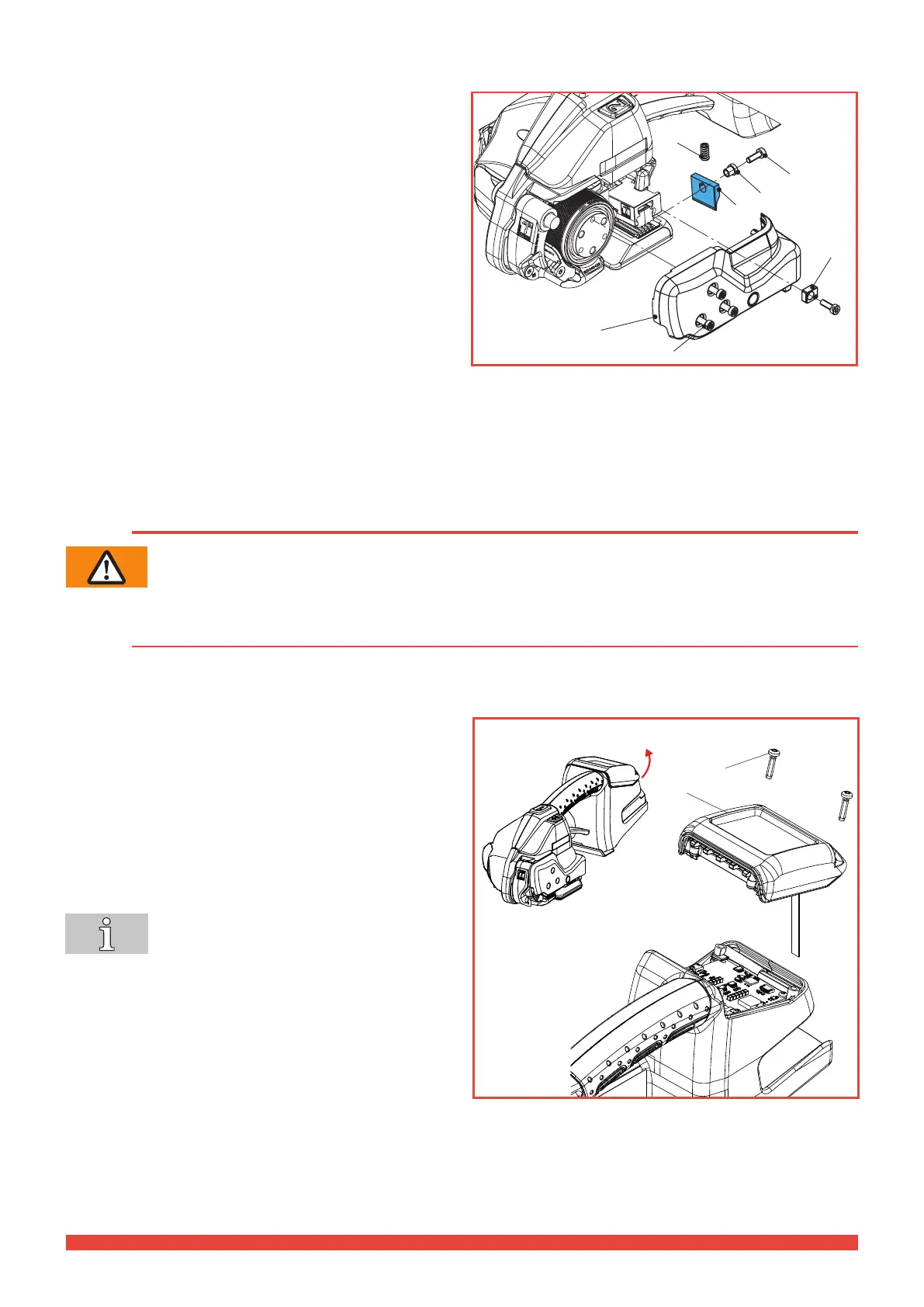
4.1.3 Replacing the knife
Dismantling
► Remove battery from tool.
► Remove four cylinder screws Torx (3), strap guide rear
(4) and side cover (2).
► Remove cylinder screw Torx (5) and knife (1) with an-
ged bushing (6). Replace knife.
Fitting
► Fitting is performed in reverse order.
► Before tting the knife (1), check whether the pressure
spring (7) above the knife is inserted.
► Secure cylinder screw (5) with Loctite 222 and tighten
it with a torque of 3.0 Nm.
► Tighten cylinder screws Torx (3) with a torque of
1.0 Nm.
5 Corrective maintenance work
WARNING
Unexpected startup during maintenance work, injuries possible.
Always remove the battery before performing cleaning or preventive and corrective maintenance
work.
5.1 Electronics components
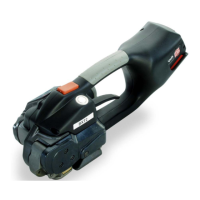
5.1.1 Removing the LCD operating unit
Dismantling
► Remove the PT-screws # 197.
► Lift up the LCD operating unit complete # 210 from the
rear, lift and pull out the housing at the front.
► Disconnect the ribbon cable by carefully pulling on it.
Fitting
► Carry out assembly in the reverse order.
► Tighten PT-screws # 197 with a torque of 1.0 Nm.
The tool cannot be put into operation without
connected UI. The tool sends an acoustic
error message for a few seconds.
197
210
2
3
4
5
6
1
7
BXT3-19



 To Next Page