14-7
▼When an error message appears
Chapter 14 Troubleshooting
■Clearing paper jam in main body (cutter area)
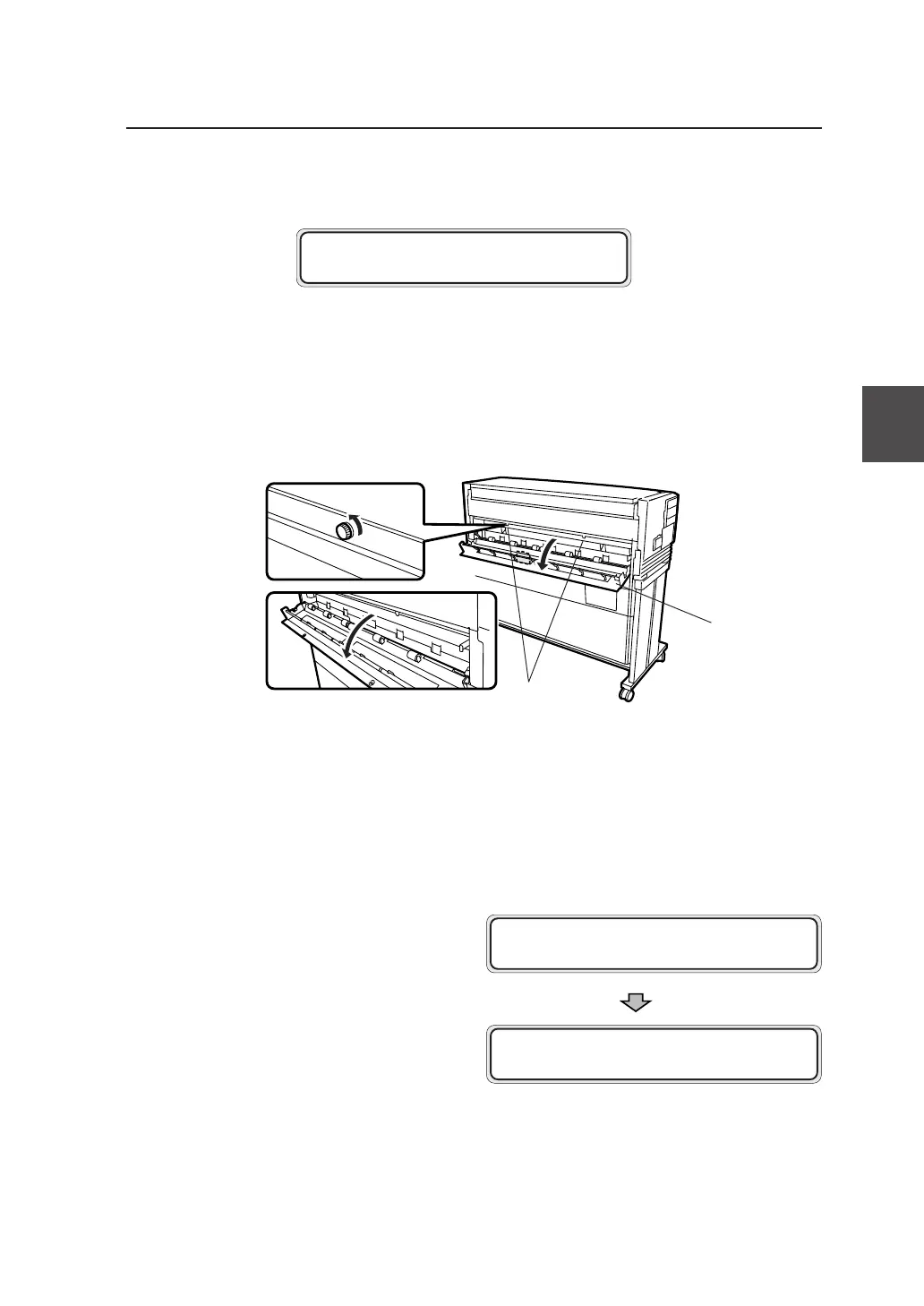
1 Open the cutter door.
Loosen the two knobs and open the cutter door
gently.
2 Remove the jammed paper and close the cutter door.
After you closed the cutter door, the following
message appears on the control panel, and then
the plotting restarts from the drawing that
jammed.
OPEN DOOR 5
REMOVE PAPER
WA I T A MOMEN T
PR I NT XX / XX✽ S001
F01 XXXX J009
Knob
Cutter door
(Door 5)



 To Next Page