18
|
Connect the Broadband radar to your display | Broadband 3G™ Radar Installation Guide
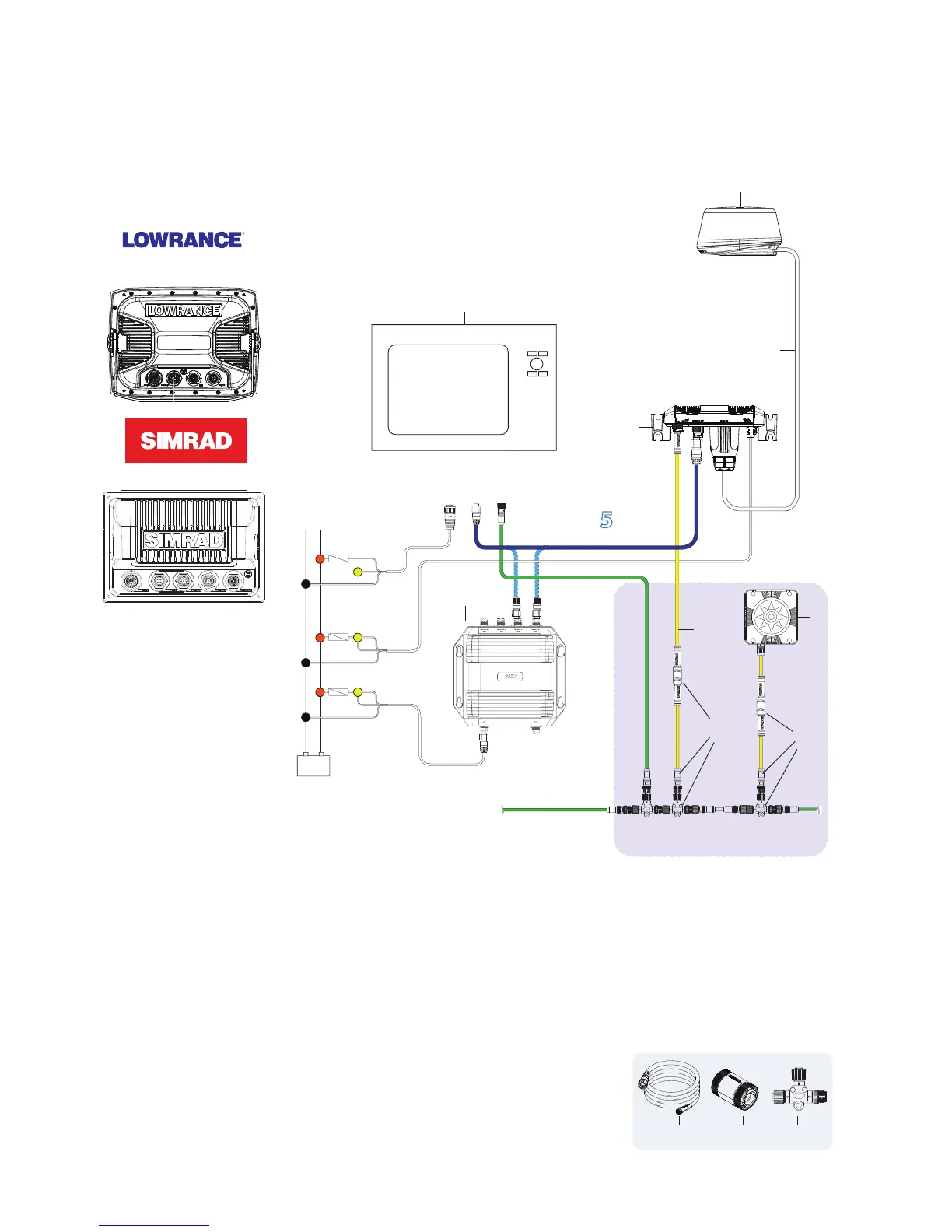
Lowrance HDS Outside USA or with MARPA / Chart overlay
Simrad NSS (NMEA2000 network)
The 3G™ Radar connects to the Lowrance HDS and Simrad NSS in the same manner
+
_
FUSE
FUSE
FUSE
Parts required for chart overlay / MARPA
1
2
3
4
5
6
7
9
9
10
8
NMEA2000 Network
NMEA2000
Ethernet
Power
Lowrance HDS
or
Simrad NSS
1. Multifunction Display
2. Broadband 3G™ scanner
3. Interconnection cable (Lowrance 10 m (33 Ft) Simrad 20 m (65.5 ft)
4. RI10 Radar interface box
5. Ethernet cable 1.8 m (6 ft) For more cable lengths see “Ethernet cables” on page 29. The RI10 can
connect either directly to a Multifunction display of via a Ethernet switch (NEP-2) or a free port on an
LSS-1 Structure scan module
6. NEP-2 Network Expansion Port. 5 Port Ethernet switch
The following Parts required for chart overlay and MARPA
7. RC42 Heading Sensor
8. SimNet cable. For cable options see “SimNet cables” on page
29
9. SimNet - NMEA2000 adapter kit: a) SimNet -Micro-C cable 0.5 m
(1.6 ft), b) SimNet joiner. c) NMEA2000 T-Connector
HDS
NSS
NMEA2000
Ethernet
a b c



 To Next Page