22
When the printer in use is
2X/2X DP303
-
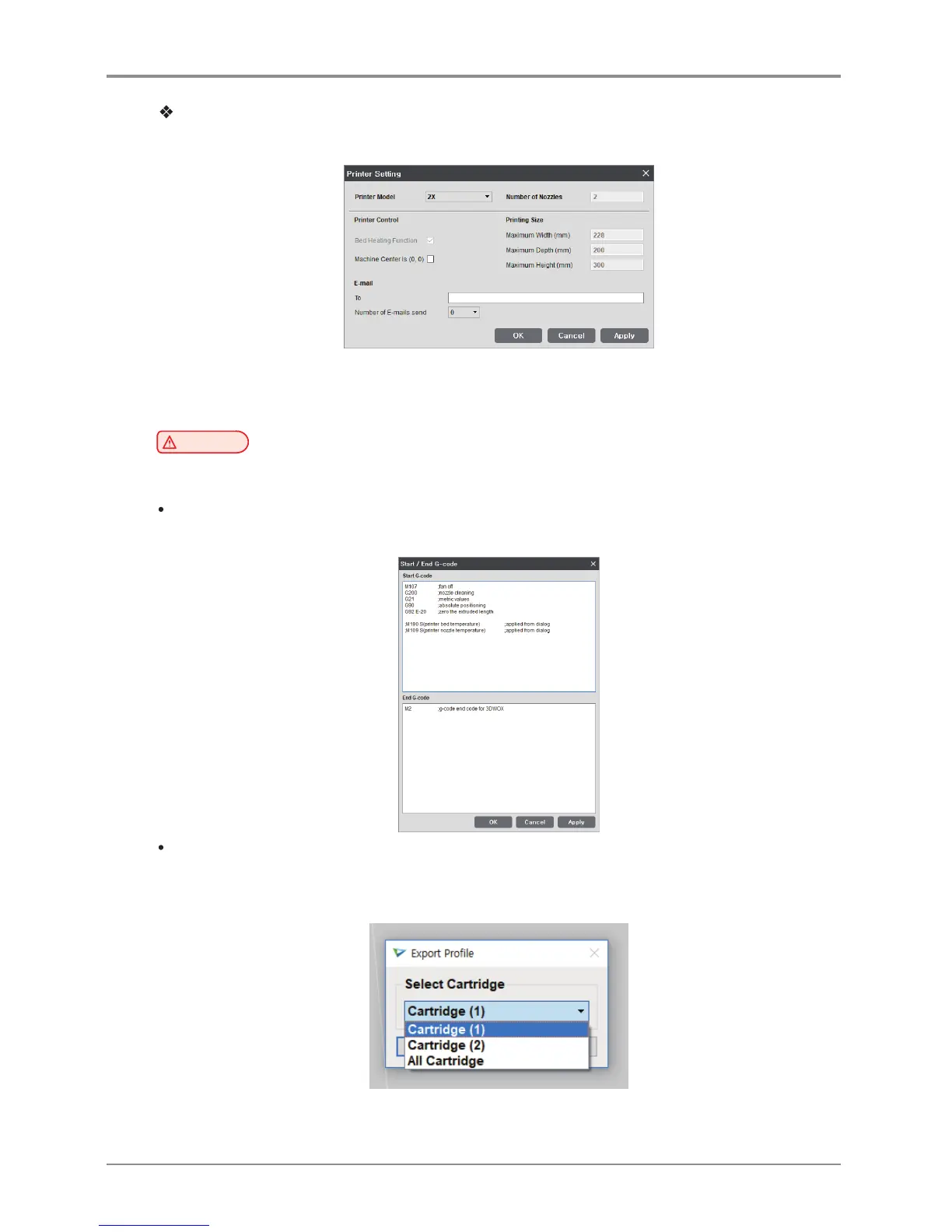
For 2X, the printer setting screen has been changed as below.
-
2X/2X DP303 has two nozzles.
Beside the change above, other setting screens are same as DP200/DP102.
Caution
-
E-mail feature must be selected from the UI menu before being used.
For further details, please refer to “UI Menu Feature Description.”
Start/End G-code
View default settings for start/end code, modify text to apply to sliced model.
Import/Export Profile
This function allows user to import predefined profile parameter values or export values for slicing.
File format for profile is *.ini and editing is available through “notepad”.
2X performs Import/Export by cartridge.



 To Next Page