24
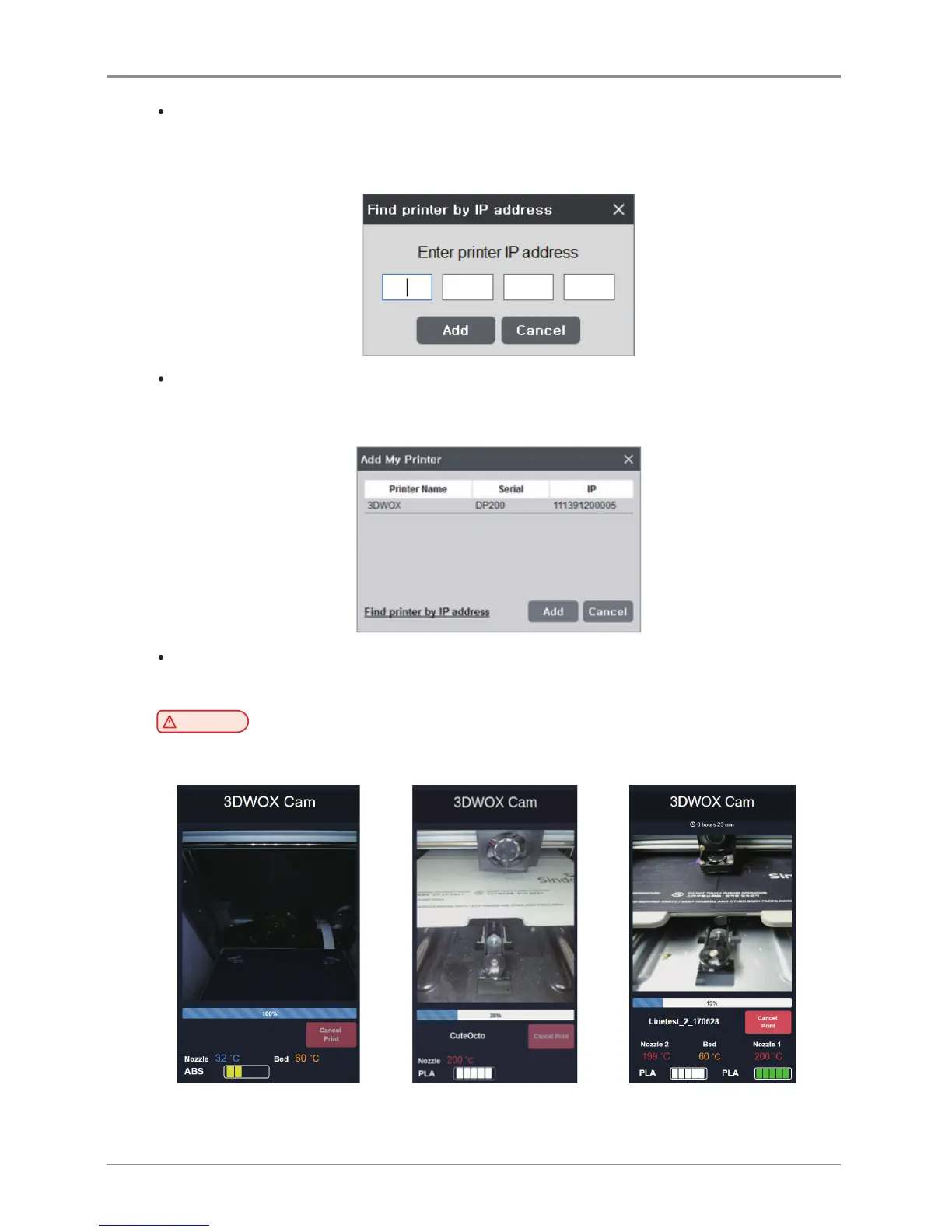
Find Printer by IP Address
Add by inserting specific printer IP address.
After typing the IP address, press “Add”. if the IP address is available, the printer within the IP address will be
added to “My Printer”.
Add Local Printer
Automatically searches the printer that is connected by the USB Cable and displays it on the screen.
If you click the [Add] button after selecting the searched printer, the printer is added to “My Printer”.
Web Monitoring
Function allows user to monitor the operation of the network printer connected to this program.
Caution
-
Compatible browser versions are Internet Explorer 11 or FireFox 40.0 or Chrome 47.0 or higher.
Some features may not function properly if the browser version is lower than the above.
< DP200/DP102, 3DWOX 1and < DP201/DP202 > < 2X/2X DP303 >
1X/1X DP302 >



 To Next Page