31
Creating and Removing Support
Support Creation
To create a support, click on the inactive area (blue) in the edit region.
Now, the region will turn red and creation of perpendicular supports can be seen .
Removing Support
To remove support, press and hold Ctrl key and click on the active area of the edit cross section.
The area that has been selected will turn black (inactive), Supports that have been created will be removed.
Support Edit Cross Section Maneuvering
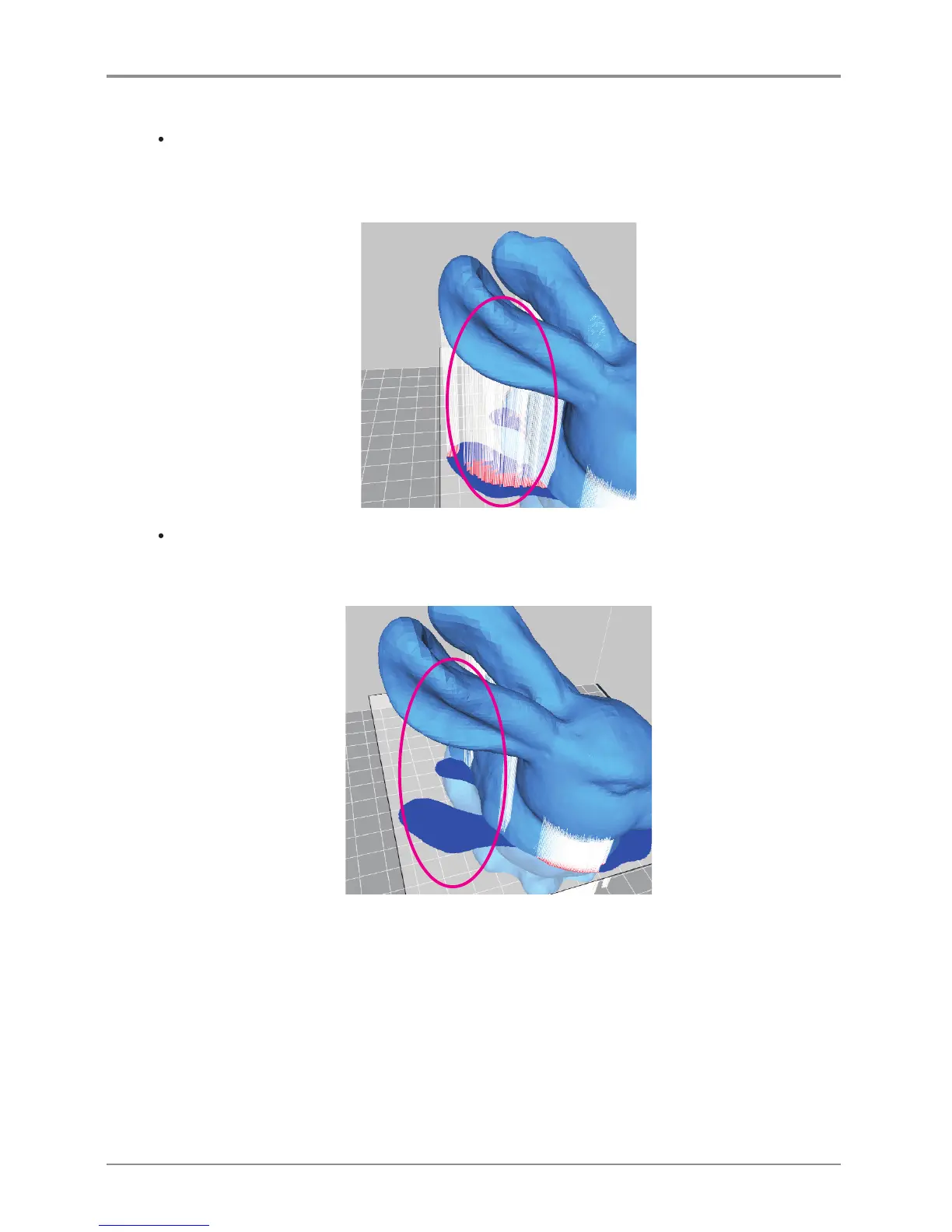
Length of Support is determined by having the cross section as the center and creating a support vertically
both ways until a shape is created.
Thus, if there is a shape in the middle of the area, support creation have to be divided and edited separately.
For example like the model below, when editing the support located in the middle of the model, in the circle,
only the lower half will be edited. So when removing, only the lower half of the support will be
removed, and the support in the middle of the model will remain as is.



 To Next Page