w
r
t
e
z
q
Programming Lettering
Selecting Fonts
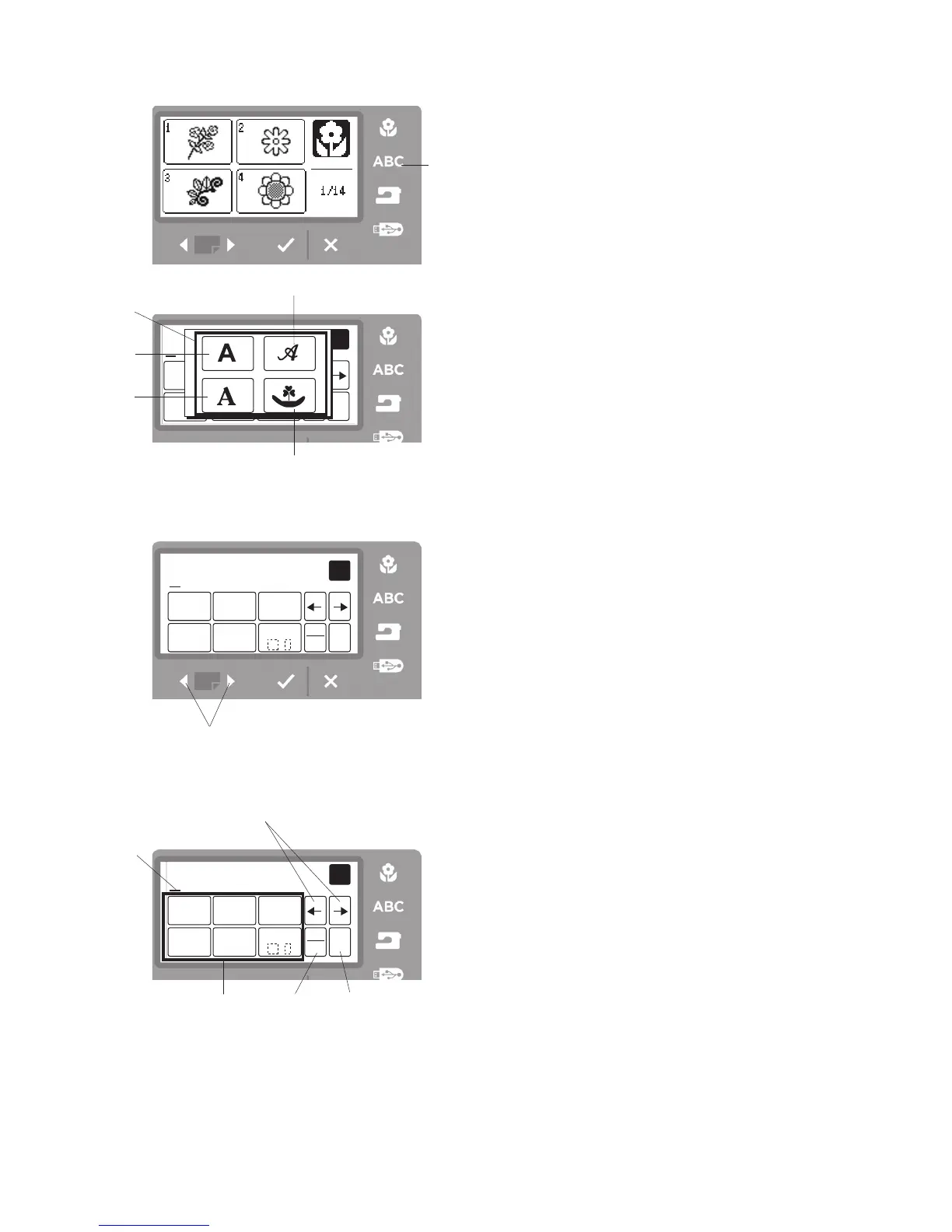
There are 3 styles of fonts and 18 border designs.
Press the lettering button
q
. The font selection window
will open
w
.
q
Lettering button
w
Font selection window
Press one of the following icons to select the desired
font or border design.
e
Gothic font
r
Script font
t
Cheltenham font
y
Border designs
Entering Characters
Select the Gothic font
w
, and the window for upper case
letters will open.
Press the next page forward button
y
to display lower
case letters, numbers and international alphabet.
The size of characters can be changed by pressing the
letter size icon
r
. The default size is medium.
To enter a character, press the letter or number icon until
the desired character appears above the cursor.
q
Uppercase letter icons
w
Cursor icon
e
Cursor
r
Letter size icon
t
Clear icon
y
Next page icon
z
x



 To Next Page