q
w
e
q
w
e
r
r
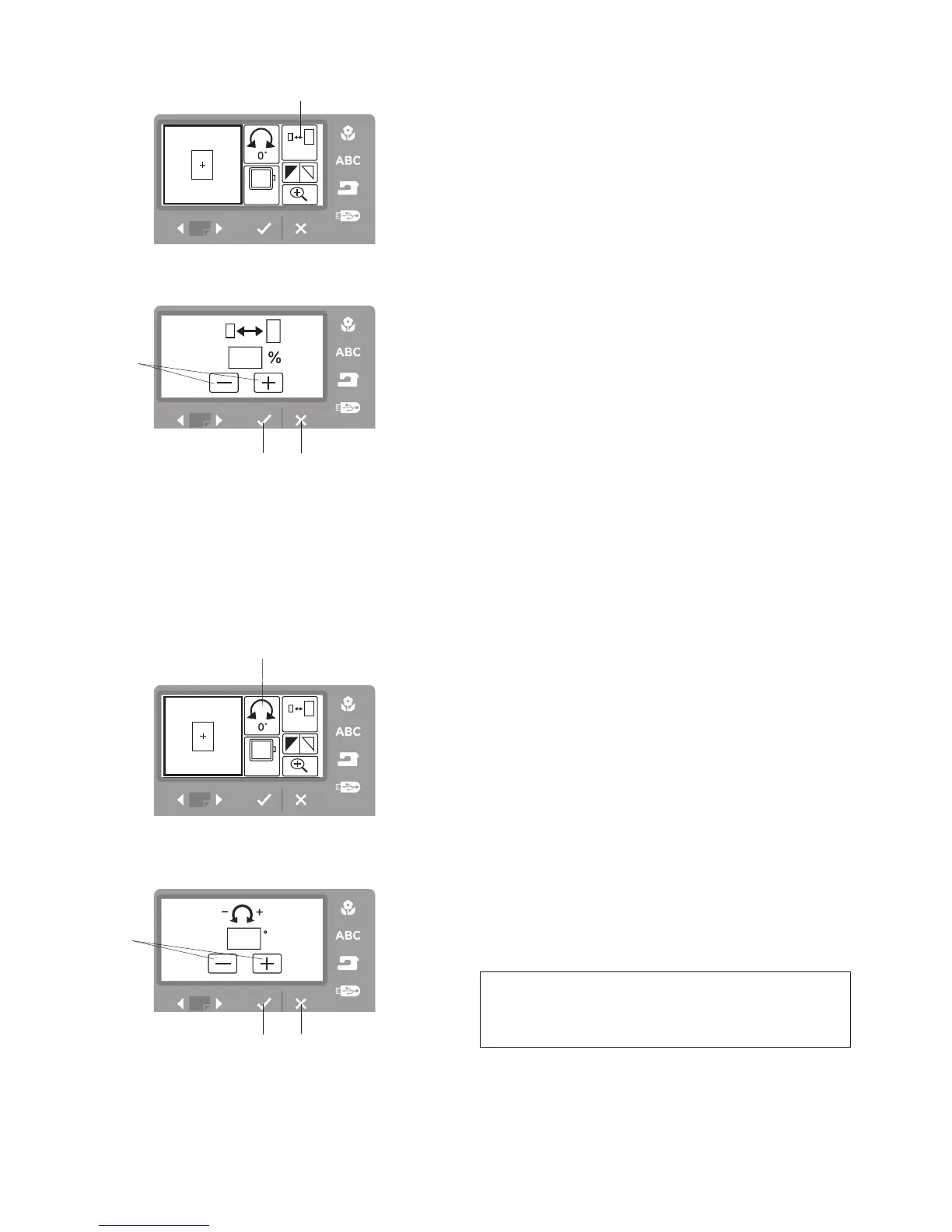
Resizing the Pattern
You can change the size of an embroidery pattern from
90% to 120% of the original pattern size. The size will
change 10% each time you press – or + icon.
Step
z
Press resize icon
q
.
q
Resize icon
Step
x
The resize window will open.
Press - or + icon
w
.
Step
c
Press the OK
√
button
e
to resize the selected
pattern.
Press the exit X button
r
to exit the resizing window
without any change.
Rotating the Pattern
You can rotate the selected embroidery pattern either
clockwise or counterclockwise.
Step
z
Press the rotate icon
q
.
q
Rotate icon
Step
x
The rotate window will open.
Press + or – icon
w
to rotate the selected embroidery
pattern. The pattern will rotate 45 degrees clockwise
or counterclockwise when pressing one of the icons.
Step
c
Press the OK
√
button
e
to rotate the selected
pattern.
Press the exit X button
r
to exit the rotate window
without any change.
NOTE
Rotation may be limited based on the size of the
design being rotated.
z
z
xc
xc



 To Next Page