q
w
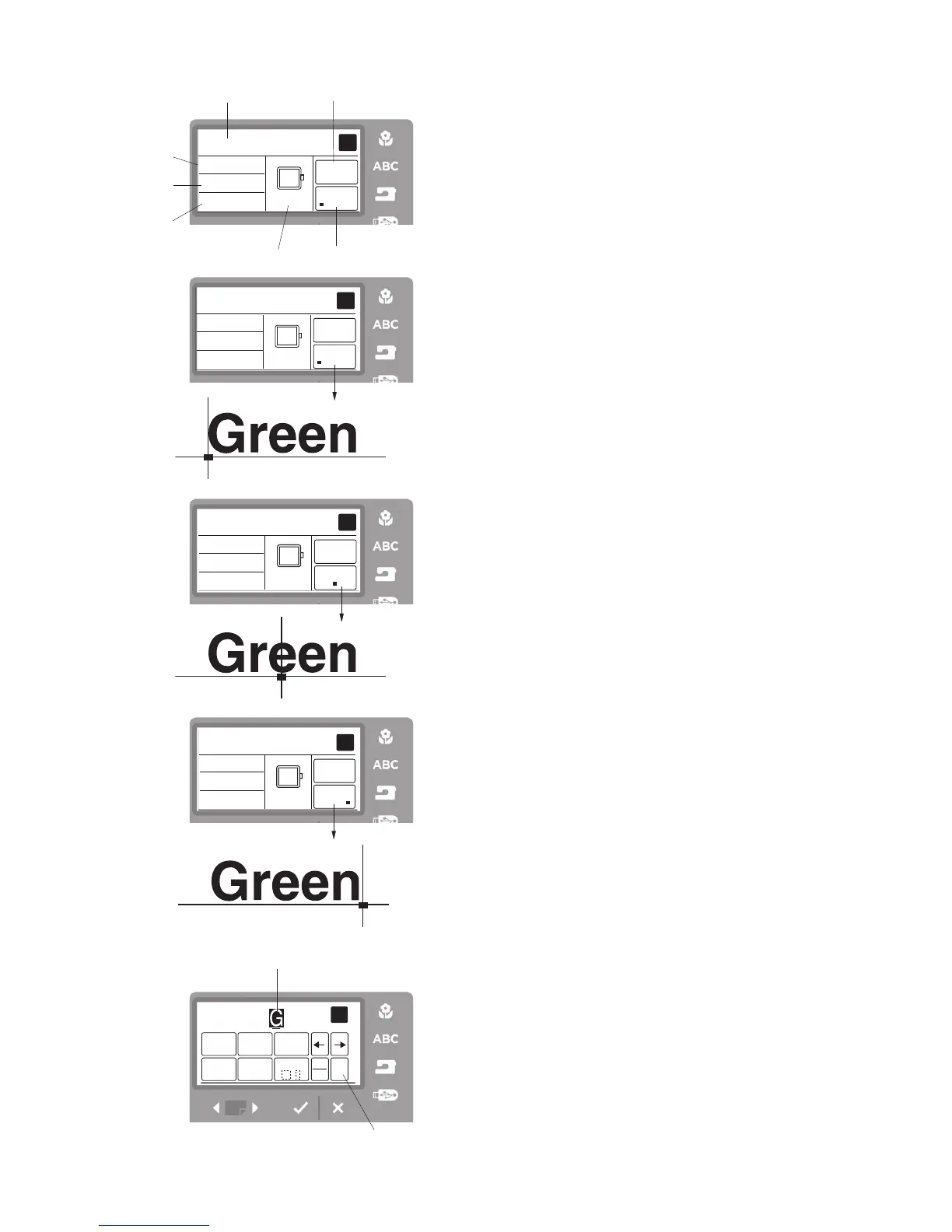
Ready to Sew Screen
q
Lettering embroidery design
w
Sewing time in minutes
e
Number of colors
r
Lettering size
t
Hoop size
y
Justification icon
u
Color change icon
Color Change
You can sew a multi-colored lettering embroidery by
changing the thread color of each letter if you press the
color change icon before sewing.
The machine will stop automatically when each letter has
been sewn.
Select OK
√
and change the thread to the next color and
start sewing again.
Placement of Lettering Embroidery
You can select one of three placements for lettering
embroidery. Justify refers to the location the lettering will
be located in the hoop when sewn. Example: Selecting
left justify (A) will start Green on the left side of the hoop.
q
A Left justify (Far left area of hoop)
w
B Center justify (Center of hoop)
e
C Right justify (Far right of hoop)
Maximum Number of Characters
The maximum number of characters varies depending on
the font and size programmed. If you enter more charac-
ters than the maximum number, the last entered charac-
ter will be highlighted.
Press the clear icon to delete the highlighted character.
q
Highlighted character
w
Clear icon



 To Next Page