q
w
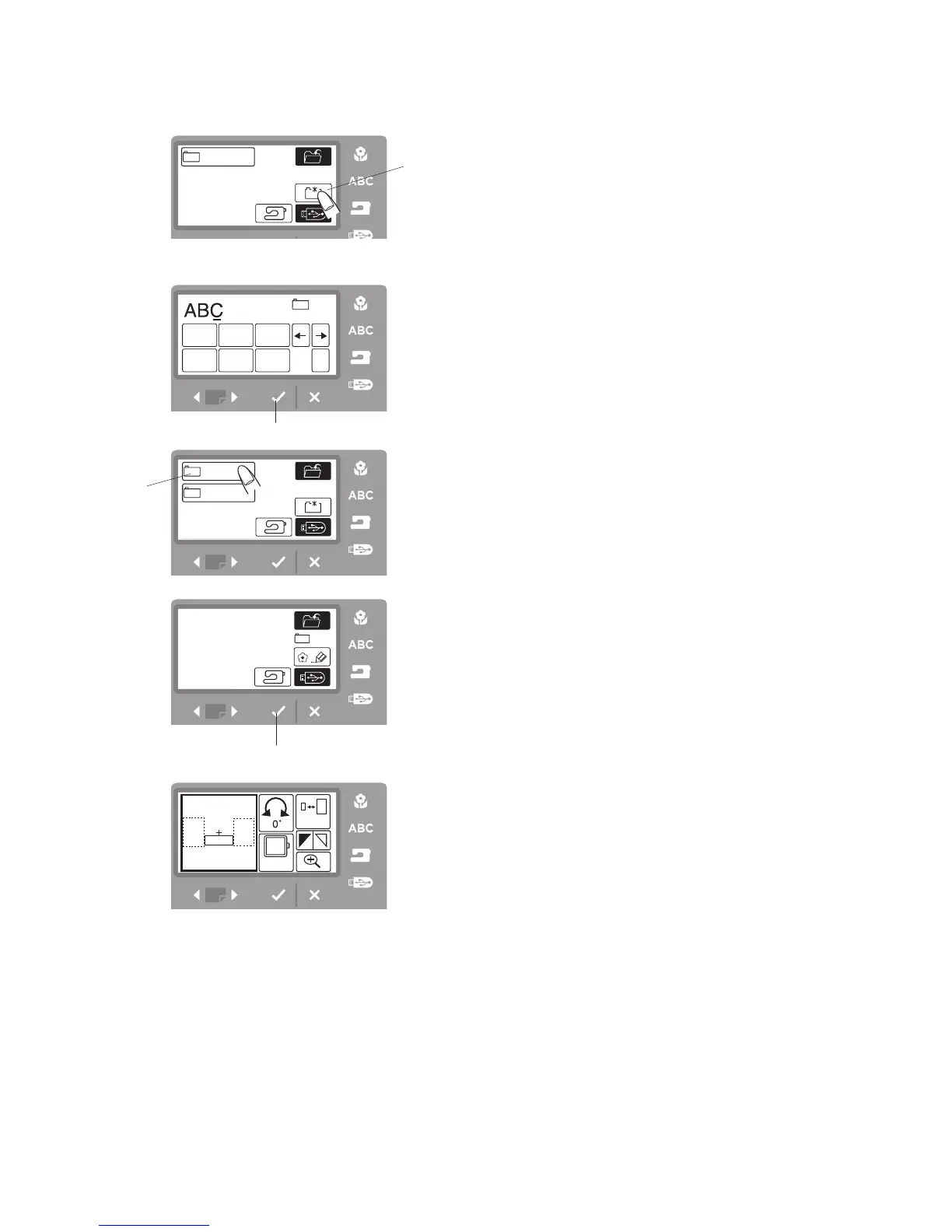
Creating a New Folder on the USB Memory Stick
You can create your own folder and assign the desired
name to it.
Step
z
Press the folder icon
q
.
q
Folder icon
Step
x
Enter the folder name.
(Choose up to 8 characters to enter.)
For example, enter “ABC” for the folder name.
Step
c
Press the OK
√
button
w
.
w
OK √ button
Step
v
Press the ABC folder to open.
e
ABC folder
Step
b
Press the OK
√
button
w
to save the file in the ABC
folder.
w
OK √ button
Step
n
The screen returns to the previous screen.
z
xc
b
n
v



 To Next Page