17
FUNCTION OF BUTTONS AND ICONS
Function Panel
q
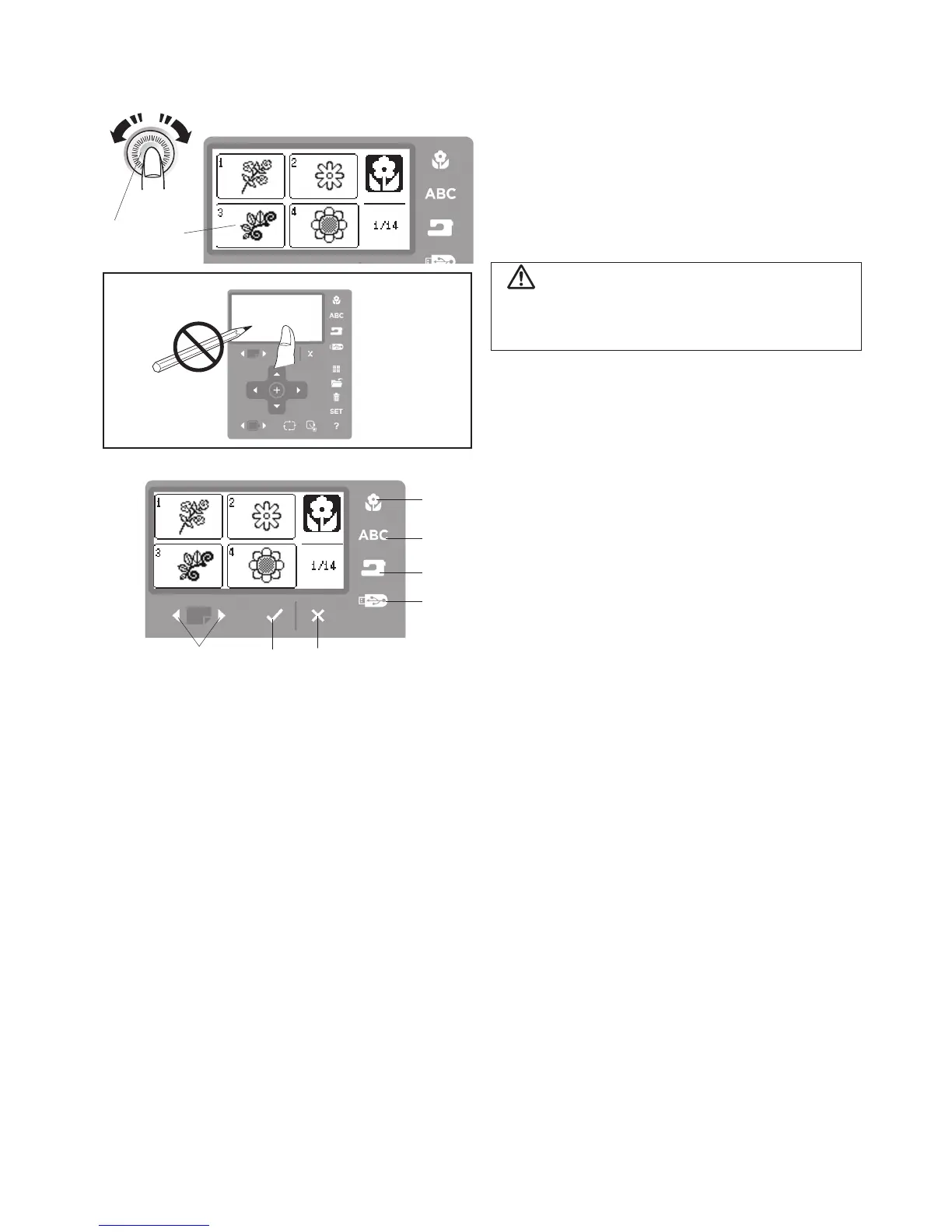
Built-in design button
Press this button to display the pattern selection
window for the built-in designs. The LCD screen
displays up to 4 patterns. Press the page forward
and back buttons to show the next or previous 4
patterns. Press the icon of desired design on screen
to select the desired pattern.
w
Lettering button
Press this button to select one of the 3 fonts for
lettering or border designs.
e
Internal memory button
Press this button to open the pattern file folders
designed to store edited designs in the machines
internal memory.
r
USB memory button
Press this button to open the pattern files you have
transferred from the computer to the USB memory
stick.
t
Forward and reverse page buttons
Press the forward page button to display the next page
and press the reverse page button to go back to the
previous page.
y
OK
√
buttton
Press this button to confirm the setting and return to
the previous window.
u
Exit X button
Press this button to close the current window and
return to the previous display.
q
w
e
r
t
y
u
Adjusting the brightness of the LCD screen can be
helpful when the light in the room varies.
q
LCD brightness adjusting dial
w
LCD screen
q
w
CAUTION
Do not press the surface of the LCD screen or function
panel with a hard or sharp object such as a pencil or
screwdriver.
LCD Brightness Adjusting Dial



 To Next Page