w
e
t
y
u
i
Step
b
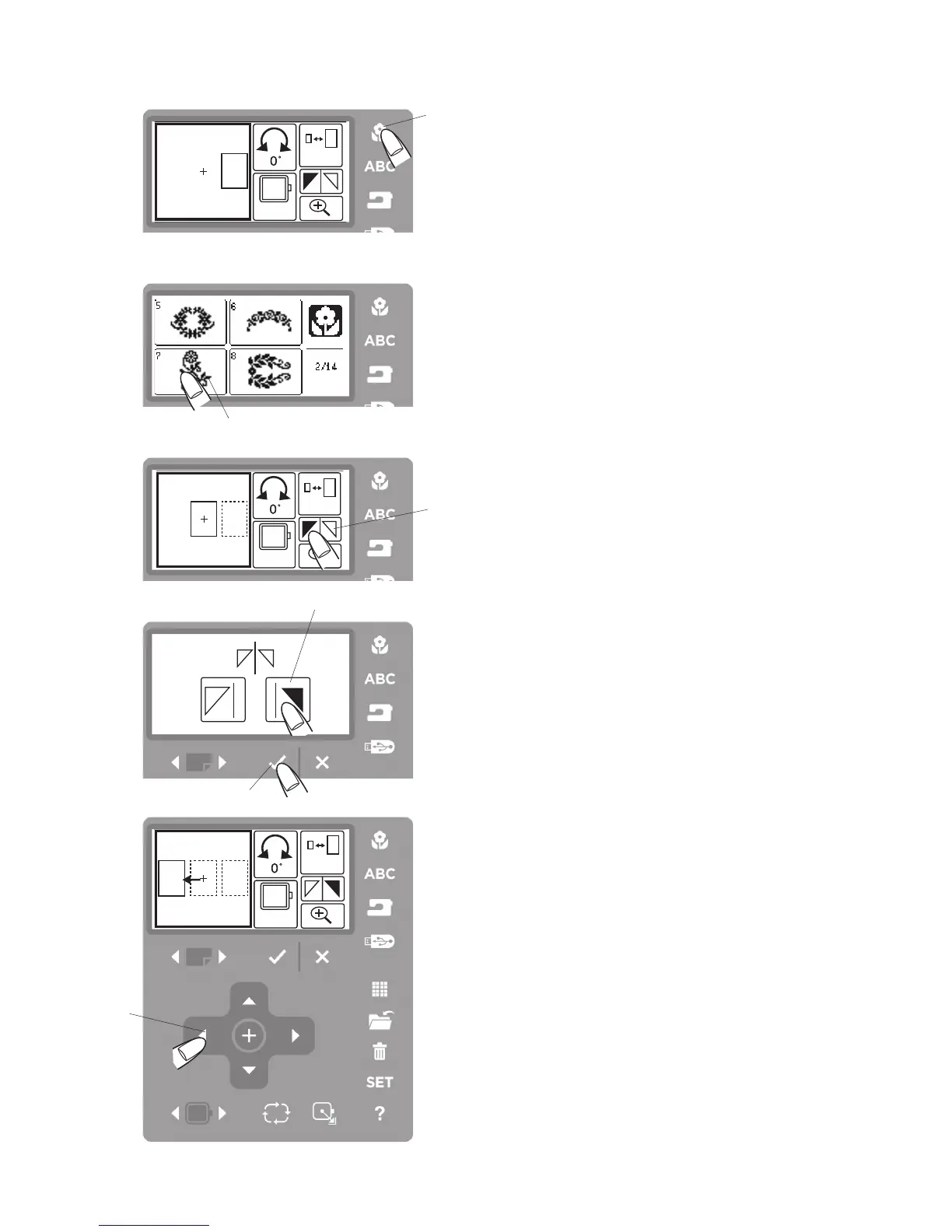
Press the built-in design button
w
.
Step
n
Select the pattern #7
e
.
Step
m
Press the mirror image icon
t
.
Step
,
Press the mirror image to the right icon
y
to mirror
image the embroidery pattern.
Step
.
Press the OK
√
button
u
.
Step
⁄0
Press the pattern positioning button
i
to move the
embroidery pattern to the left.
⁄0
b
n
m
,.



 To Next Page