50x50
Step
m
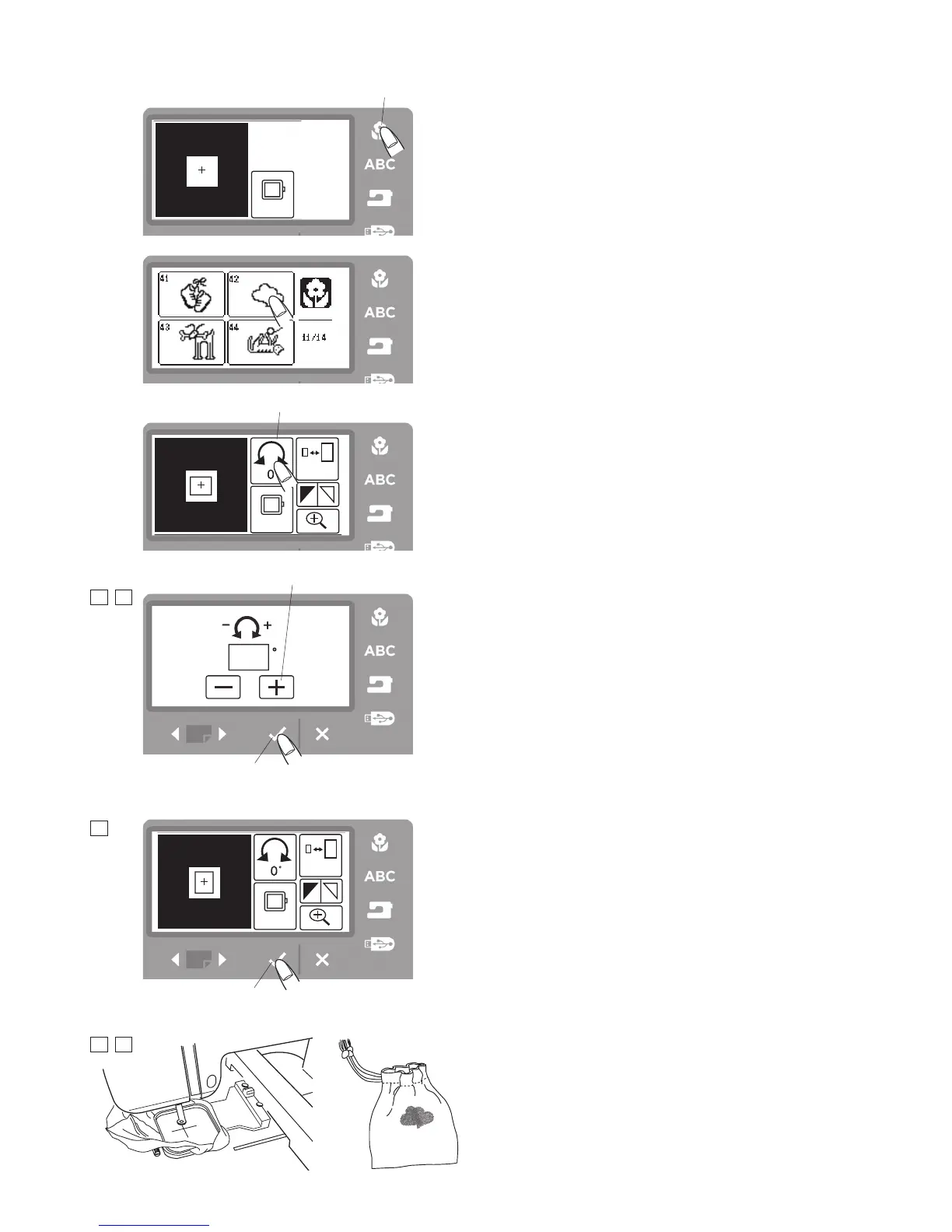
Press the built-in design button.
!1
Built-in design button
Step
,
Select the design #42.
Step
.
Press the rotation icon.
!2
Rotation icon
Step
⁄0
Press the + icon
!3
twice to rotate the design 90
degrees.
Step
⁄1
Press the OK
√
button and you will return to the edit
screen.
!0
OK
√
button
Step
⁄2
Press the OK
√
button once more to get back to the
ready to sew screen.
!0
OK
√
button
Step
⁄3
Attach the embroidery hoop on the carriage.
Step
⁄4
Lower the presser foot and start sewing.
!1
!2
!3
!0
!0
10 11
13 14
12
m
,
.



 To Next Page