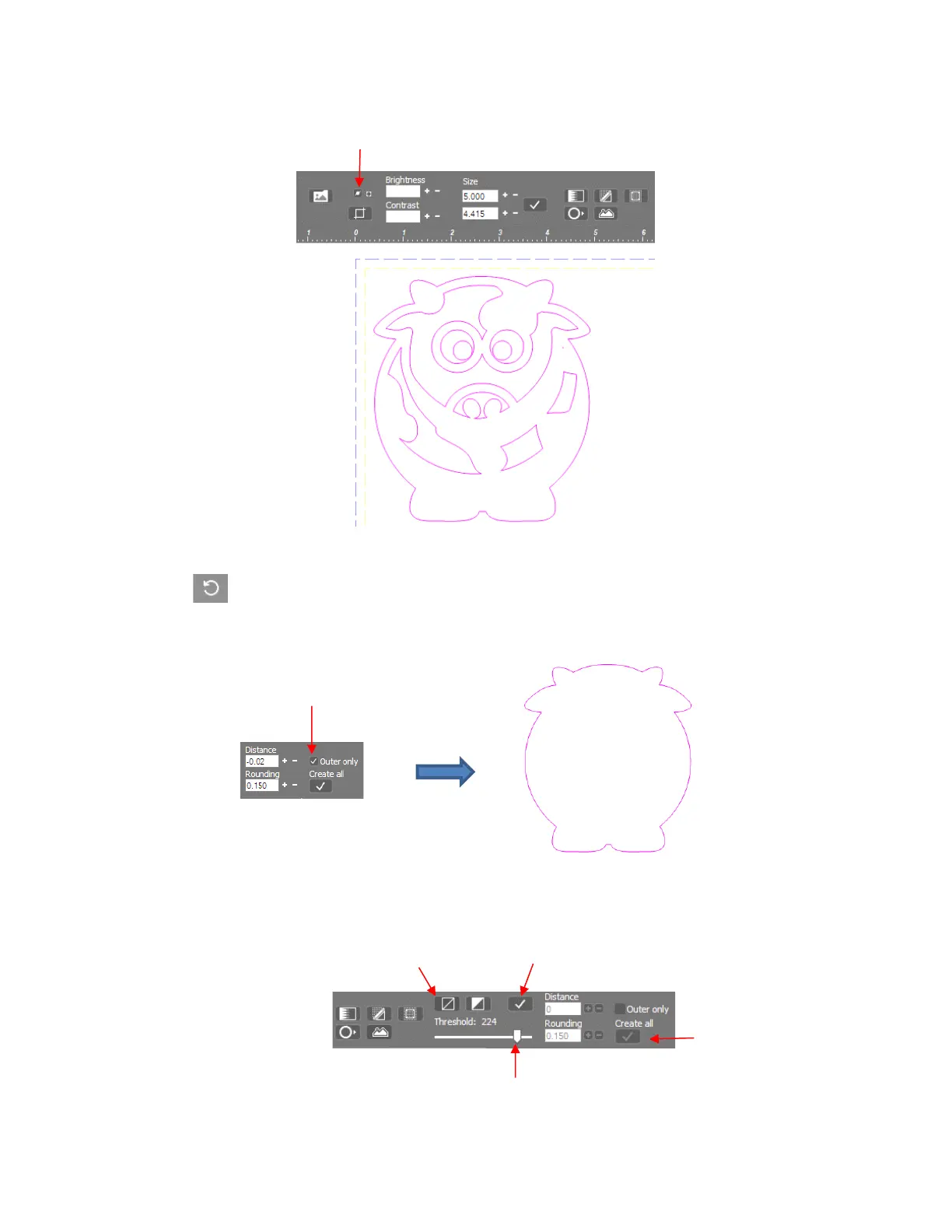
For contour cutting, the internal cut lines are typically not needed. To omit them, first click the Undo
button at the top of the screen to back up a step. Next, click on the Create outline bitmap icon
again, and mark the option for Outer only. Click on Create all. You will still see the internal trace lines,
however, once you hide the original bitmap again, you’ll observe the internal cuts are now removed:
• If the trace lines are not fitting the original bitmap to your satisfaction, a Threshold setting can be adjusted.
To do this, click on the Black and white icon and the Tolerance setting will light up and be adjustable:
If a tighter fit is needed, lower the Threshold setting and more nodes will be added. If a looser fit is
needed, raise the Threshold setting and fewer nodes will be used.



 To Next Page