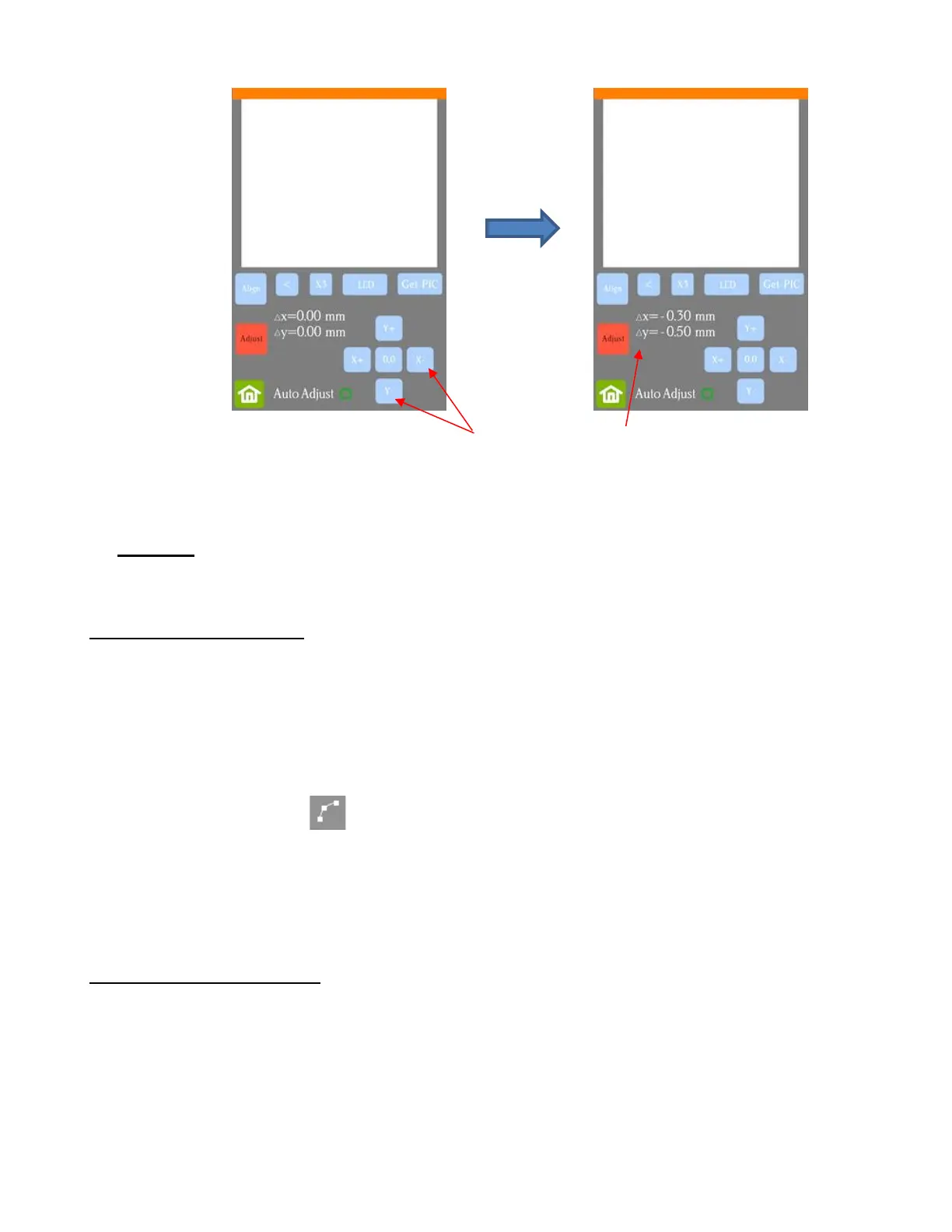
• Once the values are set, press the Home button to return to the Main Screen. Test again to verify the cut
line is better aligned with the printed shape.
• Important: You can also adjust calibration numbers after a cut has begun! These adjustments will only
apply for this particular cut but can be very useful in “saving a cut.” Refer to second part of Section 3.07.3
for instructions.
3.05.2 Inaccurate Tracings
• When tracing imported bitmap images, the resulting cut lines may not necessarily follow the original image,
especially in tight spots. This can result in tiny bits of white appearing, suggesting the PNC wasn’t accurate.
Zoom in on the image so that you can see the trace line following the outline of the image. Compare by
looking at the same spots where the cut didn’t follow the image perfectly. This could be the cause of the
inaccurate PNC. There are several ways of handling this situation:
Retrace the imported image using a lower Tolerance setting. This should result in a tighter fit around
the original graphic. Refer to Section 5.01.
Use the Node Edit tool to move the trace lines, where needed, to more closely fit the original
graphic. Refer to Section 5.02.
Create an inset contour cut line to use for cutting instead of the original trace line.
• Another possibility is that the contour cut line was inadvertently shifted from the graphic to be printed. So,
check to see if a misalignment may have occurred when you were moving or simply clicking on the design.
3.05.3 Incorrect Cut Settings
• If a PNC is not precise and the cause is not the calibration nor the alignment of the trace lines, then go
through the following check list of other possible causes:
Try slowing down the speed. If the mat is moving numerous times, in and out of the cutter, a slight
shifting can occur, especially at high speeds. On the Skycut, try a speed of 6 or lower.
Verify that the pinch wheels are still centered over grit shafts beneath. Even if one of the wheels is half
on / half off a grit shaft, it can cause the mat or material to skew slightly.
Make sure the blade isn’t over-extended which can cause it to cut too deeply and drag the cutting mat.



 To Next Page