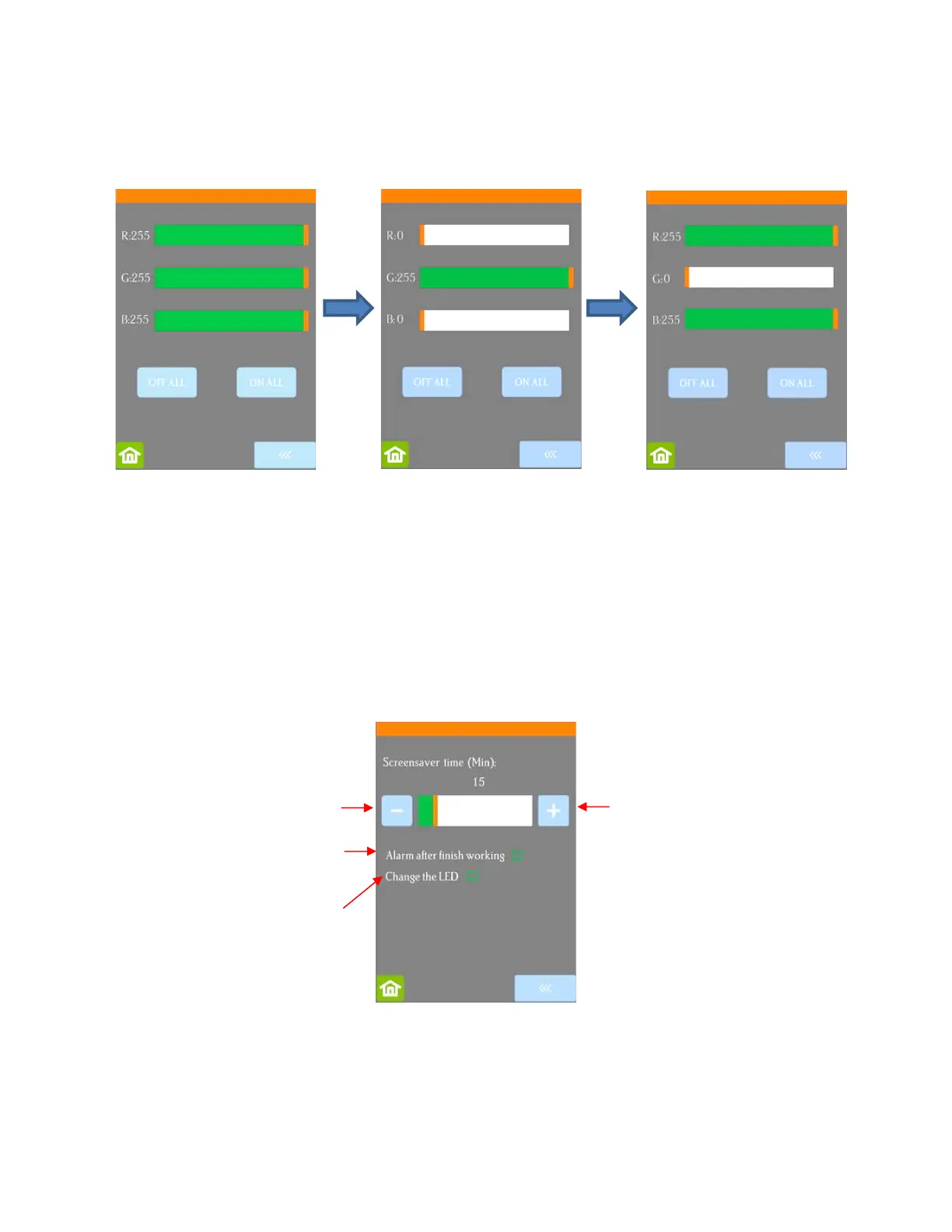
• LED set allows you to change the color of the light inside the Skycut. The default is white but you can
change it by dragging the scroll bars on the LED set screen. For example, if you wanted a blue light, you
could drag red and green all the way to the left. For a purple light, only drag green all the way to the left, etc.
Pressing Off All will set R, G, and B to 0 which turns off the light
Pressing On All will set R, G, and B back to 255 or white light mode.
• Screen and alarm has three settings:
Screensaver time: Set a black-out time, in minutes, for the control panel
Alarm after finish working: When a job is complete, have an alarm sound (five beeps)
Change the LED: When a job is complete, have the LED light change to blue
• Unit allows you to choose either inches or mm for settings such as Show Point and the Spacing setting
under Array.



 To Next Page