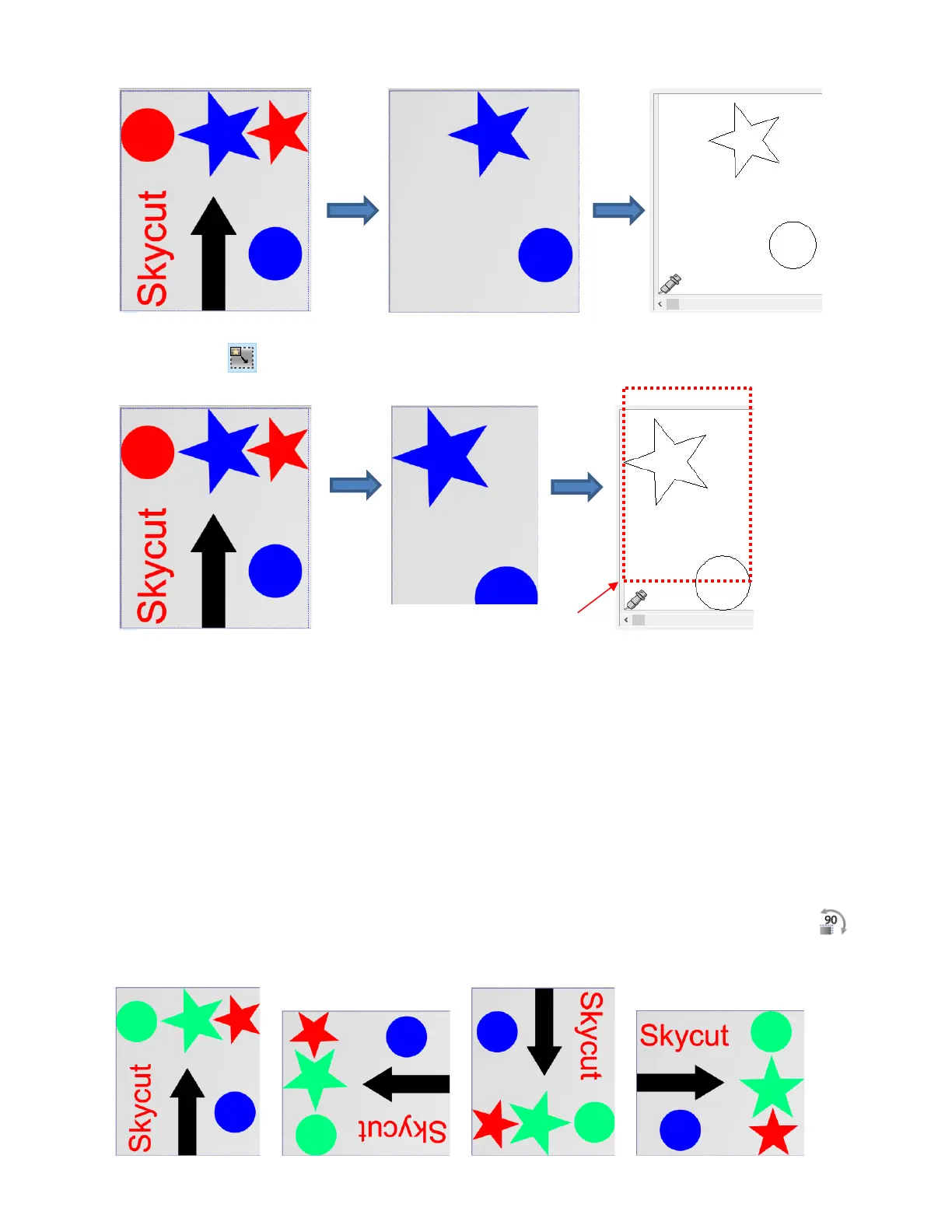
Optimized : shapes will be moved and cut in alignment with the origin set on the cutter:
• In what applications is one mode preferable over another?
Use Whole area mode when it matters where shapes are cut from the material:
o Two tool applications, such as when scoring with a scoring tool, followed by cutting with the blade
holder
o When engraving on existing objects, such as trophy labels or charms
o When cutting from a specific location, such as the center of a piece of material
Use Optimized mode when it doesn’t matter where shapes are cut. Since the shapes are moved to cut
at the origin, it typically wastes less material.
• You can also rotate a design before cutting by clicking on the Rotate image in 90 degree steps icon
at the bottom of the screen when in normal mode. Note that the Tab key is a handy shortcut for this
function. Each click will rotate once counter-clockwise, allowing you a choice of four orientations:



 To Next Page