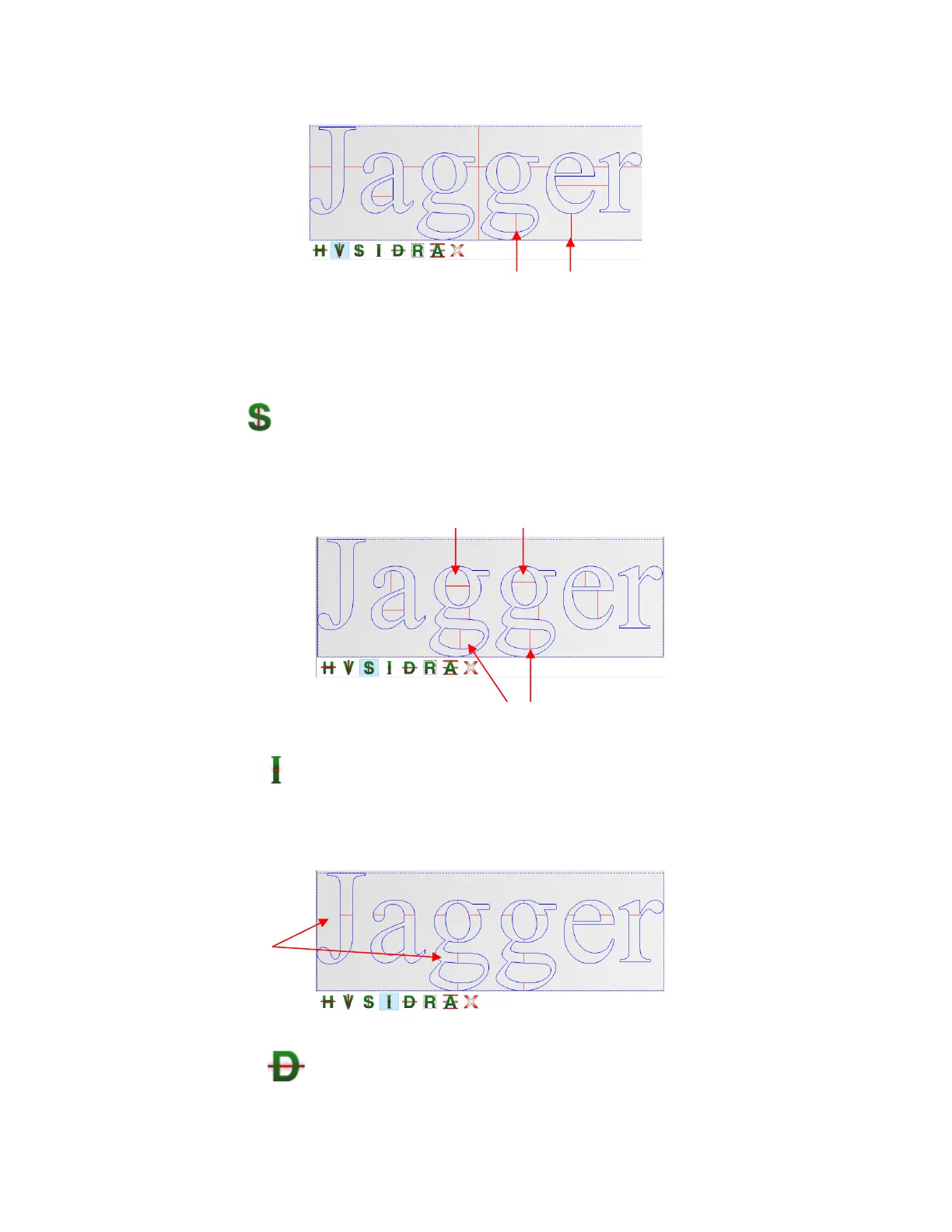
Holding both the Shift key and the Ctrl key while clicking allows you to add short horizontal weed lines,
as needed.
• Short Weed Line - If you need to add a lot of short weed lines or, perhaps, only short weed lines, then
this option will allow you to left click to add short lines without needing to hold the Ctrl key. Hold the Shift
key to add short vertical weed lines:
• Inverted Weed Line - In some cases, such as stencil applications, the part being weeded is the
opposite. Thus, what is normally the waste part of the material is the part being kept. Thus, in this example,
it would be the letters themselves being weeded away, so having weed lines inside the letters would be
desirable. Use the Inverted Weed Line tool to place weed lines inside the letters:
• Detailed Weed Line - This option adds the weed line through any internal shapes as well as the
normal waste area outside. Note the difference between the Normal Horizontal Weed and Normal Vertical
Weed versus using the Detailed Weed Line option:



 To Next Page