6. Everyday use
Menu
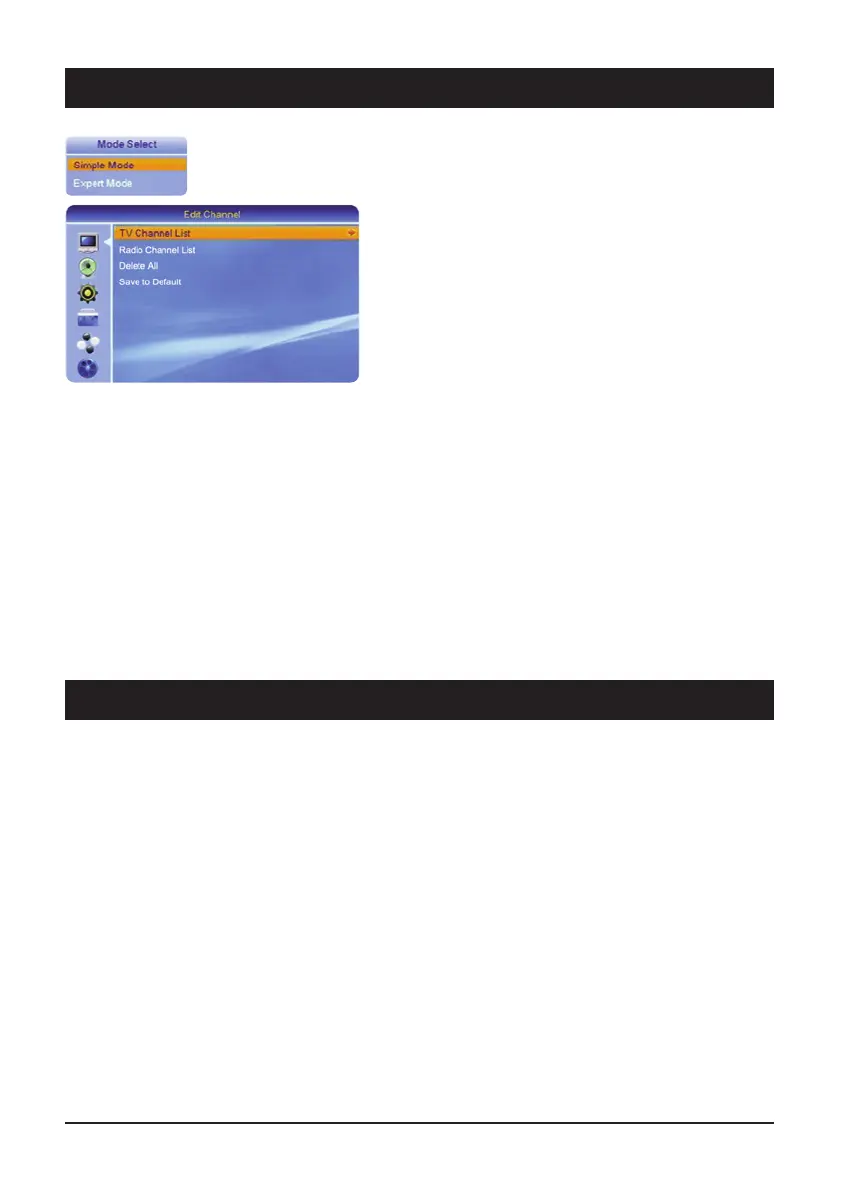
In order to keep the controls as simple as possible, we
have divided the menu into the sections Simple and
Expert. The Simple section provides the basic functions
of the receiver. The Expert section provides all the
functions of the receiver. This is described in detail in
Section 8.
If you press the MENU button and select the Expert
Mode, the main menu appears on the screen. It is
possible to open submenus or change settings at your
receiver via this menu. You can change the layout of the
OSD, add or delete channels, adapt the receiver to your
satellite system, update new software via satellite and much more. But it is also possible to
inadvertently change everything and be left with just a black screen. Therefore, read the following pages
carefully before carrying out any changes.
Navigation and opening of submenus:
After opening the main menu the most recently selected menu is highlighted. Use the 왗왘 control
buttons to toggle between the main and submenu items. Press OK to open the submenus. Use the
왖왔 control buttons to highlight the desired submenu and open it via OK.
Close the menus:
Menus are either closed automatically after confirming your changes via OK or by closing each opened
submenu individually via the EXIT or MENU button.
For everyday use you only need a few functions – as you do with your TV set: switching channels,
adjusting the volume and a few special ones such as Teletext. You will hardly ever need to use your
TV set's remote again because you can regulate all its present and additional functions with the
SKYMASTER remote control.
Switch channels: 0 - 9 Enter channel number directly (e.g. 0108)
왖/왔 Channel up, forwards/backwards
Channel lists/browsing: OK Browse channels
왖/왔 Channel up while browsing
PG- /PG + Navigate page by page, forwards/backwards
FAVOR Favourites – a list of your favourite programs
Volume:
왗/왘 Volume control
MUTE Mute
Useful special functions: TEXT Teletext or Videotext
EPG “Electronic program guide”
SUB-T Subtitles
TV/RADIO Switching between TV and radio
5.3 The OSD menu: Menu
GB 13



 To Next Page