8. The OSD Menu – System Setup
GB 32
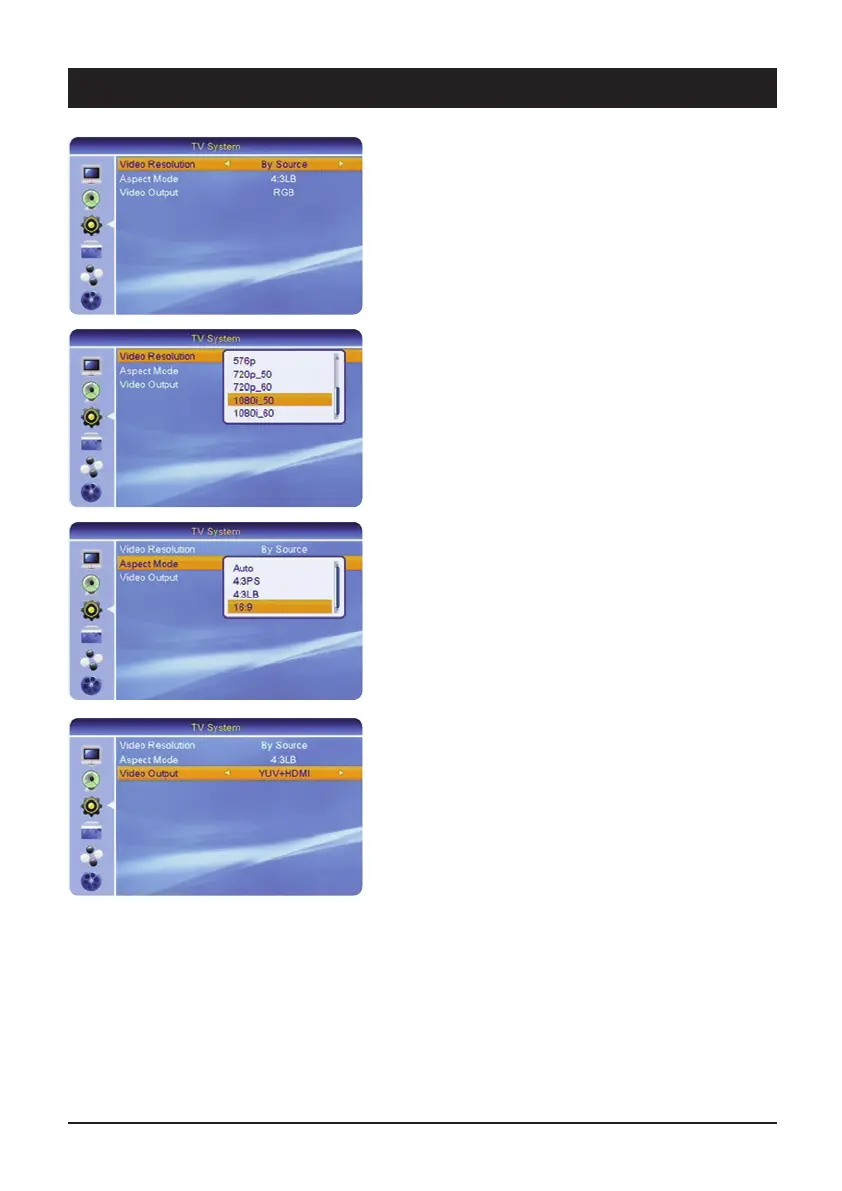
3.2 TV System
For adapting the satellite receiver to the TV set.
3.2.1 Video Resolution
Here the screen resolution at the HDMI output can be
optimised. Please note that the picture may disappear
when the resolution is changed. For optimum display on
a modern flat screen device we recommend the setting
1080i_50 or 720p_50. In addition, there are the settings
“By Source” (depends on the channel) and “By Native TV”
(automatic adaptation to the TV).
3.2.2 Screen format
If your TV set has a 16:9 screen, select the setting 16:9.
For 4:3 screens select the settings 4:3PS (Pan & Scan)
or 4:3LB (Letterbox). With Pan & Scan the black bars at
the top and bottom of the screen are cropped when
watching 16:9 broadband programmes. The picture is
thus enlarged. However, the sides of the widescreen are
also hidden. With the letterbox print the entire picture,
including the black bars in 16:9 cinema format
programmes, is visible.
3.2.3 Video output
For setting which type of video signals are output at the
Scart jacks of the receiver. Due to the separate transmis-
sion of red, green and blue, RGB achieves the best pos-
sible true colour quality and picture definition.
The best possible image quality is obtained with the
setting YUV+HDMI. The sockets YPbPr are especially
suitable for connecting a beamer.



 To Next Page