8. The OSD menu – Media
GB 44
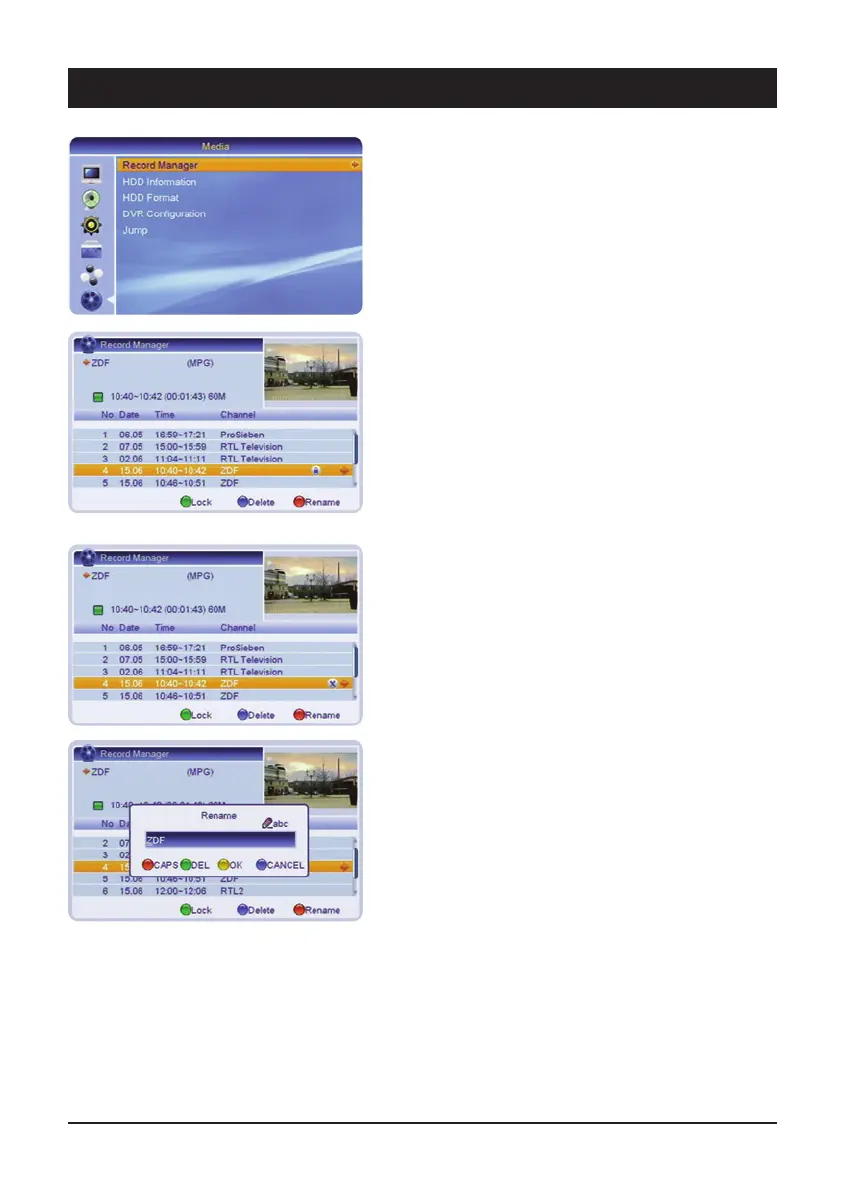
6. Record Manager
6.1 Recording management
The Recording management can also be called up by
pressing the PVR key on the remote control. In this
menu, you can edit recordings which have already been
made.
6.1.1 Lock
In order to prevent recordings from being accidentally
deleted, or for reasons of parental protection, these can
be locked.
Select the relevant recording with the navigation keys
and press the green key. Once the password has been
entered, the file is protected. The recording can only be
played or deleted if the password is entered.
6.1.2 Deleting
If you wish to delete a recording, select the relevant
recording and press the blue key. The recording is high-
lighted and if you exit from the menu, the recording will
be deleted once the safety query has been confirmed.
6.1.3 Renaming
If you wish to rename a recording, select the recording
file and press the red key. Enter the new name with the
letters on the numeric keys of the remote control and
confirm the entry with the yellow key.



 To Next Page