8. The OSD menu – Media
GB 45
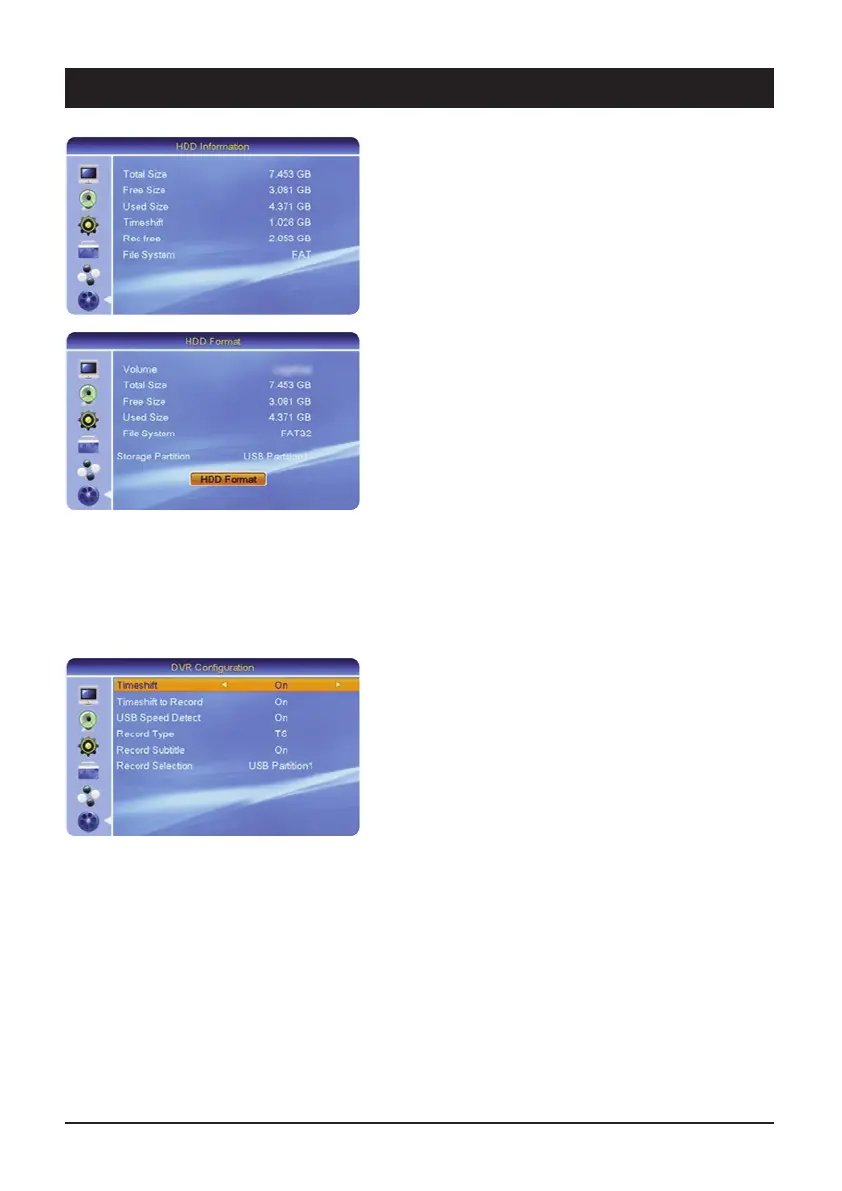
6.2 HDD information
Here you can obtain information about the connected
USB data carrier.
6.3 HDD Format
If the hard drive is not recognised by the receiver, it must
first be converted to a format which the receiver can
read.
Select “Format hard drive” and confirm this with the
OK key.
CAUTION!
If you confirm the safety query, all data on the data
carrier will be deleted. If necessary, back up existing files
on a PC beforehand.
After formatting, the status of the hard drive is displayed
under “Hard drive information”.
6.4 DVR Configuration
All the relevant settings for the hard drive can be set with
this menu.
6.4.1 Timeshift
Here you can set whether the receiver should always
record the currently selected channel on order e.g. to
rewind the current program at any time.
In this case, set Timeshift to “On”.
Please note that with this setting, after a short time the
display switches from the current channel number to the
display "TSFT" for Timeshift.
Also, switching channels takes place more slowly than
when the Timeshift function is switched off.
6.4.2 Timeshift recording
If Timeshift recording is activated, you can press the Re-
cord button on the remote control at any time and the
current programme will be saved as a recording from the
time that you switched to the channel. Please note that
this function also depends on the amount of memory
which has been reserved (Timeshift file size). If the recor-
ding has not been saved from the time that you switched
to this channel, please increase the Timeshift file size.



 To Next Page