8. The OSD Menu – System Setup
GB 33
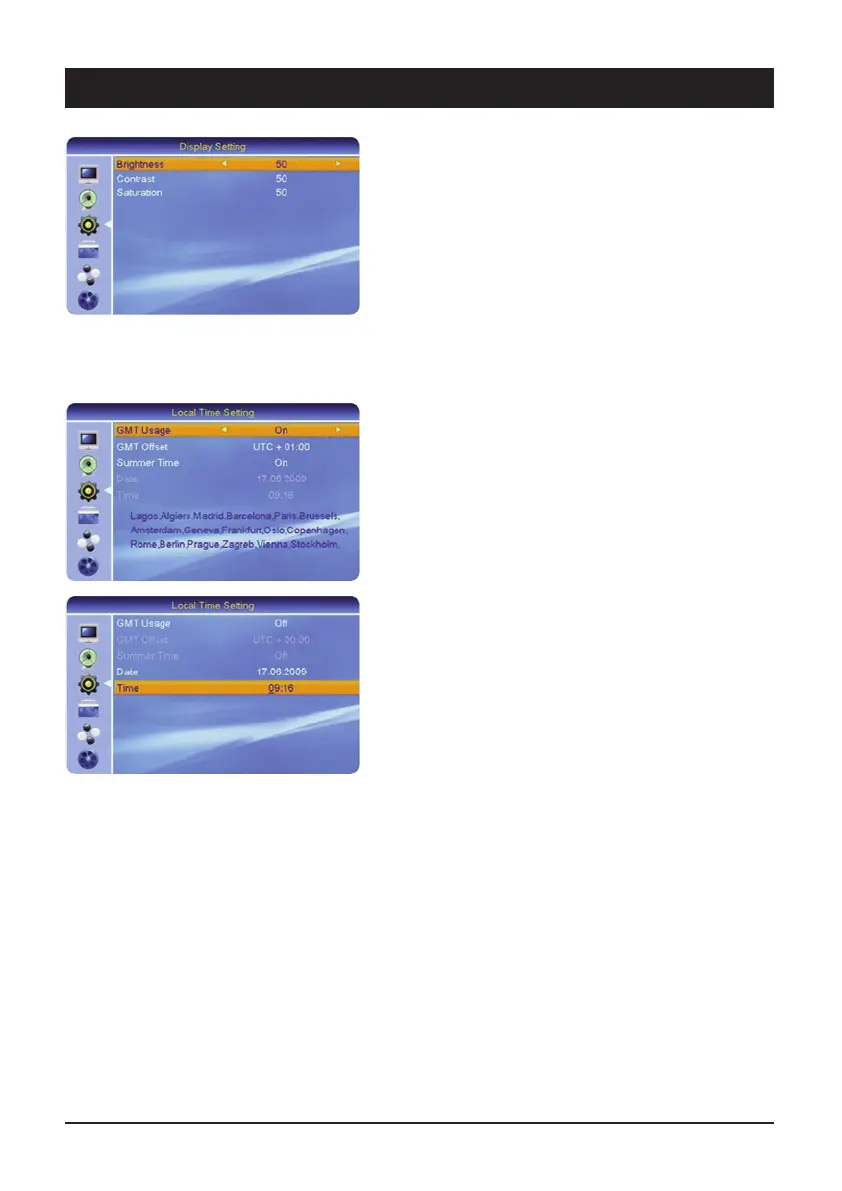
3.3 Display Setting
3.3.1 Brightness
The brightness of the TV picture at the HDMI output can
be set with the 왗왘 navigation buttons.
3.3.2 Contrast
The ratio of dark/light (contrast) of the TV picture at the
HDMI output can be set with the
왗왘 navigation buttons.
3.3.3 Saturation
The colour intensity of the TV picture at the HDMI output
can be set with the 왗왘 navigation buttons.
3.4 Local Time Setting
The time settings have to be checked and, if necessary,
adjusted to ensure that the receiver displays the correct
time and the timer starts at the desired time.
3.4.1 GMT utilization
GMT (Greenwich Mean Time) is the reference time for the
various time zones. When the GMT setting is switched
off, you can enter the time manually.
3.4.2 GMT time shift
The time in German-speaking countries is – depending
on summer or wintertime – 1 or 2 hours ahead of GMT.
3.4.3 Summer time
Switch the summertime setting on or off every six
months.
3.4.4 Date
For entering the current date manually
(only if GMT is off).
3.4.5 Time
For entering the current time manually
(only if GMT is off).



 To Next Page