8. The OSD menu – Installation
GB 30
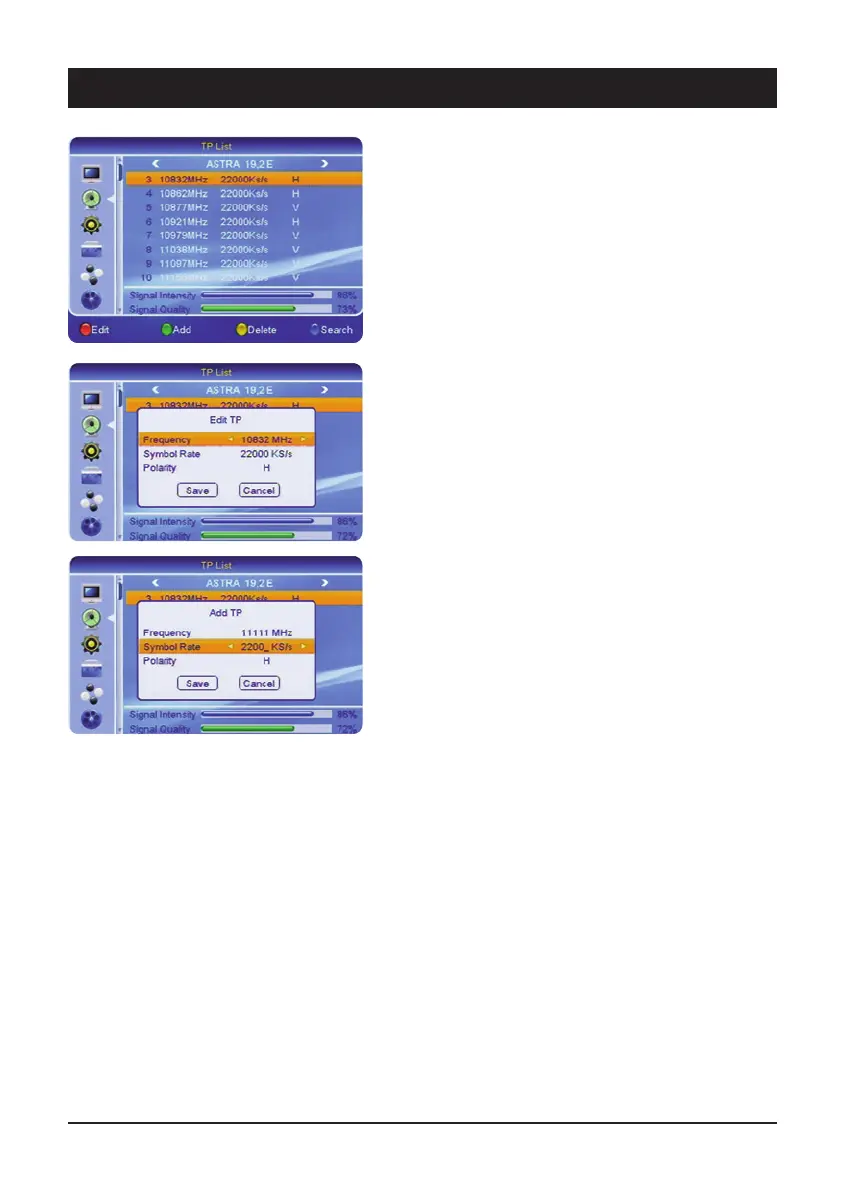
2.6 TP list
For searching for an individual transponder. This search
method is advisable if you only wish to store a certain
channel or a certain channel package. The respective
reception parameters (frequencies, etc.) are stated on
the Internet or in TV and specialist magazines.
2.6.1 Satellite selection
Select a preset satellite via the [
왗왘] buttons.
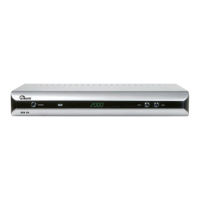
To change a transponder press the [red] button, to add a
new transponder press the [green] button and to delete
the current transponder press the [yellow] button. If you
wish to search for the transponder of the currently
selected satellite, press the [blue] button.
2.6.2 Symbol rate
The symbol rates of the most common satellite
transponders have a value of 27500 or 22000. Change
the values either via direct input or in single steps via the
[
왗왘] buttons.
2.6.3 Polarisation
Satellite signals are transmitted on two levels (horizontal
and vertical). Select the corresponding level H or V.
Note: The common number, e.g. 12480H, equals:
Frequency 12480 MHz and the H stands for horizontal.



 To Next Page