8. The OSD Menu – System Setup
GB 36
3.8 Favourites
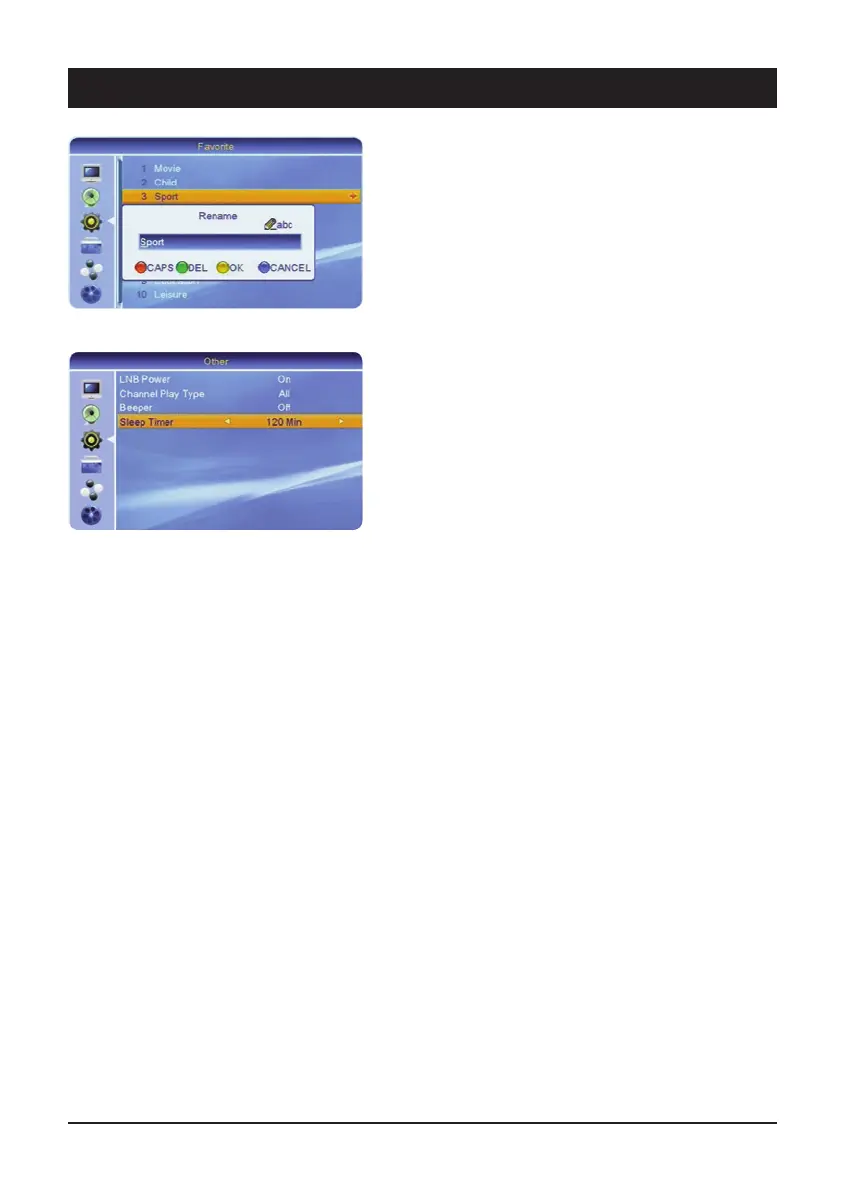
In this menu you can rename the eight favourite lists.
Select an entry and press the [OK] button. Press the
number buttons 0-9 several times to select various
characters. The [red] button enables you to toggle
between upper and lowercase letters. Use the [green]
button to delete characters.
3.9 Other
3.9.1 LNB voltage
The LNB voltage of the satellite receiver provides the
LNB with an operating voltage and ensures switching at
the various reception levels. Note: Always leave the LNB
voltage switched on, unless you are expressly instructed
to switch it off. This may be the case in rare large
communal installations.
3.9.2 Channel type
Decide whether all FTA channels, only coded or all the
stored channels are to be displayed.
3.9.3 Signal
The signal can help you to align the antenna. The higher
the pitch, the stronger the satellite signal is. The signal
can be heard after opening the Antenna Setting menu.
3.9.4 Sleep Timer
OFF • 10 min • 30 min • 60 min • 90 min • 120 min
After the set time has elapsed, the unit switches to
standby.



 To Next Page