8. The OSD Menu – System Setup
GB 34
3.5 Timer Setting
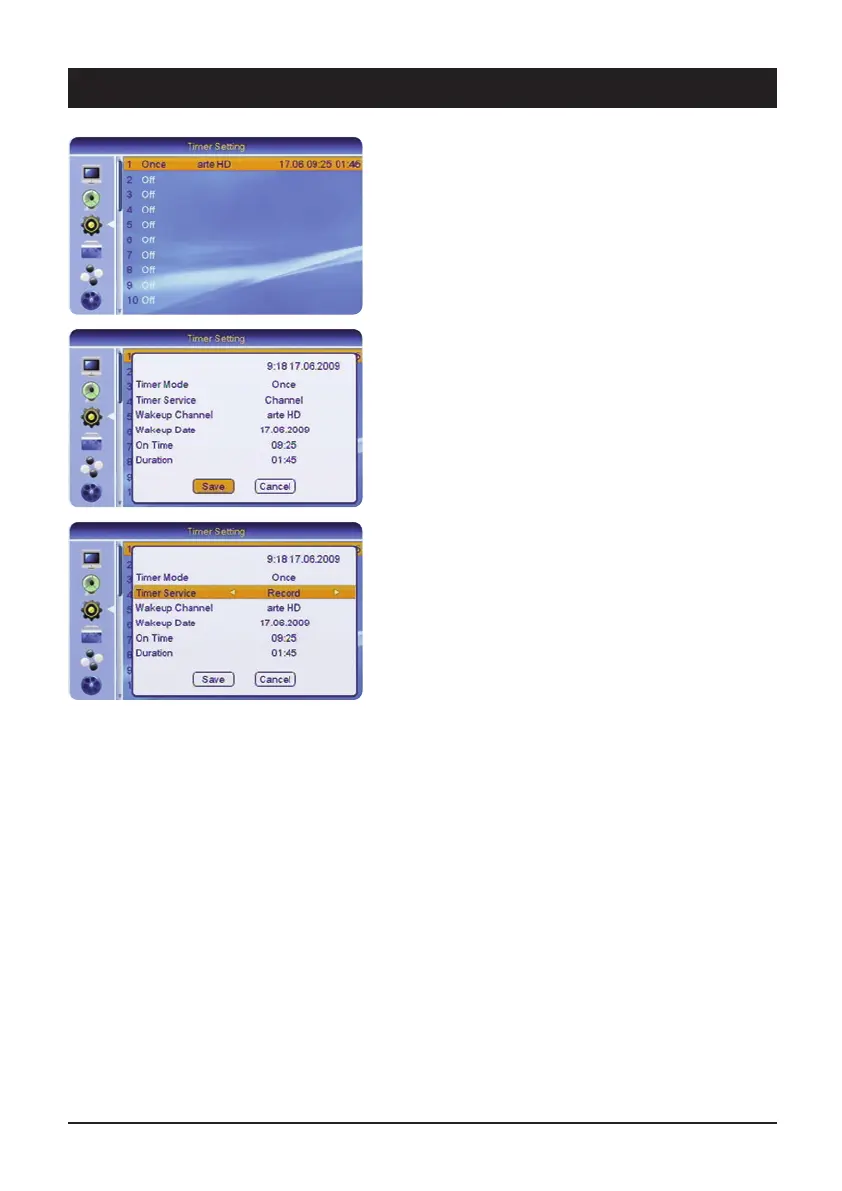
3.5.1 Timer 1-30
You can pre-program up to 30 different time events. For
example, programmes which you do not wish to miss or
to remind you of birthdays or anniversaries.
3.5.1.1 Timer repeat
Under timer repeat it is possible to set how often the
timer is to be activated: Once, daily, weekly or monthly.
If you select the “Off” setting, the timer remains
deactivated.
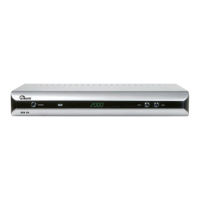
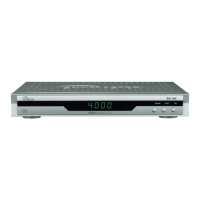
3.5.1.2 Timer service
Select “Programme” if you wish to view a particular
programme or record it with the video recorder. Select
“Record” if the programme is to be recorded on the
connected USB data carrier.
3.5.1.3 Switch-on channel
For a normal reminder message select “General”. If you
have selected “Channel” under “Timer Service”, it is
possible to select the channel which should appear after
switching on.
3.5.1.4 Switch-on date
Enter the desired date (e.g. 2
nd
of June 2009) as follows:
02.06 2009.
3.5.1.5 Switch-on-time
Enter the 4-figure start time of the event.
3.5.1.6 Duration
Enter the 4-figure duration of the event.
If the timer is enabled, the device does not switch back
to the energy-saving standby mode if the device is
switched off. This is shown by the display of the time,
if the display has not been switched off.



 To Next Page