7. The OSD menu SIMPLE MODE
GB 17
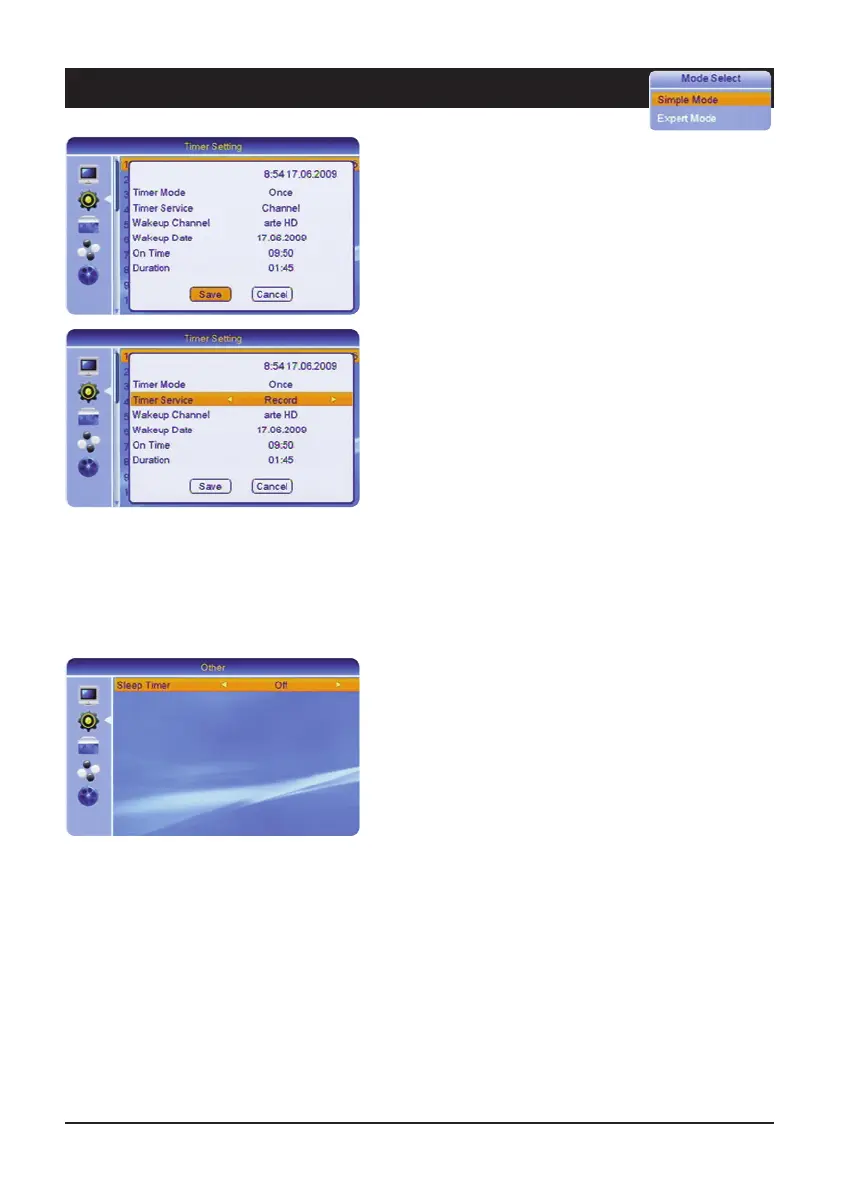
Timer repeat
Under timer repeat it is possible to set how often the
timer is to be activated: Once, daily, weekly or monthly. If
you select the “Off” setting, the timer remains
deactivated.
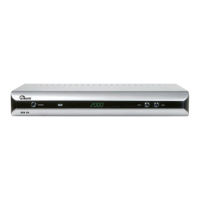
Timer service
Select “Programme” if you wish to view a particular
programme or record it with the video recorder. Select
“Record” if the programme is to be recorded on the
connected USB data carrier.
Switch-on channel
For a normal reminder message select “General”. If you
have selected “Channel” under “Timer Service”, it is
possible to select the channel which should appear after
switching on.
Switch-on date
Enter the desired date (e.g. 2nd of June 2009) as fol-
lows: 02.06 2009.
Switch-on-time
Enter the 4-figure start time of the event.
Duration
Enter the 4-figure duration of the event.
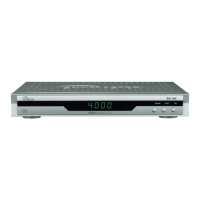
Sleep Timer
Off • 10 min • 30 min • 60 min • 90 min • 120 min
After the set time has elapsed, the unit switches to
standby.



 To Next Page