SLAYER STEAM EP USER MANUAL V1.1 | SEPTEMBER 11, 2018 30
OTHER MACHINE CALIBRATIONS
ADJUST BREW PUMP PRESSURE
INCLUDED PARTS
• External rotary pump
REQUIRED TOOLS
• Slot screw driver
• Small crescent wrench
PROCEDURE
1. Locate the pressure gauge and adjustment screw on the external
rotary pump.
2. Loosen lock nut on pump screw.
3. Move the brew actuator to the on position.
4. Turn screw clockwise to increase the pump pressure.
Turn counterclockwise to decrease the pump pressure.
5. Tighten lock nut to hold setting.
6. Return the brew actuator to the o position and tighten the lock nut.
ADJUST HOT WATER TEMPERATURE
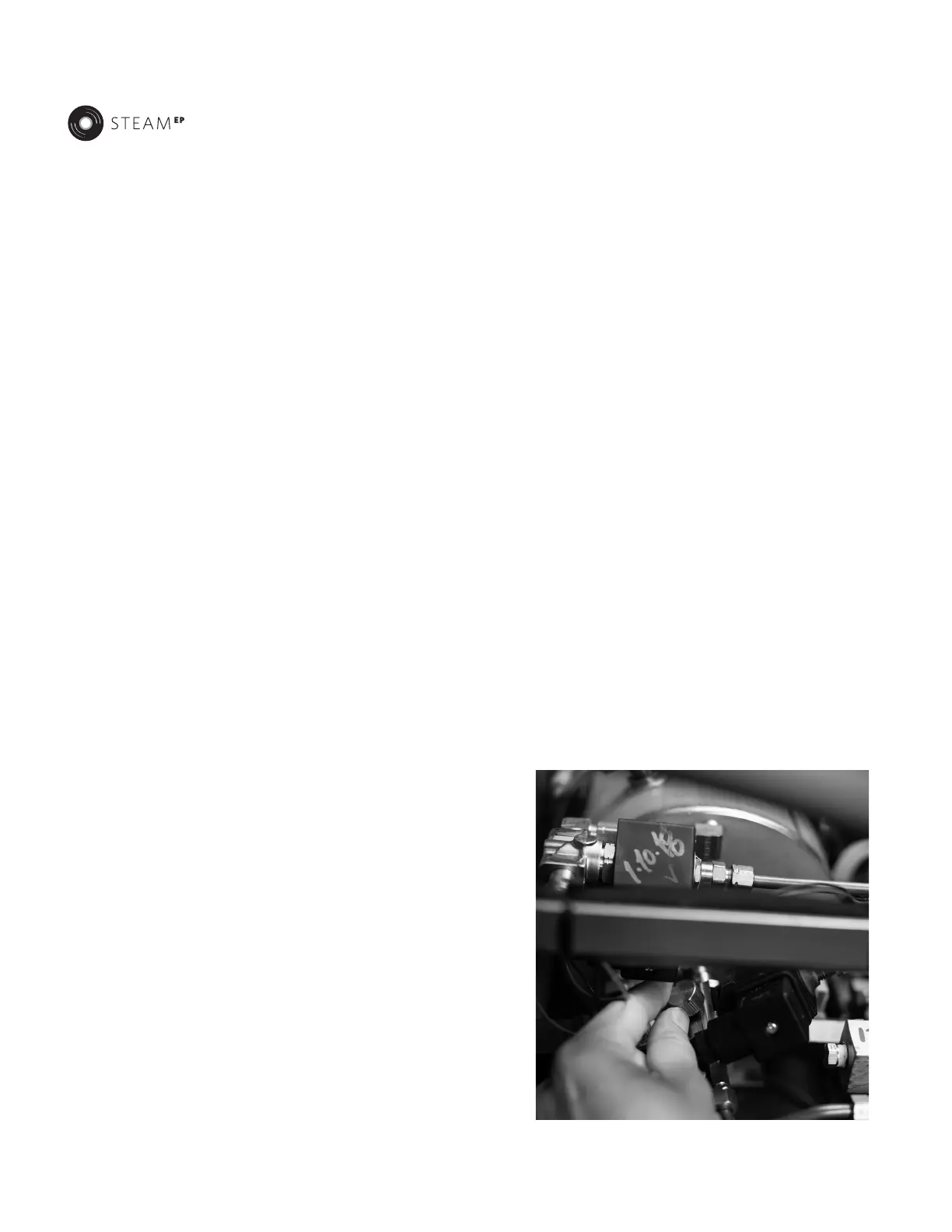
Slayer Steam features a blending valve that draws water from the steam
tank and main cold water line simultaneously. Custom water temperatures
are configured with the blending valve. Adjust the hot water temperature
with the following steps.
REQUIRED TOOLS
• Phillips Head Screwdriver
• Flat Head Screwdriver
PROCEDURE
1. Remove the side panel on the left side of the machine by removing
two phillips screws or remove the cup tray. Locate the blending valve
near the steam solenoid valve. [see photo below]
2. Adjust the hot water temperature:
• Clockwise rotations increase the hot water temperature.
• Counterclockwise rotations decrease the hot water
temperature.
3. Verify the temperature at the hot water tap with a digital
thermometer.



 To Next Page