75/282
ENGLISH
Use and maintenance manual ßP700
4.1 MACHINE START-UP
ATTENTION!
Before operating make sure that the temperature of the sealing bar is the one
that has been set.
4.2 CHOOSING THE OPERATING MODE
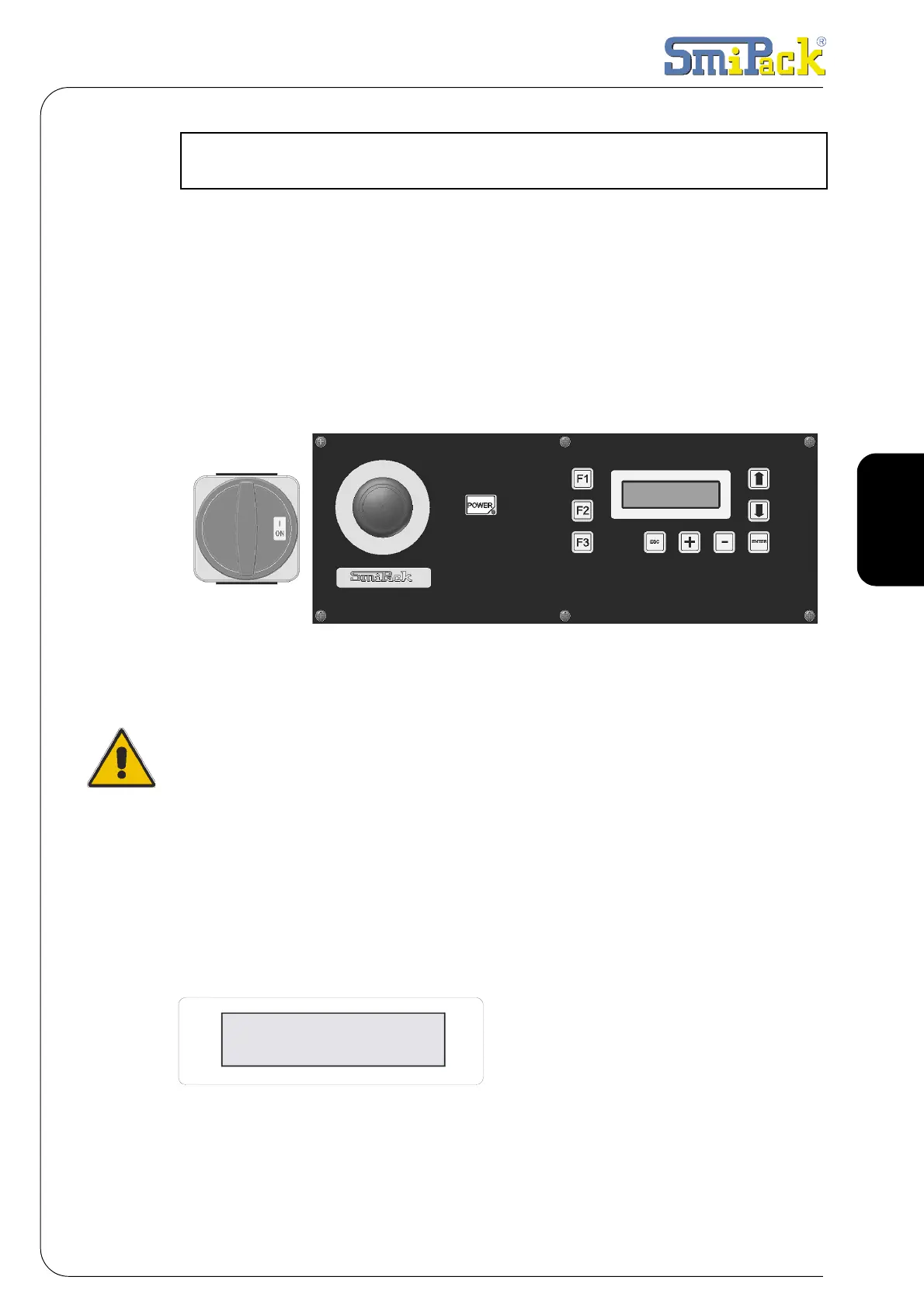
Turn the control panel's general switch to pos. ON. Then press the [POWER] key to
start the machine. The temperature of the sealing bar and the number of the
programme that is being used (es.M1) will appear on the viewer.
Fig. 4.1.1
The packaging machine can operate in two ways: manual and automatic.
To choose the operating mode press [F3] and the following video page will appear on
the display:
Fig. 4.2.1
4. PREPARATION TO THE USE OF THE MACHINE
MODE
>AUTO<
Manual



 To Next Page