snom 3x0 VoIP Phones User Manual English
© snom technology AG 2007
Phone Configuration
• 33
English
Audio Configuration Tasks
Volume
You can adjust the volume of the currently used audio device when the phone is in
“dialing” mode (see page 57) or during an active call (see page 71).
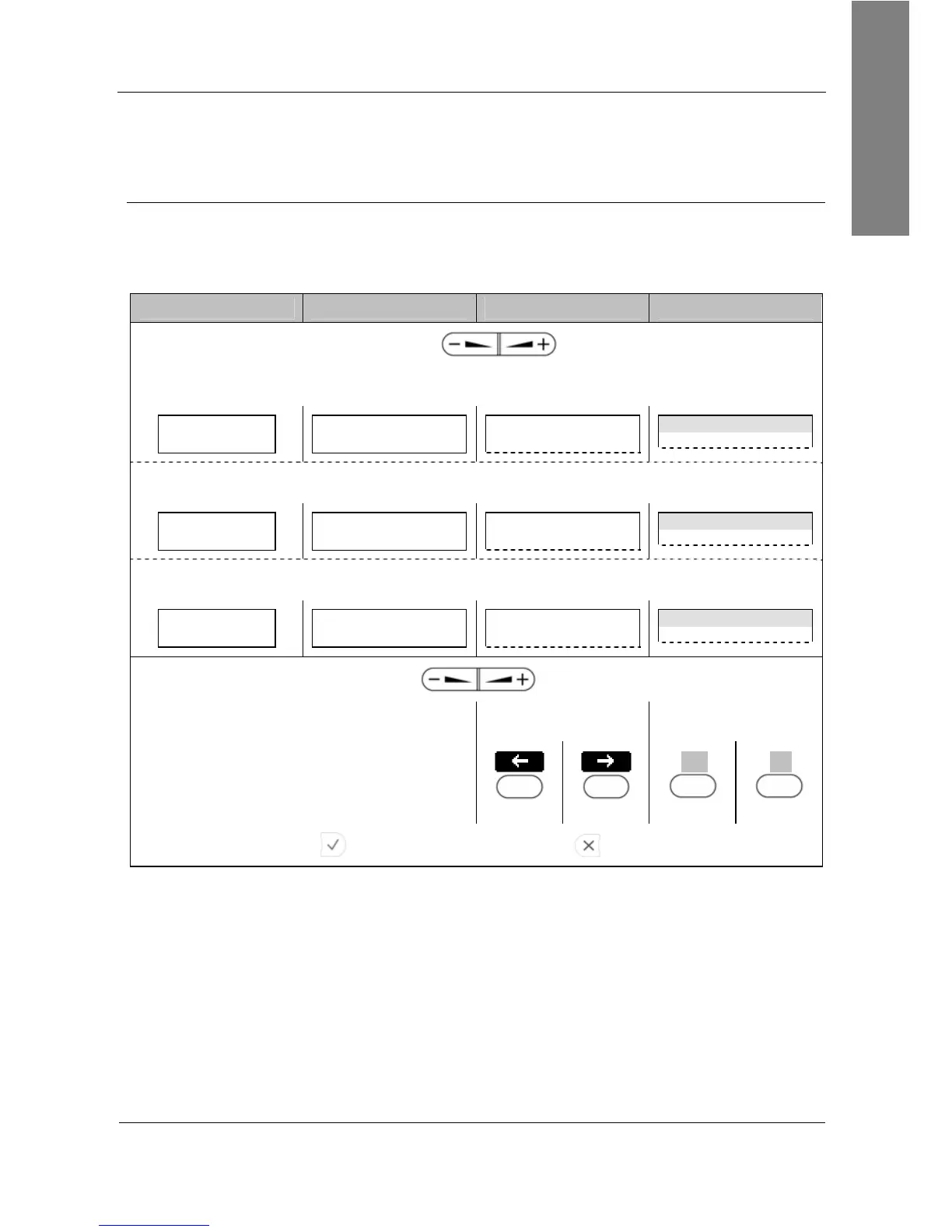
Action: Adjust the volume of the active audio device.
snom 300 snom 320 snom 360 snom 370
Press
When
handset mode
is activated the following screen appears in the display:
Handset Volume:
■■■■■■■■■_ _ _ _ _ _
Handset Volume:
■■■■■■■■■_ _ _ _ _ _
— Handset Volume —
Handset Volume time
When
handsfree mode
is activated the following screen appears in the display:
Speaker Volume:
■■■■■■■■■_ _ _ _
_
Speaker Volume:
■■■■■■■■■_ _ _ _ _ _
— Speaker Volume —
Speaker Volume time
When
headset mode
is activated the following screen appears in the display:
Headset Volume:
■■■■■■■■■_ _ _ _ _ _
Headset Volume:
■■■■■■■■■_ _ _ _ _ _
— Headset Volume —
Headset Volume time
Decrease volume Increase volume
or press or press
-
S1
S4
<<
S1
>>
S4
Press to save the change or press to cancel.
Result: The volume of the active audio device has been adjusted.



 To Next Page