snom 3x0 VoIP Phones User Manual English
80 • Advanced Phone Functions
© snom technology AG 2007
English
Logon New User (Extension/SIP Identity)
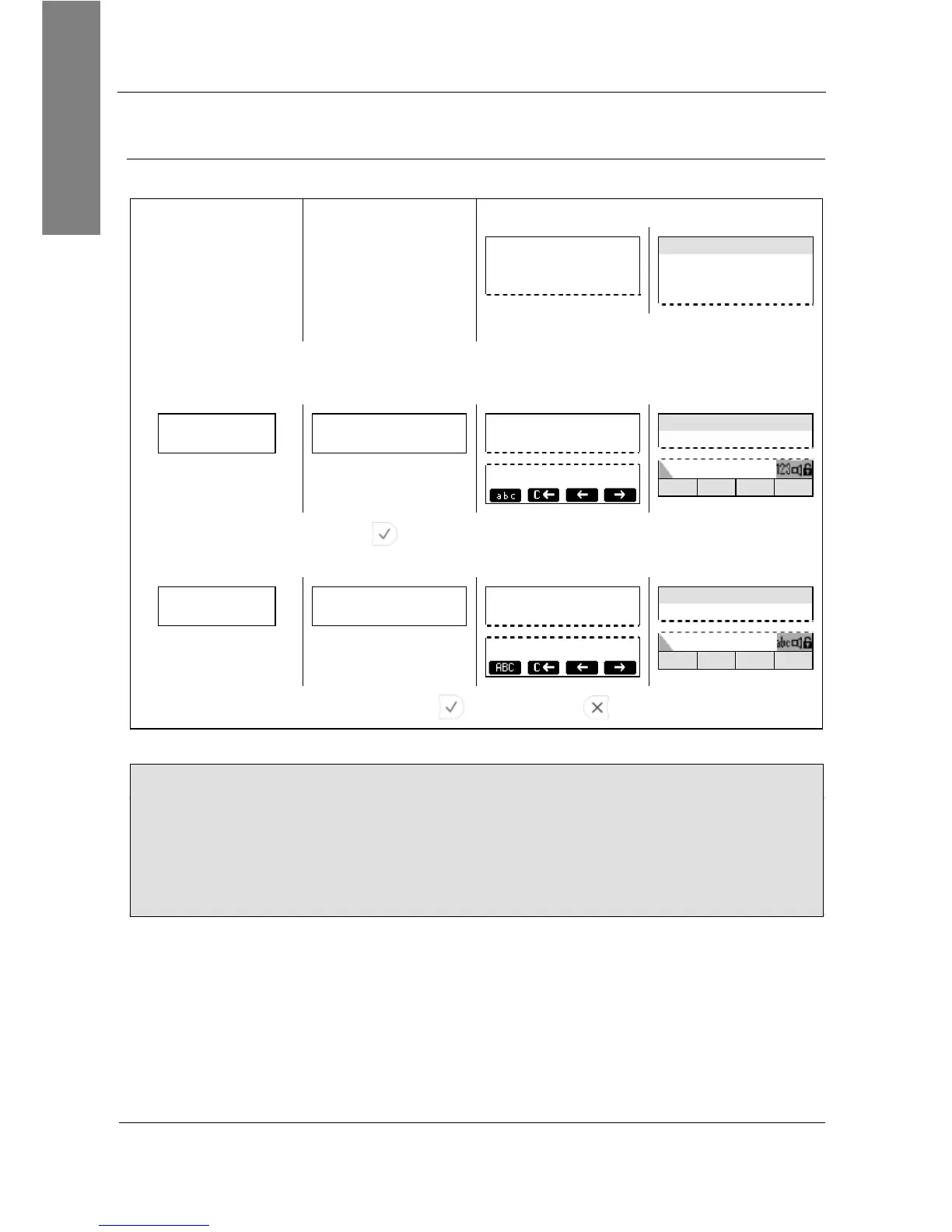
Action: After logging off all users (see page 79) you can logon a new user
The Logon Wizard screen is displayed:
Welcome!
Press a key
to log on.
time
Welcome!
Press a key to
log on.
No
Logon
Wizard
screen
No
Logon
Wizard
screen
Press a key.
Change the input mode as needed and
enter the new extension to log on, e.g. 100
Account: 123
100
Account: 123
100
——— Account ———
100
123
Account time
100
1>>a C<< << >>
Confirm with . Change the input mode as needed
and enter the registrar of the new extension to log on, e.g. test.com
Registrar:
test.com
Registrar: 123
test.com
——— Registrar ———
test.com
abc
Registrar time
test.com
a>>A C<< << >>
Confirm with ( or abort with )
Result: The phone attempts to register the new user (see page 19).
L Note: The enhanced functionality requires the following steps:
1. The log off information is sent to the VoIP PBX via “Action URL” <Log off>
2. The new user information is sent to the VoIP PBX via “Action URL” <Log on>
3. The VoIP PBX sends a reboot request to the phone
4. The phone restarts and will be provisioned with customized configuration
settings
Logo
Logo



 To Next Page