snom 3x0 VoIP Phones User Manual English
72 • Basic Call Functions
© snom technology AG 2007
English
Mute / Unmute
This function allows you to mute the microphone of the active audio device during a
call, i.e. the other party cannot hear you. Unmute the microphone to return to normal
conversation.
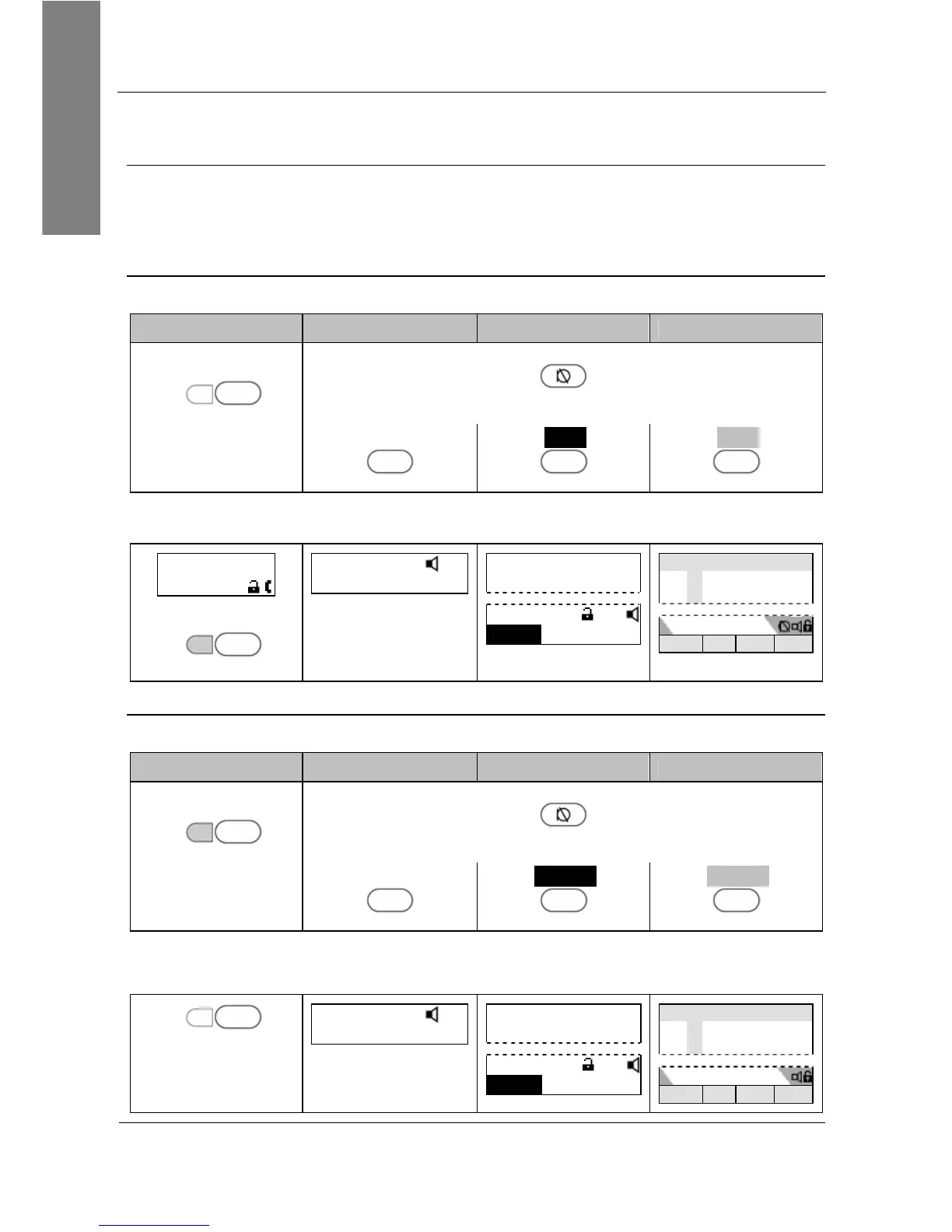
Mute
Action: Mute the microphone of the active audio device during a call.
snom 300 snom 320 snom 360 snom 370
Press
LED6 P6
Mute
Press
Mute
or press
Mute
S2
Mute
S1
Mute
S1
Result: The microphone of the active audio device has been muted and the other
party cannot hear you. This is indicated as follows:
extA 1:10
Mute
LED 6 lights up
LED6 P6
Mute
extA
1:10
… Unmute … …
—— Connected ——
extA
1:10
Unmute …
……
Connected time
extA
extB
Unmute … … …
Unmute
Action: Unmute the microphone of the active audio device during a call.
snom 300 snom 320 snom 360 snom 370
Press
LED6 P6
Mute
Press
Mute
or press
Unmute
S2
Unmute
S1
Unmute
S1
Result: The microphone of the active audio device has been activated again. This is
indicated as follows:
LED6 P6
Mute
extA
1:10
… Mute … …
—— Connected ——
extA
1:10
Mute …
……
Connected time
extA
extB
Mute … … …



 To Next Page