Getting to Know Your Phone
Getting to know your phone
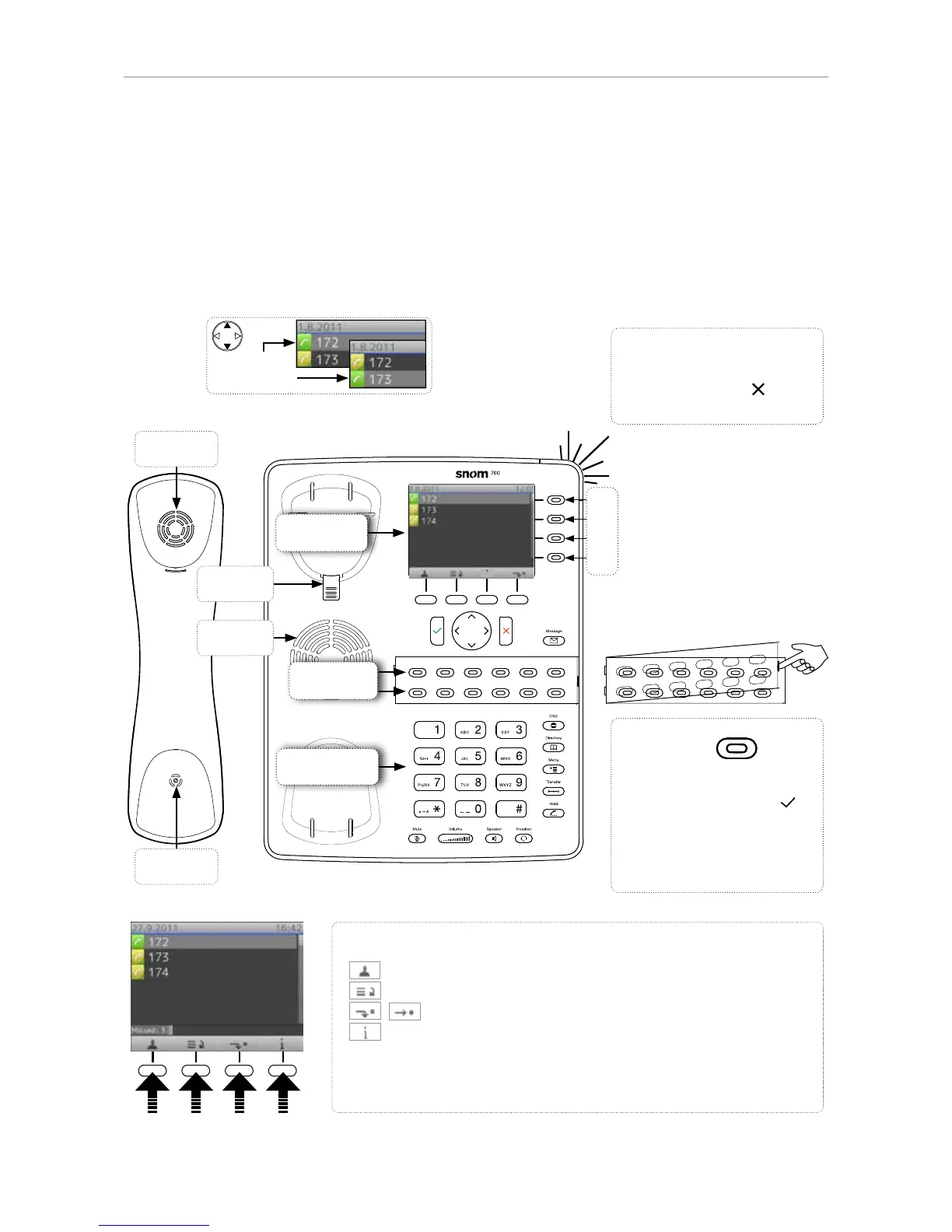
At a glance
The factory settings at a glance:
Handset
microphone
Handset
speaker
Freely programmable LED
keys P1 - P16
• Default setting: Line
• Fast-blinking LED: Inco-
ming call. Press key or to
accept
• Steadily lit LED: In call
• Slow-blinking LED: Call on
hold
Outgoing
identity:
Call LED
• Blinking fast: Incoming call
• Steady light: In call OR
• Missed call. Press to turn
off.
Context-sensitive, programmable
function symbols and function keys
Select outgoing identity, incl. inactive identities
Call lists (missed, received, dialled calls)
Forwarding all calls (on/off)
Status information (call forwarding active, passwords not set,
missed calls, etc.)
Press the function key to activate the function, open the list etc. depic-
ted by the symbol above the key.



 To Next Page