Using the Phone
◦ By the slowly blinking line key (green LED).
◦ By the glowing call indication LED (red LEDs).
You can now:
◦ transfer the held call blindly or with prior announcement - see "Transferring calls" on page 53.
◦ receive and make calls and put other calls on hold.
Pick up the held call by pressing its line key or by pressing
again. If the other party hangs up
while on hold the call terminates on your phone as well, and the indicators are turned off.
Holding multiple calls
If you are in a call with one party and have one or more calls on hold or if there is more than one call on
hold, you can switch back and forth between the active call and any call on hold, transfer calls, etc. The
info bar and the status line will tell you how many total calls there are and which one you are connected
to. Your input on the phone's keys will affect the call on-screen at the time, i.e., the call shown in the
contact area of the display. Up to 12 simultaneous calls are possible.
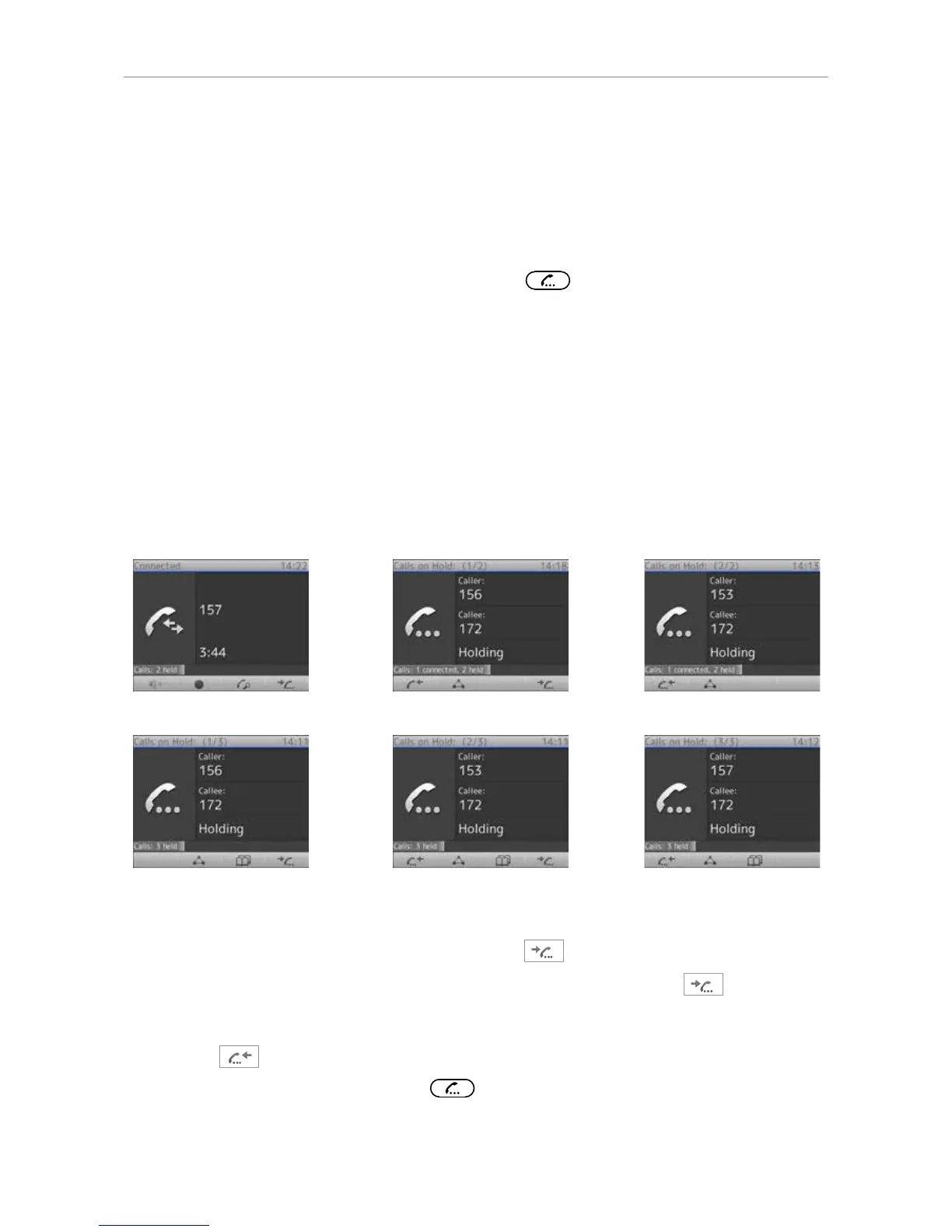
Figures H-1 to H-3 show the phone connected to one call with two calls on hold; Figures H-4 to H-6
show the phone with three calls on hold and no connected call.
Fig. H-1
• Figures H-1 to H-3:
◦ In Fig. H-1 the connected call is on-screen. Press
to put the first held call on the screen.
◦ In Fig. H-2 the first held call of a total of two (1/2) is on the screen. Press
again to put
the second held call (2/2) on the screen (Fig. H-3). If there are more held calls, continue
likewise.
◦ Press
to scroll back through the held calls (Fig. H-2 and H-3).
◦ When a held call is on-screen, press
to connect to it and put the current connected call
on hold.



 To Next Page