Getting to Know Your Phone
The submenus and the settings shaded black and gray are not available when the phone is running
in user mode. The factory setting is administrator mode. For more information on user/administrator
modes, see "User mode/administrator mode" on page 34.
Note: When the phone is in administrator mode and the Maintenance menu is on the
display, pressing key 2
ABC
will switch the phone to user mode.
When the phone is in user mode and the Maintenance menu is on the display, press key 2
ABC
to switch the phone to administrator mode. You will be asked for the administrator
password. The default administrator password is 0000 (4 x zero).
Most of the individual settings are described elsewhere in this manual: See "Using the phone" on page
44 and "Customizing the phone settings" on page 64.
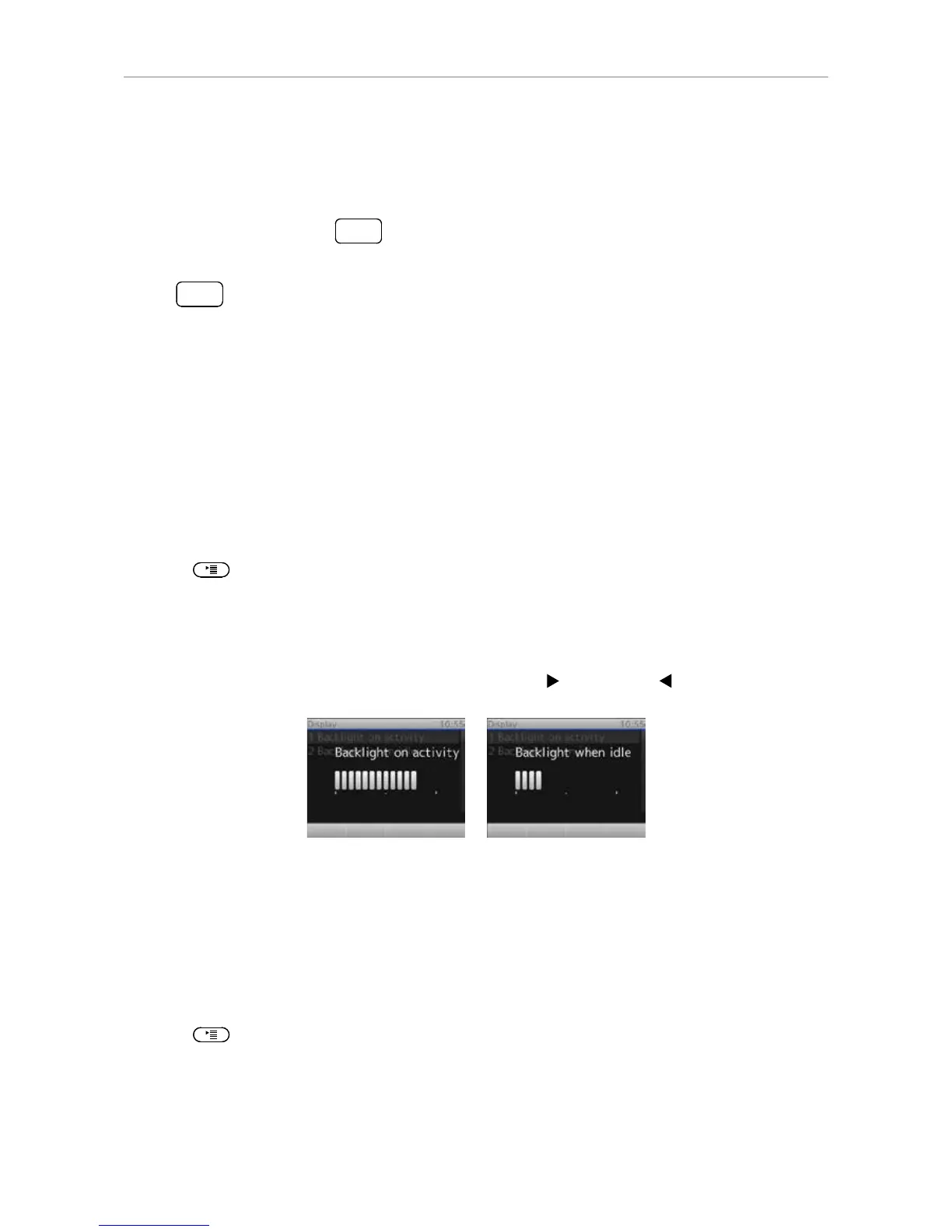
Adjusting the backlight
The display's backlight can be adjusted separately for the times when the phone is active and when the
phone is idle. Lowering backlight intensity lowers the energy consumption of the phone.
Adjusting the backlight for active states
1. Press
.
2. Press 1 Preferences.
3. Press 5 Display.
4. Press 1 Backlight on activity.
5. Press right or left arrow on the navigation key to increase (
) or decrease ( ) the backlight's
intensity.
Adjusting the backlight for the idle phone
The backlight for times when the phone is idle can be turned off completely by reducing the intensity to
one vertical bar. The phone will switch to the backlight's idle setting when there has been no activity for
the number of seconds specified on the phone's web interface.
Adjusting the intensity:
1. Press
.
2. Press 1 Preferences.
3. Press 5 Display.
4. Press 2 Backlight when idle.



 To Next Page