Using the Phone
Forward when Busy: Forwarding calls ringing while phone is busy to the number of the phone,
extension, or mailbox specified as this function’s target.
Forward after Timeout: When a call starts ringing, the phone will wait for the number of seconds
specified in the setting "Call forwarding time". If the call is not accepted by the end of this time period,
it is forwarded to the number of the phone, extension, or mailbox specified as this function’s target.
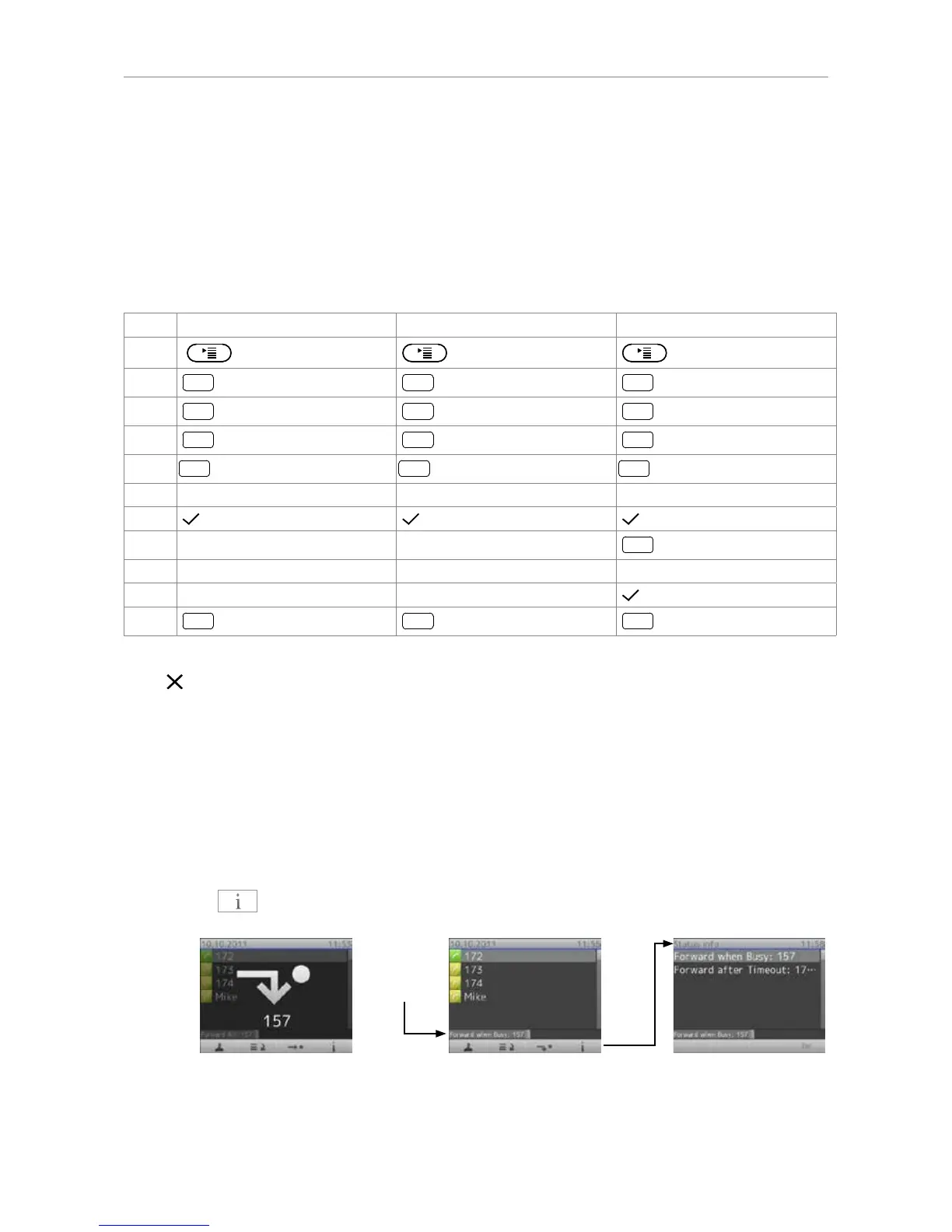
Making/changing the settings on the phone and turning on call forwarding
Forward all Forward when busy Forward after timeout
Press
Press
1 Enable forwarding [No]
The setting will change to "1 Enable forwarding [Yes]", indicating that call forwarding is now active.
Press
for two seconds to return to the idle screen.
The status line and the status info screen will indicate that call forwarding is turned on and what
number calls will be forwarded to.
Note: Forwarding when busy and after timeout are indicated in the status line, which can
display only one message at a time. When both are active at the same time, only "Forward
when busy" will be displayed. If there are other status messages with a higher priority
than "Forward when Busy" (e.g., firmware update available, reboot required, waiting for
call completion, etc.), they will take precedence over the call forwarding indication.
Press
to show status info with all current status messages, including call forwarding.



 To Next Page