24
User Manual M65 / M85 / M25 Getting to know
M25 Hardware
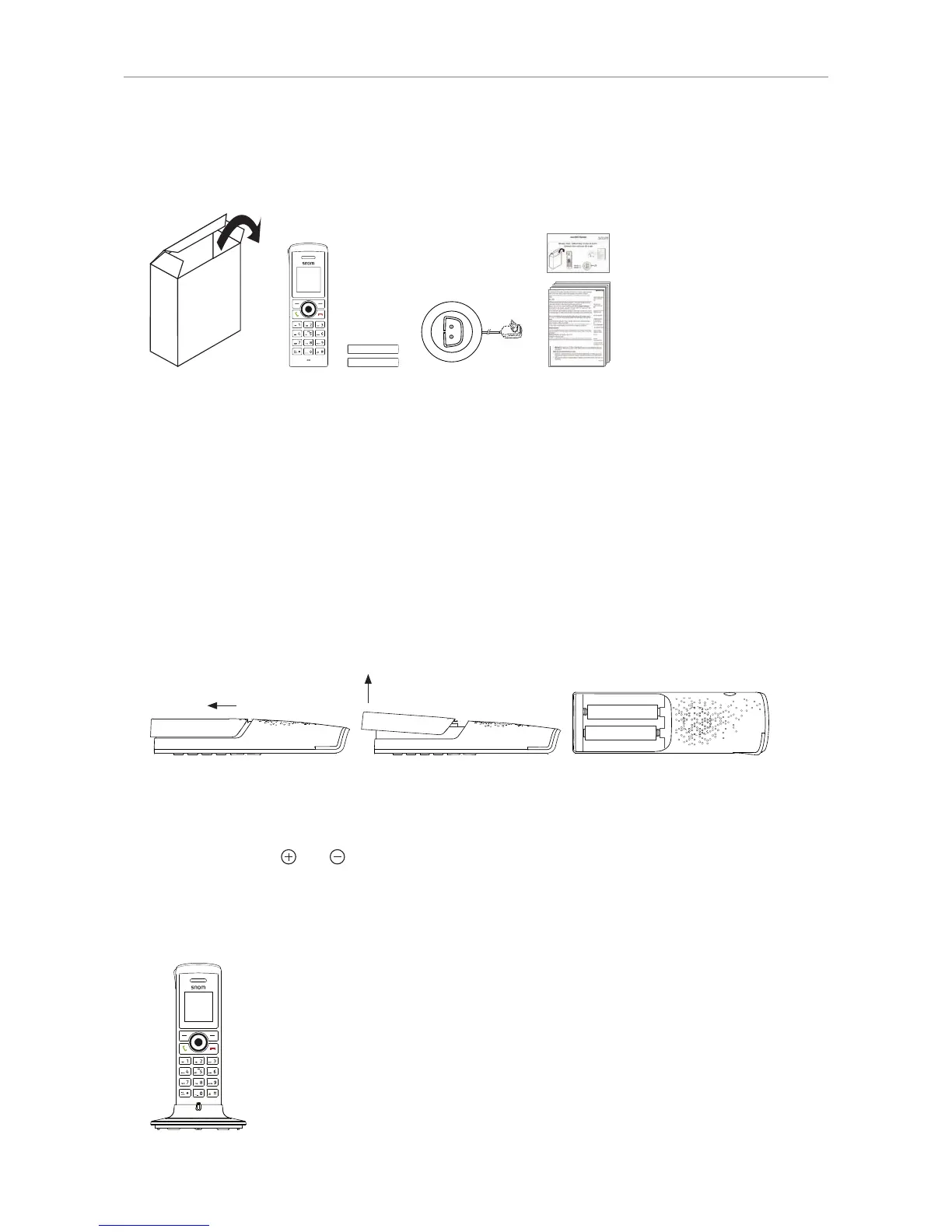
Delivery Content
NiMH AAA 1.2 V
NiMH AAA 1.2 V
◦ Handset
◦ 2 rechargeable NiMH AAA batteries, 1.2 V, 600 mAh
◦ Charger with axed power adapter 5.5 V
◦ Quick Start Guide
◦ 6 information sheets (security, standards) in English, German, French, Italian, Spanish
Inserting and charging the batteries
Before first use, the batteries should be charged fully. Depending on the charge status of the battery,
charging up to maximum capacity can take up to 8 hours. Charging the handset:
1. Slide the battery cover on the back of the handset downwards (Fig. 1) and lift it o (Fig. 2).
+
+
-
-
-
+
Fig. 1 Fig. 2 Fig. 3
2. Insert the batteries (Fig. 3). Please, pay attention to the correct polarity when inserting the
batteries. The positive and the negative pole are marked on the type label inside the battery
compartment with and , respectively.
3. Replace the cover.
4. Connect the charger's power adapter to a wall outlet.
5. Place the handset in the charger.



 To Next Page