33
User Manual M65 / M85 / M25 Getting to know
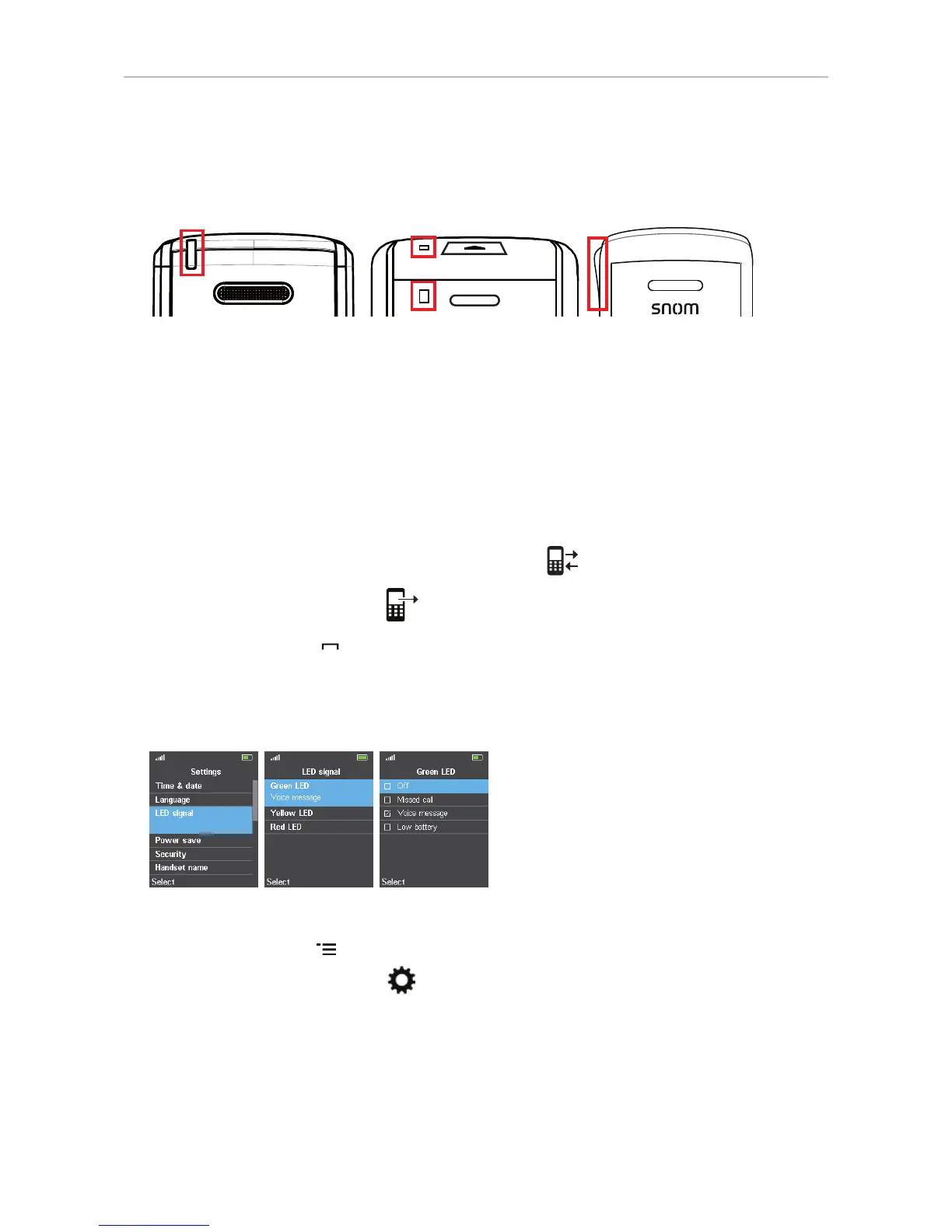
LED indications
Missed calls, message waiting (MWI), low battery
M65 M85 M25
M65/M85
On the M65 and M85, the LED indicator(s) for MWI, missed calls, and low battery can signal
information in three colors. The default settings are:
• Missed call: 2 quick red flashes.
Note: Opening the All calls menu and viewing the missed call(s) will turn o the missed
call indicator. For more information, see "Call history (call lists)" on page 50 .
1. Press the function key underneath the "Calls" symbol
.
2. Select the list of missed calls
.
3. Press the cancel key
to return to the idle screen.
• Voice message: Green LED.
• Low battery: Yellow LED on M65, purple LED on M85.
• Changing the settings:
Fig. 1 Fig. 2 Fig. 3
1. Press the menu key to open the top menu.
2. Navigate to the Settings menu
and press the OK key (see "Navigation and "OK" keys" on
page 35).
3. Select "LED signal" (Fig. 1).
4. Select a color (Fig. 2).
5. Select one of the three options "Voice message", "Missed call", or "Low battery" for each color.
Select "O" to turn o the LED for the selected color.



 To Next Page