42
User Manual M65 / M85 / M25 Getting to know
Menus
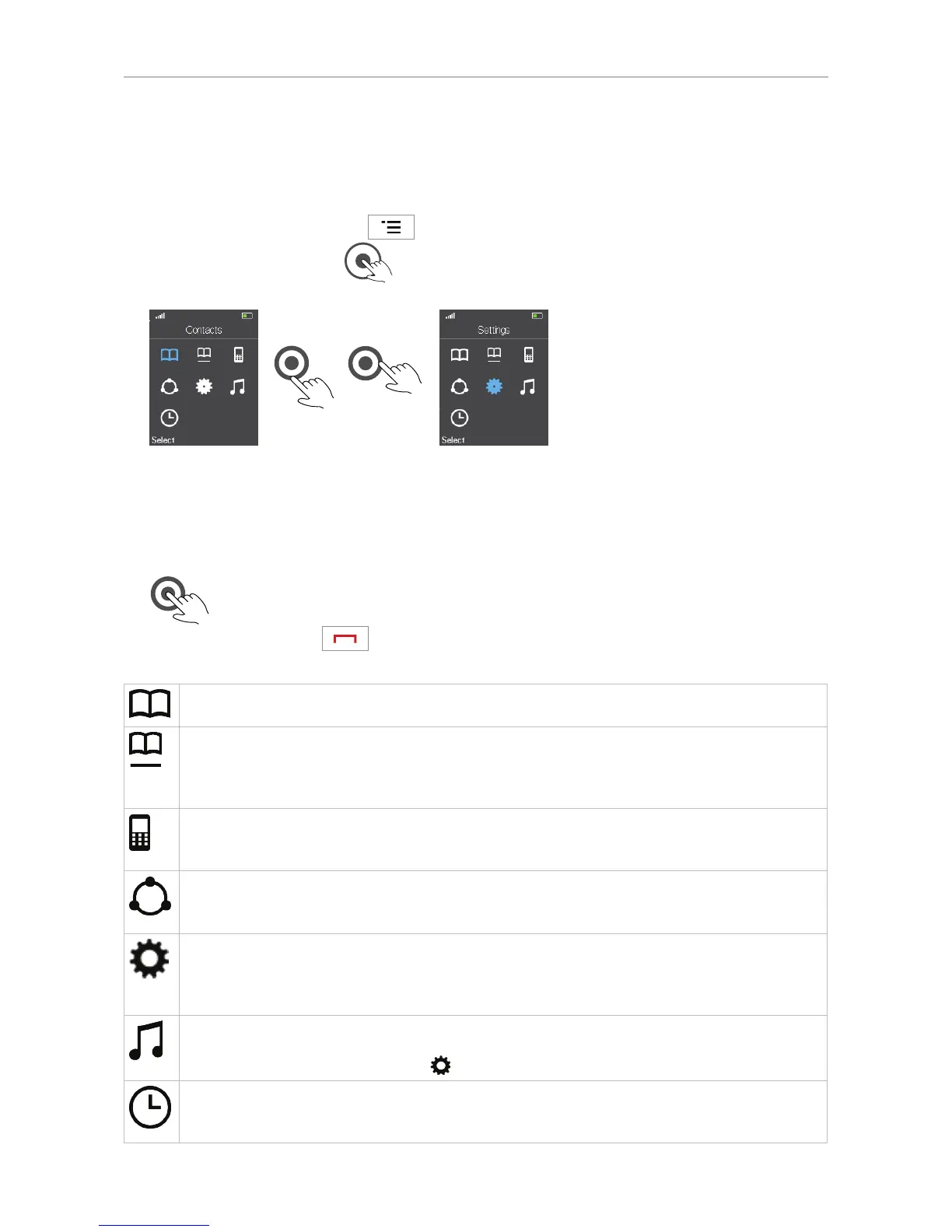
The menus are arranged a bit dierently from the ones you may be used to from snom desk phones.
1. M65/M85: Press the menu key
on the handset to open the top menu. M25: Press the
center of the navigation key
. The screen will open with the "Contacts" symbol selected,
i.e., highlighted in blue (Fig. 1).
Fig. 1 Fig. 2
2. Use the navigation keys to select a dierent symbol and press the OK key to open the selected
submenu (see "Navigation and "OK" keys" on page 35). The selected item will turn blue (Fig. 2).
3. Press the center of the navigation key or the "Select" function key underneath the display to open
the selected (blue) submenu.
Press the red cancel key
to return to the previous screen or go back one step.
Contacts. These are your personal contacts that are available only on the handset where
they have been entered and saved. See "Contacts" on page 43.
Central directory. This is a list of phone numbers accessible from all handsets registered
at the same base or to a base in the same multicell installation. This could be a phone list
downloaded to the base or an external source like the company LDAP register. For further
information, see "Central directory" on page 48.
Call history. On the M65/M85, the call history contains four call lists: All calls, answered
calls, dialed calls, and missed calls. On the M25, there is one All calls list. For further
information, see "Call history (call lists)" on page 50.
Connectivity. In this submenu you can register and deregister the handset and select a
network, if more than one is available. For further information, see "Connectivity" on page
52.
Settings. Here you find the options for personalizing the settings of your handset (language,
time and date formats, LED signaling, etc.), call settings like call forwarding, auto answer,
DND, hiding your number, etc., and status information on the handset and the base it is
registered to. For further information, see "Settings" on page 53.
Audio settings. Ring and alert tones, volume settings, various other sounds like key sounds,
etc. For further information, see "Audio settings" on page 61. On the M85, the audio
settings are located in the Settings menu.
Alarms (M65/M85 only). There are three alarm clock settings: Non-recurring alarm,
recurring alarm, snooze time. For further information, see "Alarm clock settings" on page
62.



 To Next Page