64
User Manual M65 / M85 / M25 Using the handset
Note: To turn o the alarm for one of the checkmarked days, scroll to it and press the
function key underneath "Unmark" (Fig. 10).
5. Press the function key underneath "Ok" to save the settings.
Turning the alarm o
1. Open the "Alarms" menu and scroll to "Recurrent alarm" (Fig. 9, above).
2. Press the function key underneath "Select".
3. Press the function key underneath "Turn o" (Fig. 6, above).
Snooze time
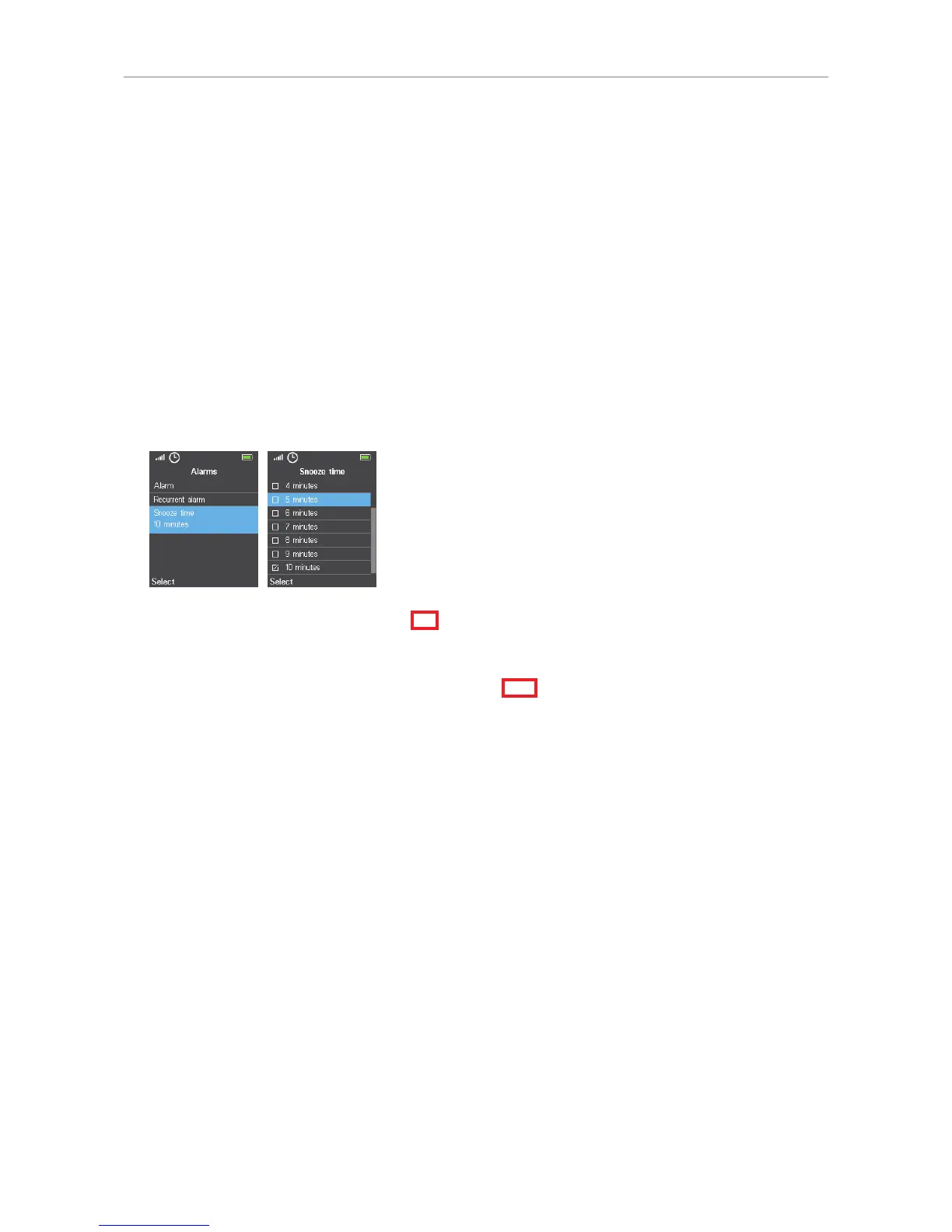
Snooze time applies to all alarm settings and can be set from 1 to 10 minutes. The default is 10
minutes.
Fig. 11 Fig. 12
Setting snooze time
1. Open the "Alarms" menu and scroll to "Snooze time" (Fig. 11).
2. Scroll to the minute setting and press the function key underneath "Select" (Fig. 12) to save the
setting and return to the previous screen.
Using snooze time
When the alarm goes o, press the function key underneath "Snooze" (see "Alarm clock settings" on
page 62, Fig 2). If snooze time is 10 minutes, for example, the alarm will go o again 10 minutes
later, showing the time of the original alarm setting on the display.



 To Next Page