40
User Manual M65 / M85 / M25 Getting to know
Volume key
M65 and M85
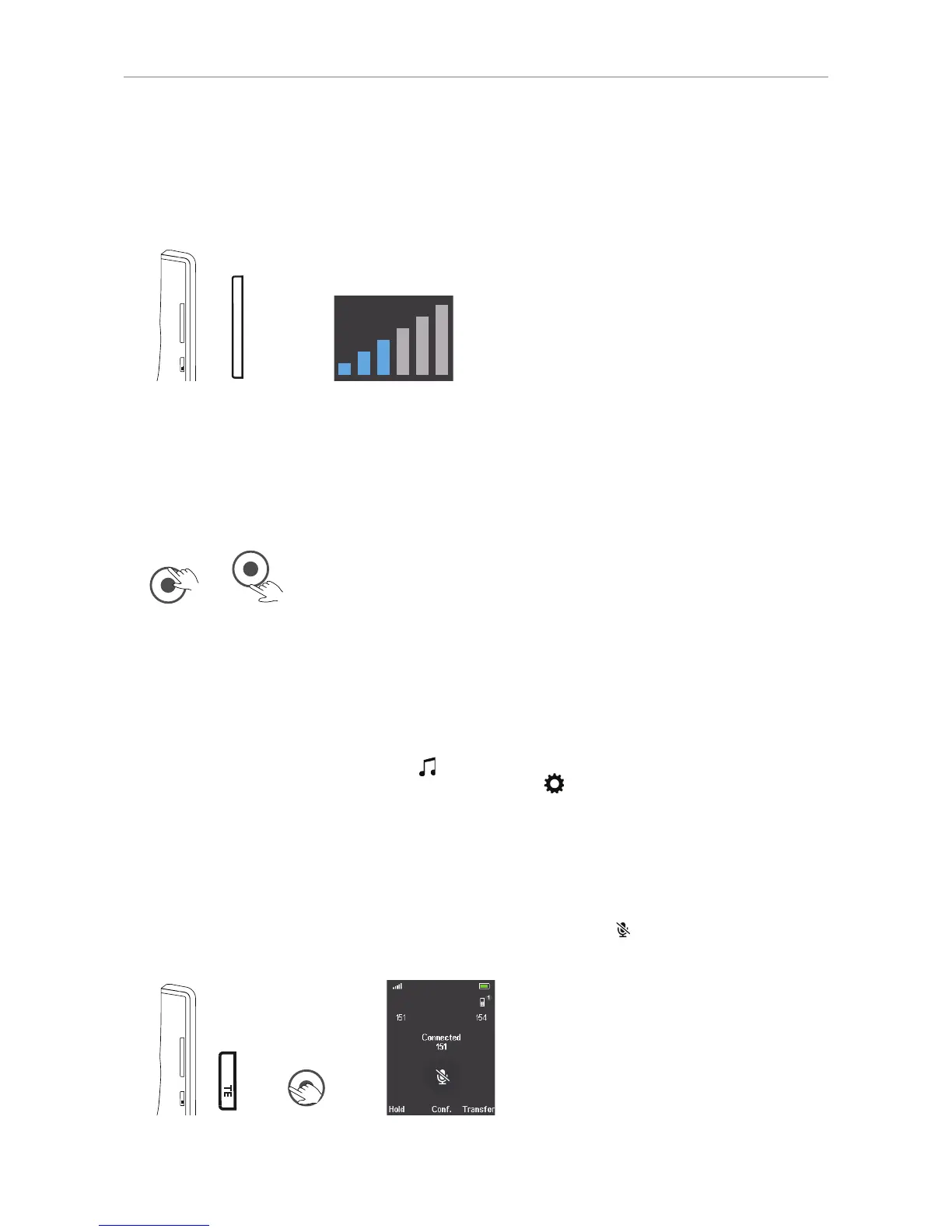
The volume key is the upper key on the left side of the handset. When in a call, press:
TE
mu
+
_
+
Fig. 1 Fig 2
• the upper end of the key (marked +) to increase the volume of the loudspeaker one bar at a time.
• the lower end of the key (marked -) to lower the volume of the loudspeaker one bar at a time.
M25
The M25 does not have a volume key. When in a call, use the navigation key to adjust the volume:
Fig. 3 Fig. 4
• Press the upper rim of the navigation key (Fig. 3) to increase the volume of the loudspeaker one
bar at a time (Fig. 2, above).
• Press the lower rim of the navigation key (Fig. 4) to lower the volume of the loudspeaker one bar at
a time (Fig. 2, above).
Note: To adjust the volume of the ringer on the M65 or M25, open "Ring volume"
in the Audio settings menu
(see "Ring volume" on page 61). On the M85, the
audio settings are the top item in the Settings
menu.
Mute key
On the M65 and M85, the mute key is the lower key on the left side of the handset. On the M25, press
the left rim of the navigation key to mute and unmute the microphone during a call.
Press the key to mute the microphone during a call, as indicated by the
symbol on the screen.
Press the key again to unmute the microphone.
TE
mu
+
_
TE
mu
M65/M85 M25



 To Next Page