27
User Manual M65 / M85 / M25 Getting to know
Getting to know your phone
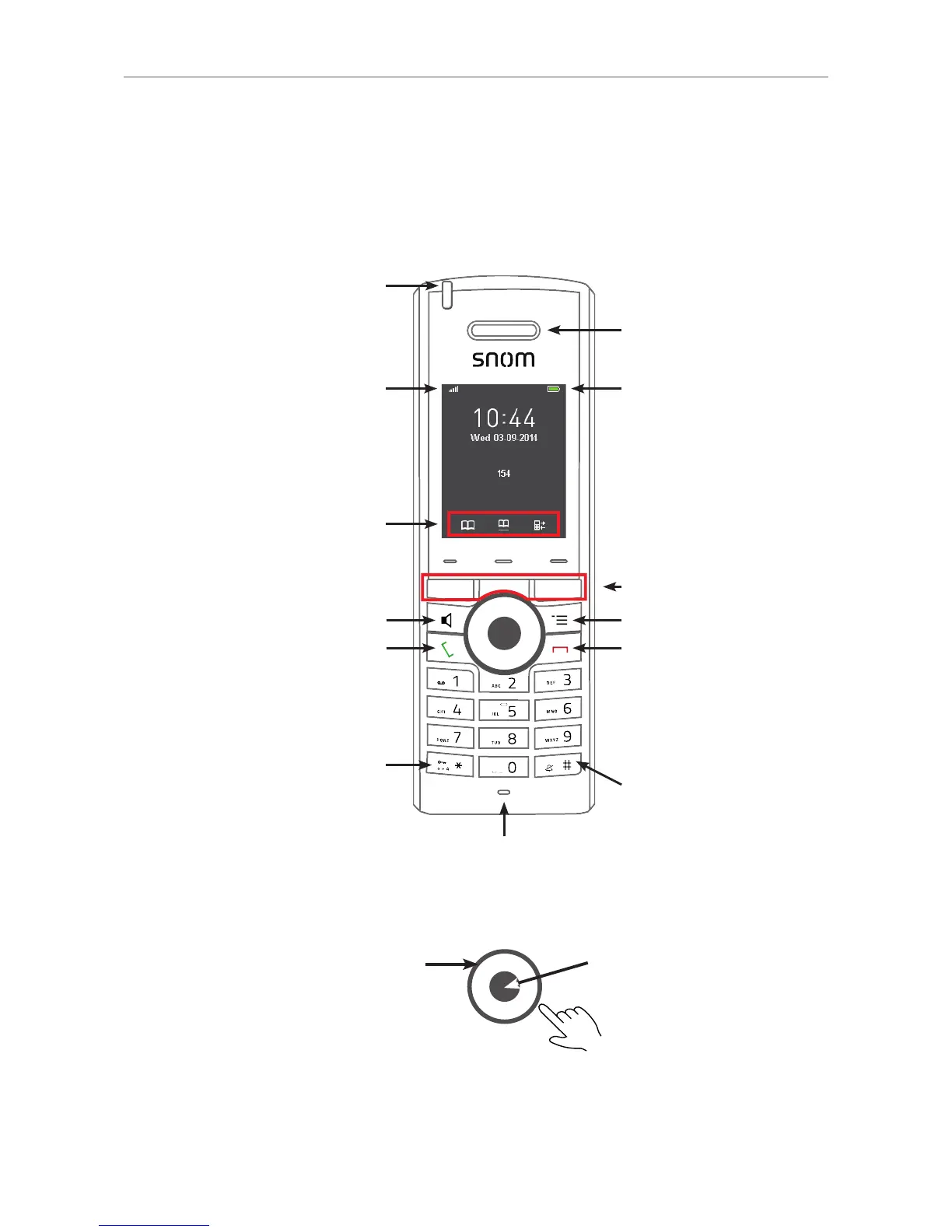
M65 at a glance
Speakerphone (on/o ) with LED
Red LED: Speakerphone is on
Call key (green key):
• Accepting incoming calls
• Starting to dial numbers
• From idle screen: Call lists,
redialing call from call lists
Star key:
• In editing modes:
◦ Letter mode: Press for one
second to change input mode
(lower case > upper case > v.v.)
◦ Numeral mode: Press briefly to
type *
• On idle screen: Press for 3 sec-
onds to lock/unlock the keypad
Function key line for context-sensi-
tive keys
Signal strength
Battery charging status
Loudspeaker
Settings menu
Context-sensitive function keys
Cancel key (red key):
• Ending calls
• Canceling actions & input,
returning to previous screen
• Press for at least 3 seconds
to turn handset o ; press
briefl y to turn handset on
Pound/hash key
Navigation keys: Press top, bottom,
left, or right of outer rim to navigate
in the respective direction on the
display
OK key: Press center
• Short: Confi rming actions
and settings
• Long (3 sec): Emergency
alarm (as of FW v0324)
Microphone
LED indicator (MWI, missed
call, low battery)
Note: The settings for the emergency alarm are configured on the base station where the handset
is registered. They cannot be set or changed on the handset. Please, ask your adminstrator for
more information on which type of emergency alarm, if any, pressing the alarm button will initiate.



 To Next Page