55
User Manual M65 / M85 / M25 Getting to know
Fig. 1 Fig. 2
1. Select "Security".
2. Select "Automatic keylock".
3. Select the number of seconds (15, 30, or 45), minutes (1 to 5 minutes) to set the inactivity period,
or select "o" to turn automatic locking o.
4. Press the red key to return to the "Settings" menu.
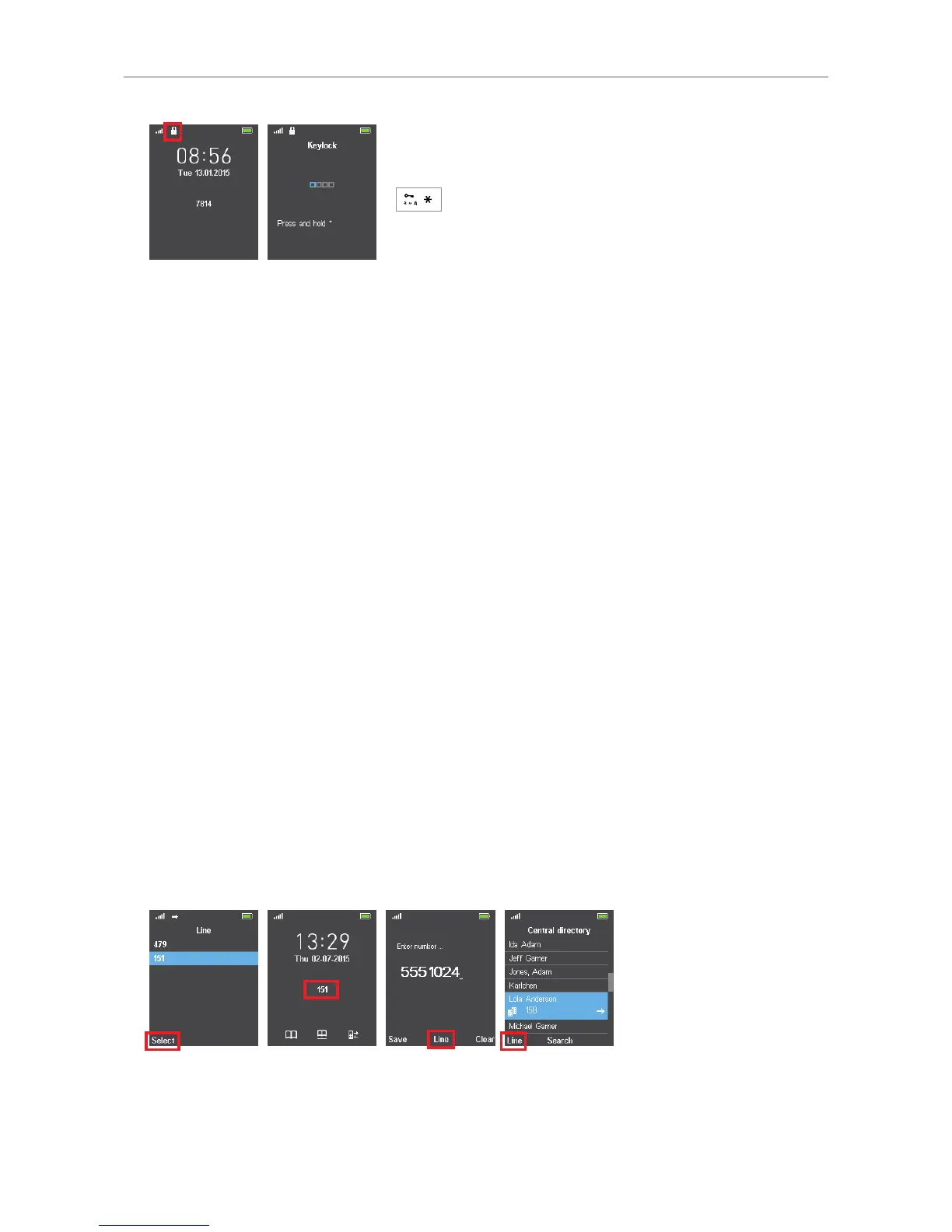
Unlocking the keypad
To unlock the keypad after it has been locked manually or automatically, press the star key until the
lock symbol disappears.
Change PIN
This is the PIN that is required for deregistering the handset from the base and to reset it to factory
values. The default is 0000.
Line
M65 and M85 only. The handset supports up to ten extensions (accounts/phone numbers). On corded
Snom deskphones they are called "identities".
Note: Each handset will only support one identity per SIP server, regardless whether
the servers are in your oce network or provided externally by an IP provider.
In the Line menu (Fig. 1), you select the identity (and thus the SIP server, i.e., "phone line", where it is
set up) that will be your default identity when making calls. This identity is shown on the display (Fig.
2).
Fig. 1 Fig. 2 Fig. 3 Fig. 4
• Selecting the default identity for outgoing calls.
1. Use the up/down arrows on the navigation key to select the extension.



 To Next Page