52
User Manual M65 / M85 / M25 Getting to know
Connectivity
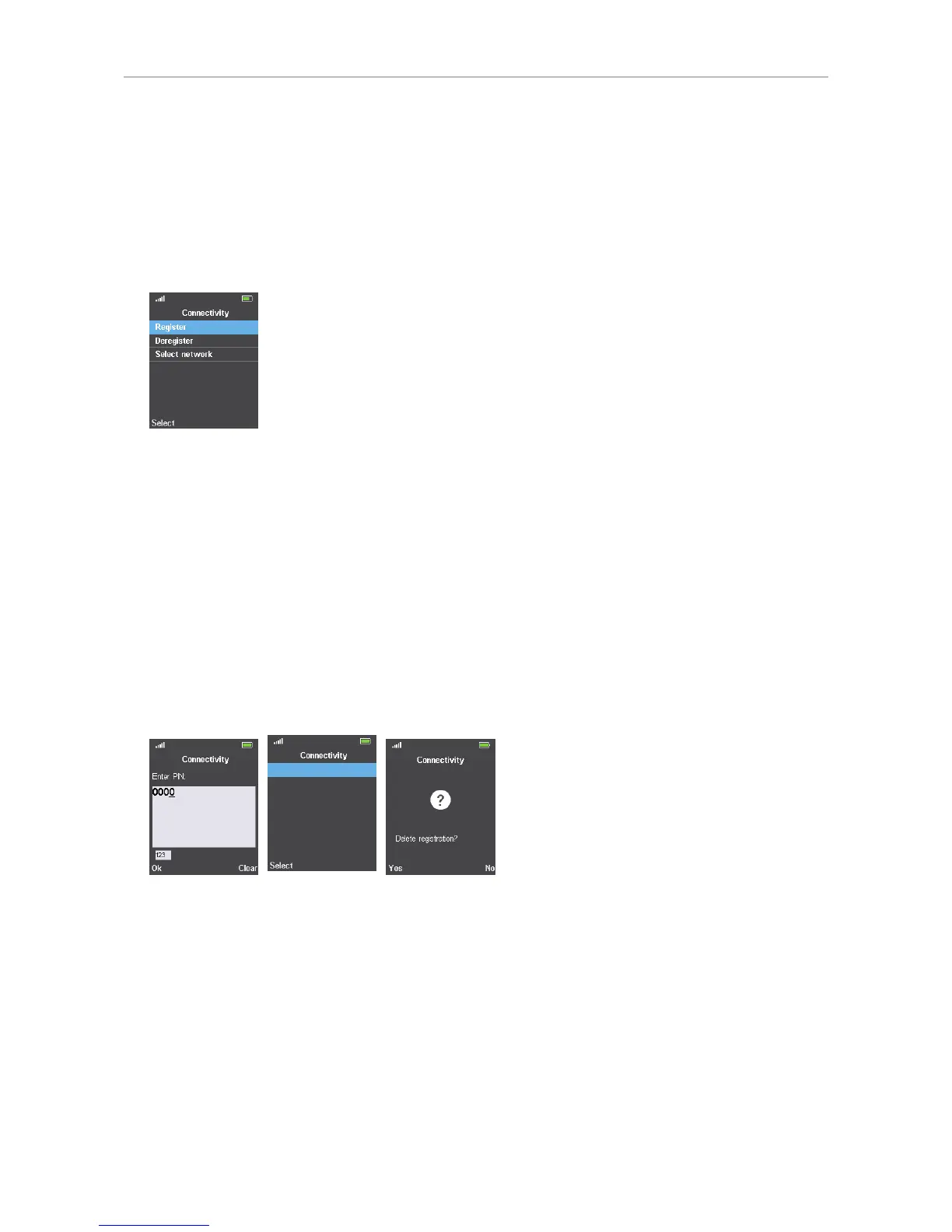
This submenu is where you register and deregister the handset at the base and where you can select
the network, if more than one is available.
To be able to register the handset at a base station, an extension must have been set up for it on that
base. Please refer to the manual of the base station on how to set up the extension.
Fig. 1
Registering
See "Registering the handset at the base station" on page 25.
Deregistering
1. Select "Deregister".
2. Enter the PIN and press the function key underneath "Ok" (Fig. 2). The default PIN is 0000.
3. Press the function key underneath "Select" (Fig. 3).
4. Press the function key underneath "Yes" (Fig. 4).
Fig. 2 Fig. 3 Fig. 4
Selecting the network
The default setting is Auto select. (Not applicable to M25.)



 To Next Page