32
User Manual M65 / M85 / M25 Getting to know
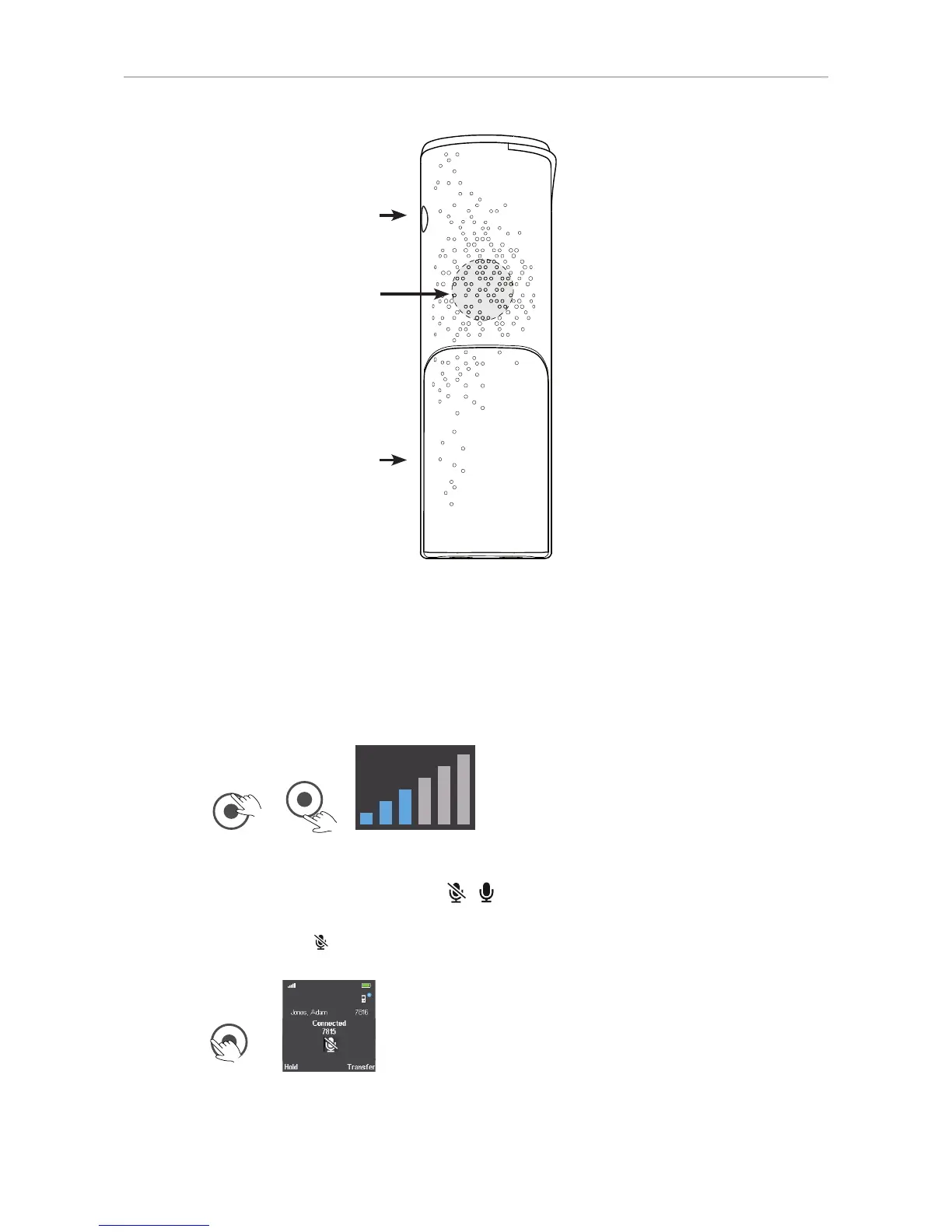
Headset connector 3.5 mm
Battery compartment
External loudspeaker
Note: The M25 does not have dedicated keys for adjusting the call volume or muting
the microphone.
Adjusting the volume
When in a call, press the top rim of the navigation key (Fig. 1) to increase the volume and
the bottom rim (Fig. 2) to lower the volume. In both cases, the volume bar scale (Fig. 3)
will appear on the display. For more information, see "M25" on page 40.
Fig. 1 Fig. 2 Fig. 3
Muting/unmuting the microphone
When in a call, press the left rim of the navigation key (Fig. 4) to mute the microphone, as
indicated by the symbol on the display (Fig. 5). Press the left rim again to unmute the
microphone.
Fig. 4 Fig. 5



 To Next Page