EasyManua.ls Logo

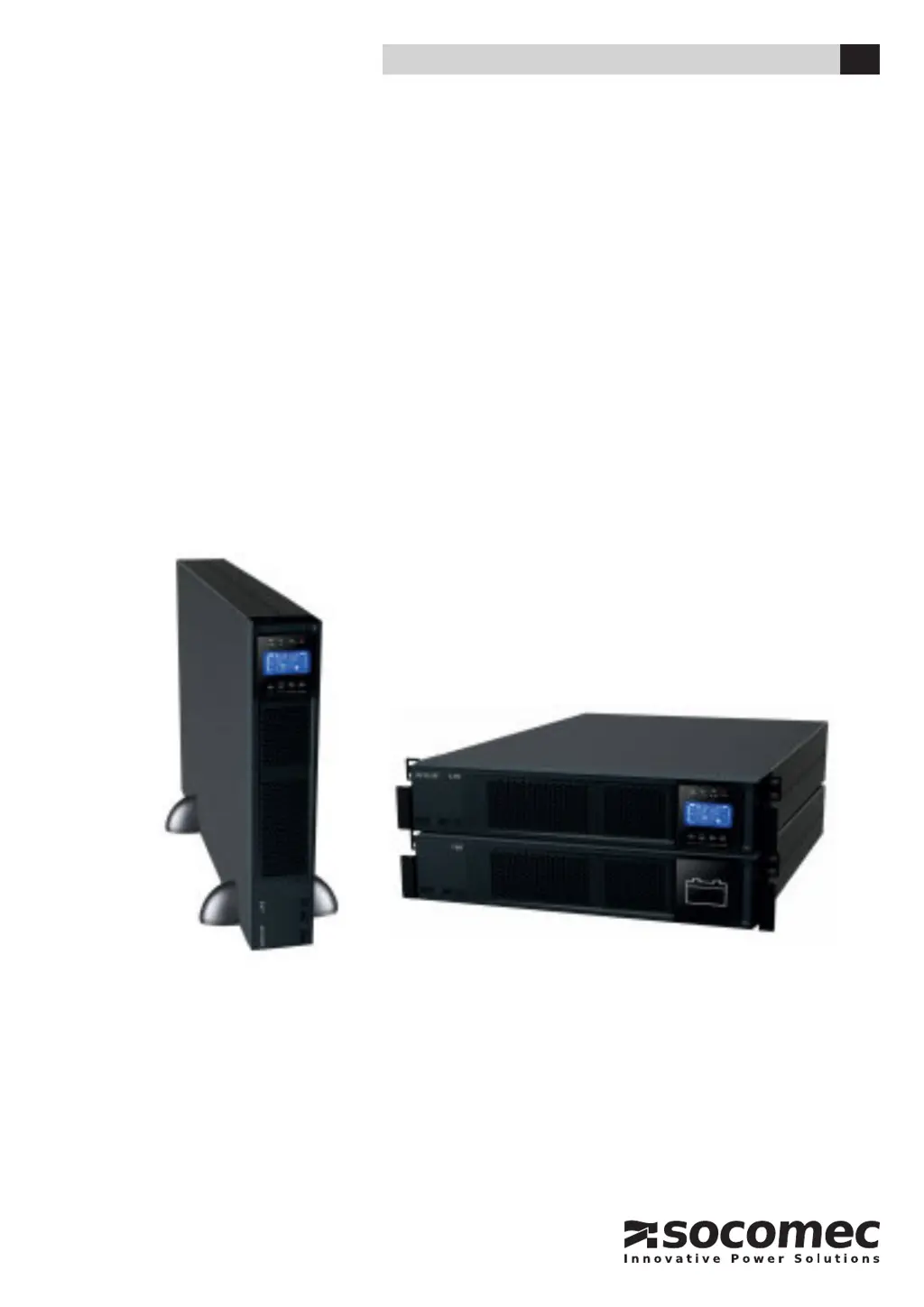
socomec OFYS RT - User Manual

socomec OFYS RT
32 pages
Print Icon
To Next Page IconTo Next Page
Loading...
INSTALLATION AND OPERATING MANUAL EN
1 - 3kVA
OFYS RT

Questions and Answers

Summary

CERTIFICATE AND CONDITIONS OF WARRANTY

SAFETY STANDARDS

Description of symbols

Abbreviations

ENVIRONMENTAL REQUIREMENTS AND HANDLING

Environmental requirements

Specifies room requirements for proper unit installation and operation.

Handling

Provides guidance on safely moving and positioning the UPS unit.

Unpacking

Instructions for safely removing the UPS from its packaging.

INSTALLING

Rack mounting

Step-by-step guide for installing the UPS in a server rack.

Tower mounting

Battery Connection

ELECTRICAL INSTALLATION

CONNECTIONS

Communication connection

CONTROL PANEL

MENU

Display overview

Explanation of the UPS display icons and indicators.

Alarms

Abbreviations meaning in the display

Menu function descriptions

Fault code

Warning indicator

OPERATING PROCEDURES

Switching on (in Normal mode)

Procedure for starting the UPS in normal operating mode.

Cold start (in battery mode)

Procedure for starting the UPS directly from battery power.

Connect device to UPS

Steps to connect loads and manage overload situations.

Charge the batteries

Instructions on how to charge the UPS batteries.

Battery mode operation

Battery test

Turn off the UPS with utility power supply in Normal mode

Turn off the UPS without utility power supply in battery mode

OPERATING MODE

Standard features and options

TROUBLE SHOOTING

MAINTENANCE

Storage

Guidelines for storing the UPS unit.

SAFEGUARDING THE ENVIRONMENT

TECHNICAL SPECIFICATIONS

APPENDIX: TOXIC AND HAZARDOUS SUBSTANCES AND ELEMENTS

Summary

CERTIFICATE AND CONDITIONS OF WARRANTY

SAFETY STANDARDS

Description of symbols

Abbreviations

ENVIRONMENTAL REQUIREMENTS AND HANDLING

Environmental requirements

Specifies room requirements for proper unit installation and operation.

Handling

Provides guidance on safely moving and positioning the UPS unit.

Unpacking

Instructions for safely removing the UPS from its packaging.

INSTALLING

Rack mounting

Step-by-step guide for installing the UPS in a server rack.

Tower mounting

Battery Connection

ELECTRICAL INSTALLATION

CONNECTIONS

Communication connection

CONTROL PANEL

MENU

Display overview

Explanation of the UPS display icons and indicators.

Alarms

Abbreviations meaning in the display

Menu function descriptions

Fault code

Warning indicator

OPERATING PROCEDURES

Switching on (in Normal mode)

Procedure for starting the UPS in normal operating mode.

Cold start (in battery mode)

Procedure for starting the UPS directly from battery power.

Connect device to UPS

Steps to connect loads and manage overload situations.

Charge the batteries

Instructions on how to charge the UPS batteries.

Battery mode operation

Battery test

Turn off the UPS with utility power supply in Normal mode

Turn off the UPS without utility power supply in battery mode

OPERATING MODE

Standard features and options

TROUBLE SHOOTING

MAINTENANCE

Storage

Guidelines for storing the UPS unit.

SAFEGUARDING THE ENVIRONMENT

TECHNICAL SPECIFICATIONS

APPENDIX: TOXIC AND HAZARDOUS SUBSTANCES AND ELEMENTS

socomec OFYS RT Specifications

General IconGeneral
Brandsocomec
ModelOFYS RT
CategoryUPS
LanguageEnglish

Related product manuals