OFYS RT 1 - 3kVA - 551906A - SOCOMEC
14 EN
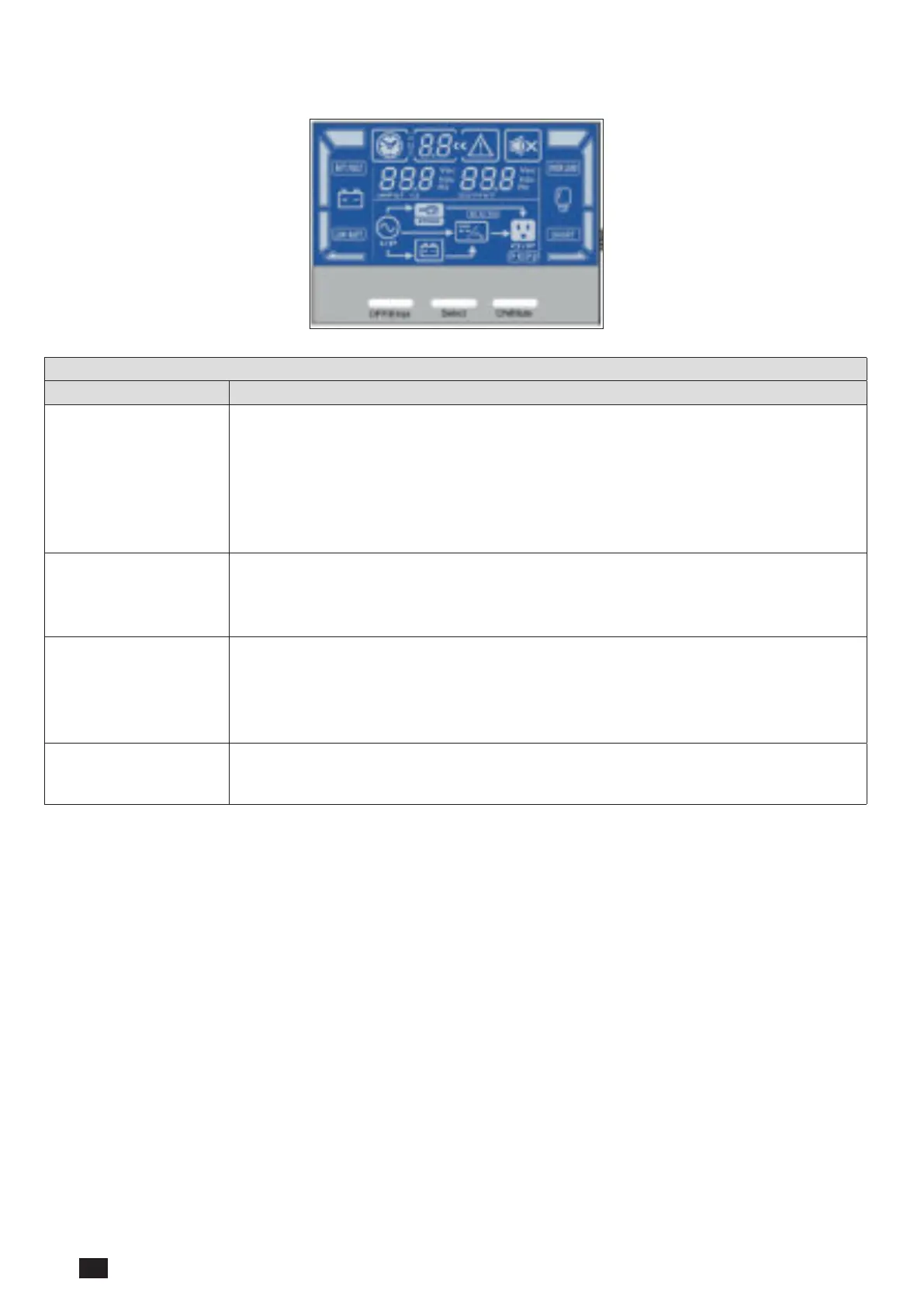
7. CONTROL PANEL
CONTROL PANEL
Button Description
ON/MUTE
•
Turn on the UPS:
Press and hold ON/Mute button for at least 2 seconds to turn on the UPS.
•
Mute the alarm:
When the UPS is on battery mode, press and hold this button for at least
5 seconds to disable or enable the alarm system. But it’s not applied to the situations
when warnings or errors occur.
•
Up key:
Press this button to display previous selection in UPS setting mode.
•
Switch to UPS self-test mode:
Press and hold ON/Mute button for 5 seconds to enter
UPS self-testing(incl. Battery test) while in AC mode, ECO mode or converter mode.
OFF/ENTER
• Turn off the UPS: Press and hold this button at least 2 seconds to turn off the UPS in
battery mode. UPS will be in standby mode under power normal or transfer to bypass
mode if the Bypass enable setting by pressing this button.
• Conrm selection key: Press this button to conrm selection in UPS setting mode.
SELECT
• Switch LCD message: Press this button to change the LCD message for input voltage,
input frequency, battery voltage, output voltage and output frequency.
• Setting mode: Press and hold this button for 5 seconds to enter UPS setting mode when
Standby and Bypass mode.
• Down key: Press this button to display next selection in UPS setting mode.
ON/Mute/Select Button
• Switch to bypass mode: When the main power is normal, press ON/Mute and Select
buttons simultaneously for 5 seconds. The UPS will now switch to bypass mode. This
action will be ineffective if the input voltage is out of acceptable range.





 To Next Page