8.1.2. Near-field Control8.1.2. Near-field Control
At the site where the device is used, connect to CH1000 via APP to perform
near-field control of CH1000 and the devices connected under it, and the near-
field control can be used when CH1000 is networked or not. Firstly, connect
CH1000 and enter CH1000 device detail page, refer to section 7.1.1 for connec-
tion steps.
1. 1. CH1000 Near-field Control
On the CH1000 device details page, view the details of CH1000 devices, and
you can also add inverters, meters, and other devices. After adding, the infor-
mation of added sub-devices (inverters and meters) will be displayed under
“Device”.
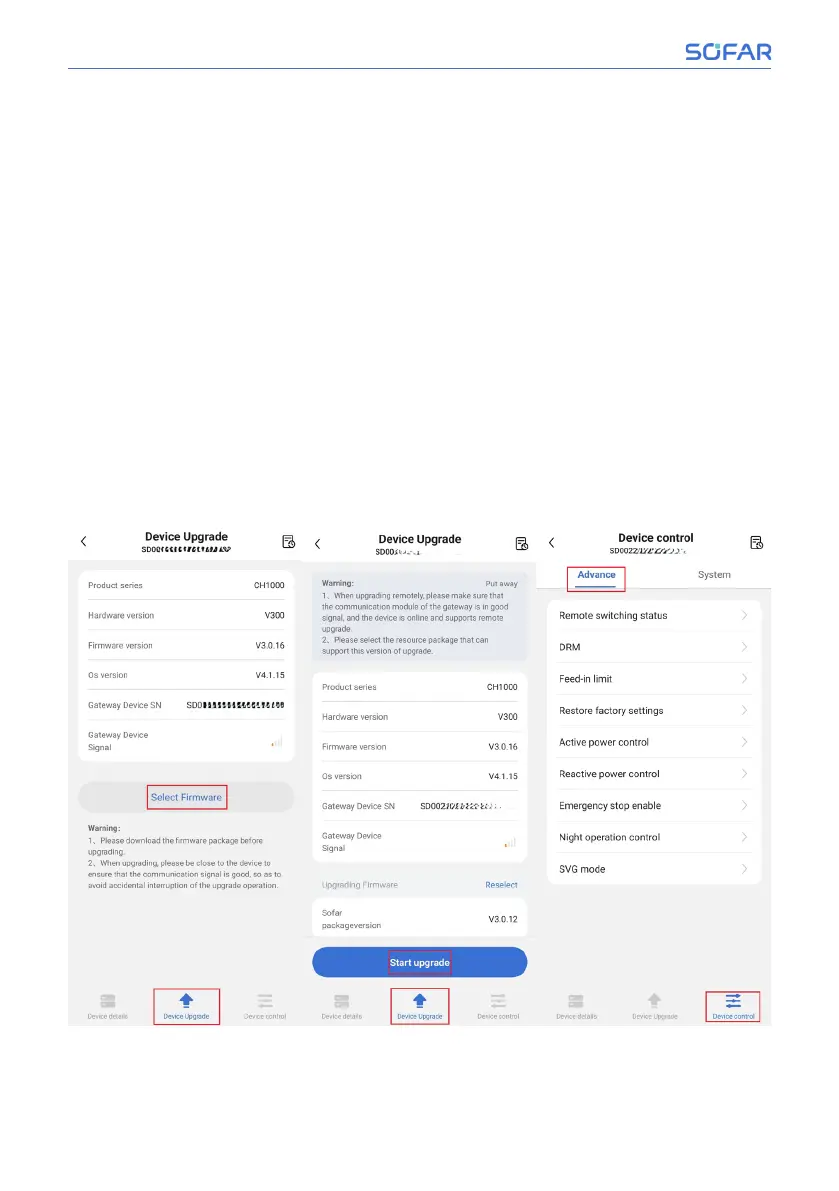
On the CH1000 upgrade page, view the current firmware version of CH1000. To
upgrade, click “Select Firmware” to choose a new firmware version, and then
click “Start upgrade”.
On the CH1000 device control page, you can set DRM, active power control,
emergency stop enable, and other settings for the CH1000.
62/92 SOFAR CH1000
SOFAR Cloud /APP Operation



 To Next Page