Sol-Ark Battery Integration Guide | SK140-0026-005 15
Inverter programming and connections
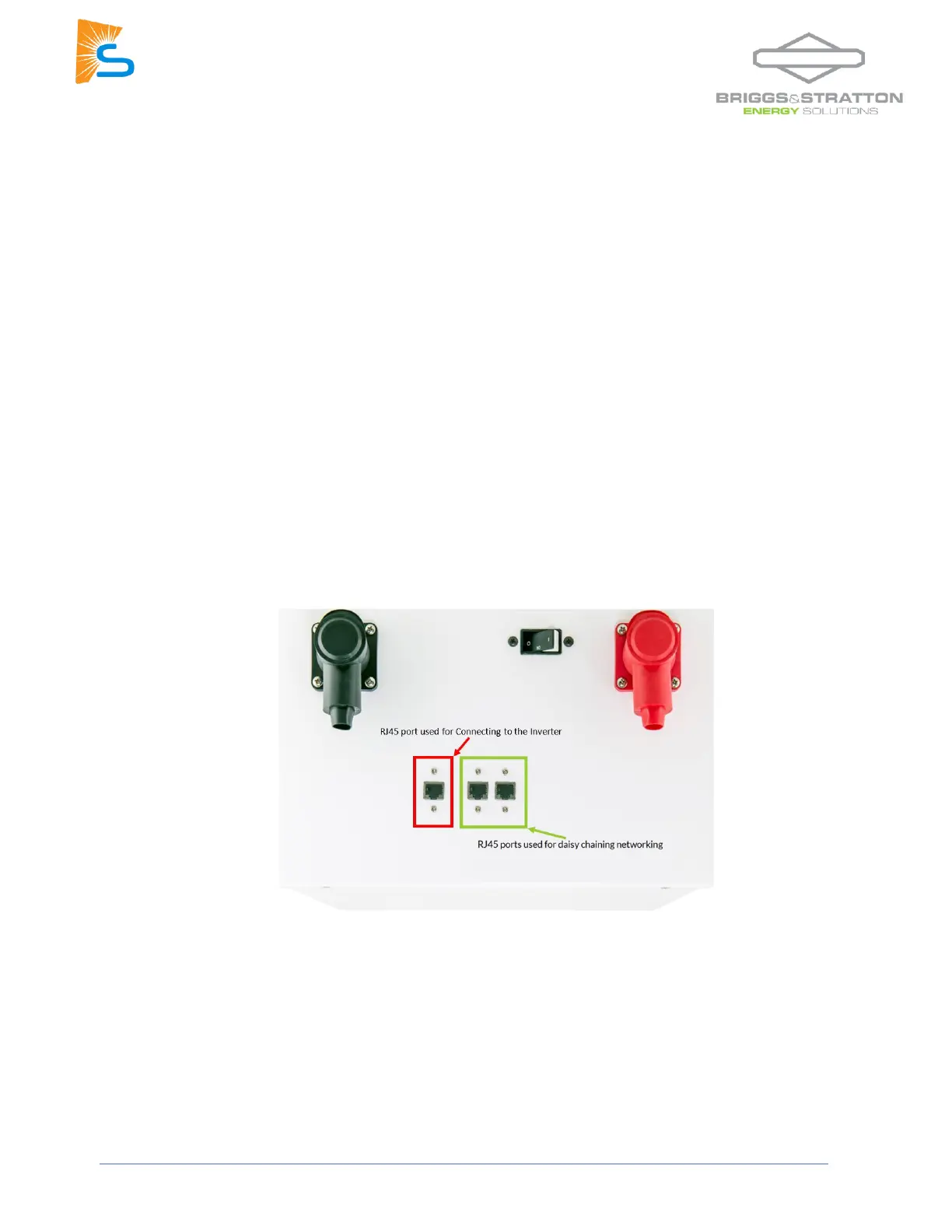
1. Use the battery from the beginning or the end of the chain. Connect an RJ45 cable from the separate
RJ45 port (RED in the picture below):
Indoor-rated inverters
- You may use an off-the-shelf ethernet cable. No custom cable is needed.
- Connect to the CAN port.
Outdoor-rated inverters
- You may use an off-the-shelf ethernet cable. No custom cable is needed.
- Connect to the “Battery CANBus” port.
2. Program the inverter with this battery's appropriate charge/discharge settings.
3. Enable “BMS Lithium Batt” and set its value to “00.”
4. (Optional) Turn on “BMS_Err_Stop” if you if you want the system to fault on battery communications
loss.



 To Next Page