Sol-Ark Battery Integration Guide | SK140-0026-005 21
Inverter programming and connections
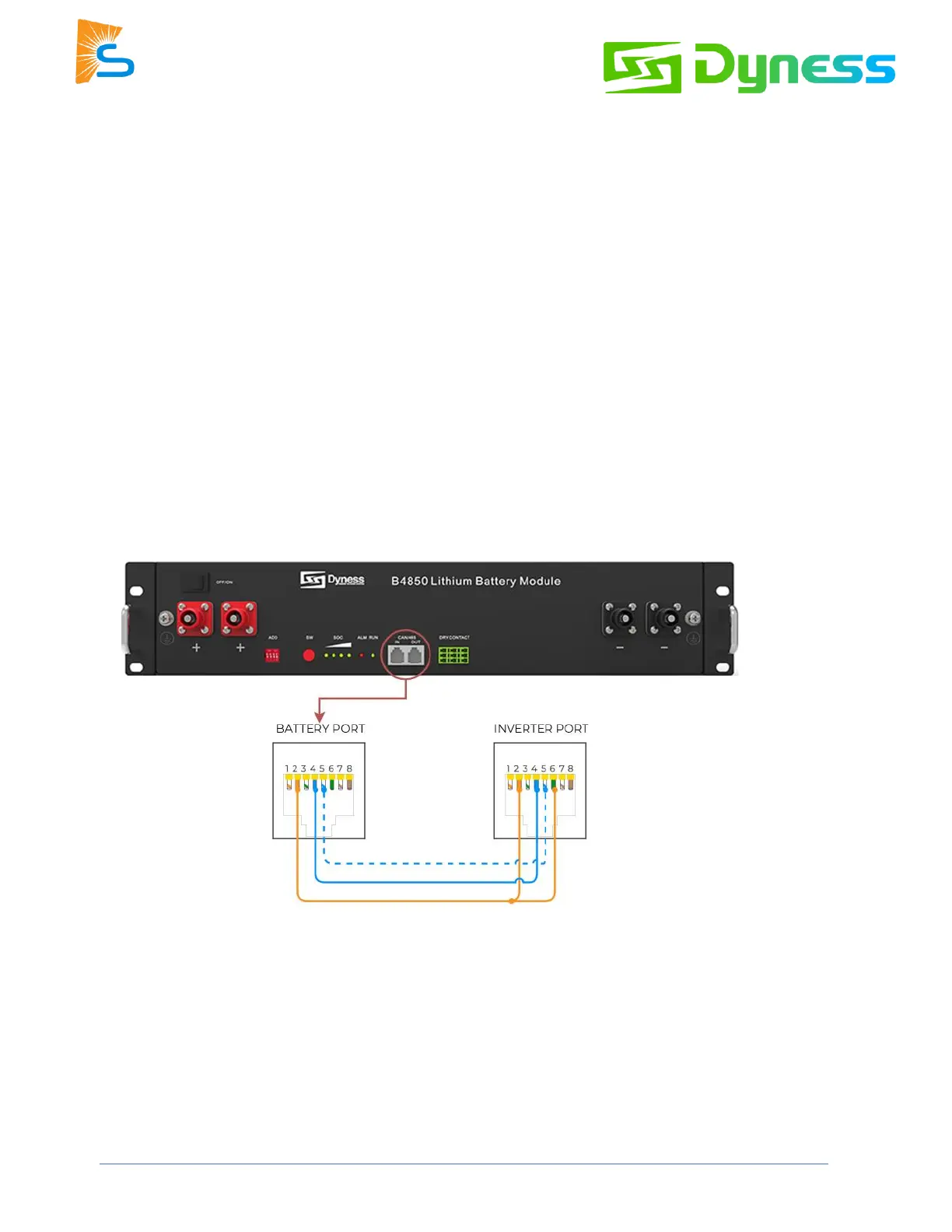
1. Use the appropriate RJ45 cable to connect one of the batteries to the inverter:
Indoor-rated inverters
- You may use an off-the-shelf ethernet cable. No custom cable is needed.
- Connect to the CAN port.
Outdoor-rated inverters
- Use the custom cable described in the beginning of these instructions.
- Connect to the “Battery CANBus” port
2. Program the inverter with this battery's appropriate charge/discharge settings.
3. Enable “BMS Lithium Batt” and set its value to “00.”
4. (Optional) Turn on “BMS_Err_Stop” if you if you want the system to fault on battery communications
loss.



 To Next Page